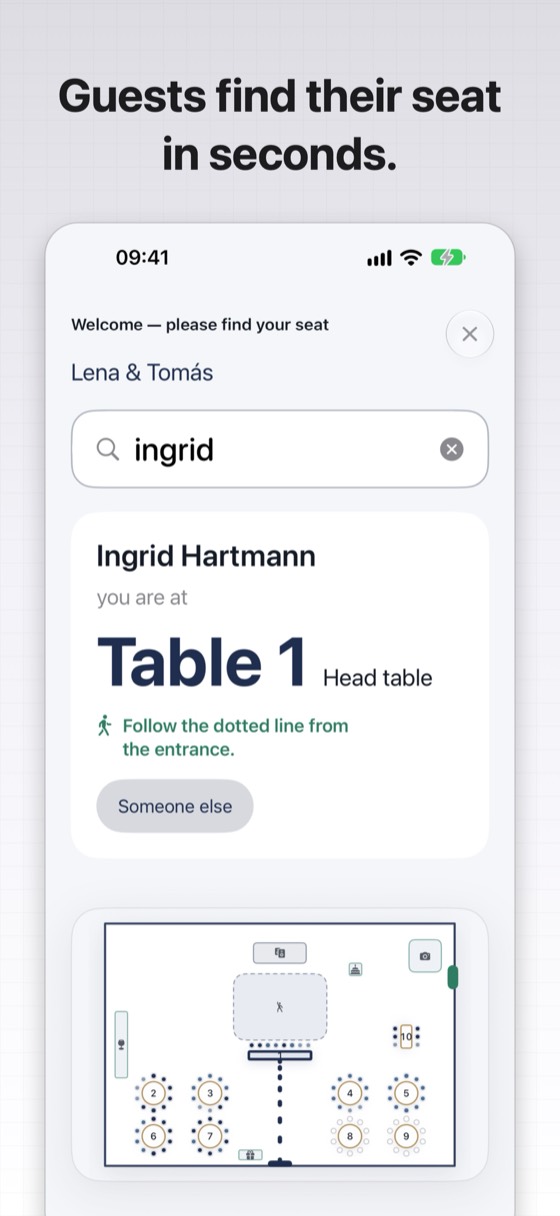
Put an iPad or a Mac at the entrance: guests type their name and see their table light up on the plan.
0accounts needed
01Room
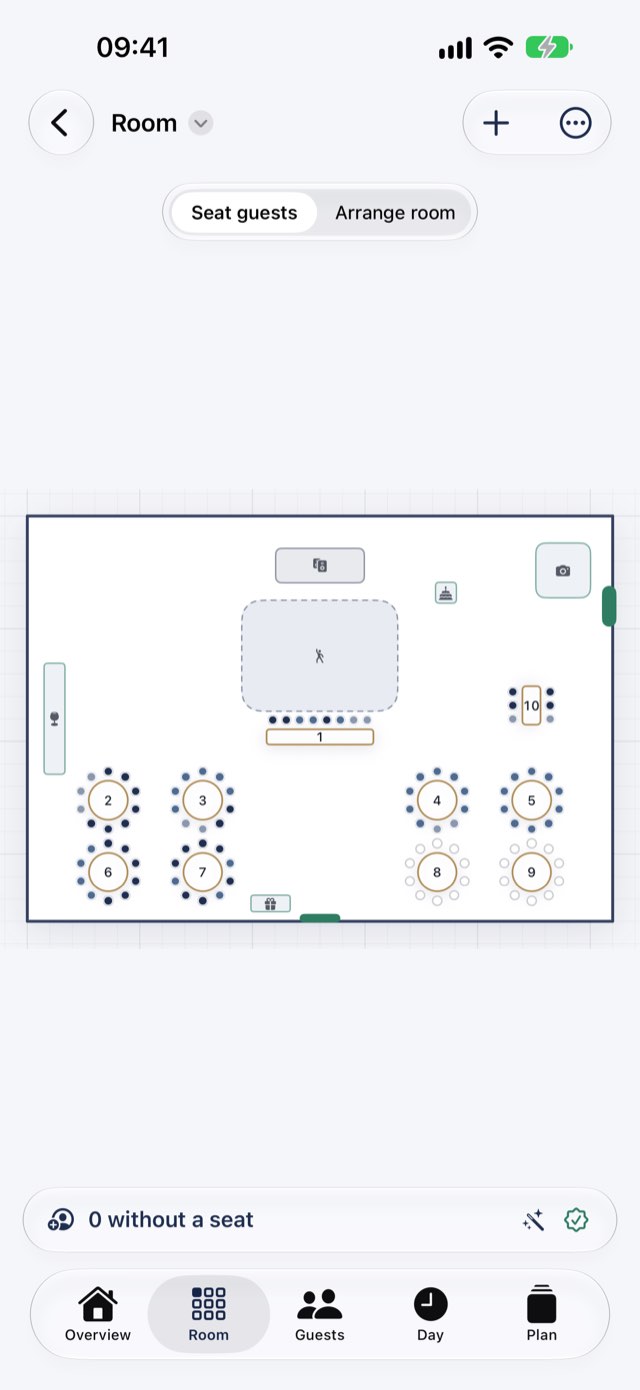
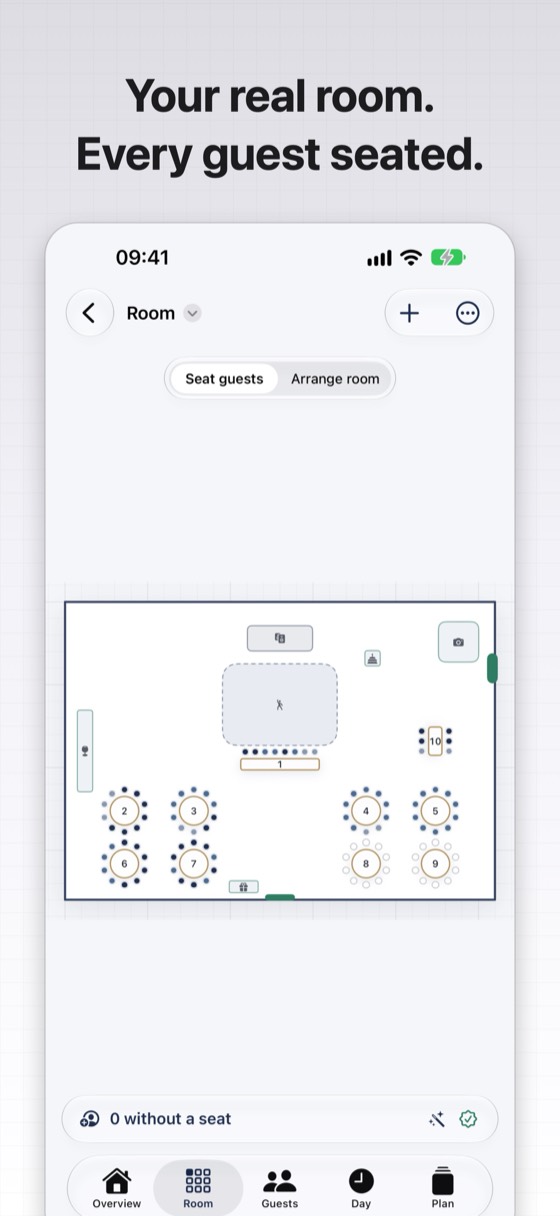
The room, to scale
Start from the room's size, lay your venue's own floor plan underneath (photo or PDF, set the scale with one known distance), or scan the room with LiDAR on iPhone Pro and iPad Pro. Round, rectangular, long, head and sweetheart tables, with chairs drawn where they really go. Dance floor, stage, music, bar, buffet, cake table, doors and more.
02Seating
Seating that thinks with you
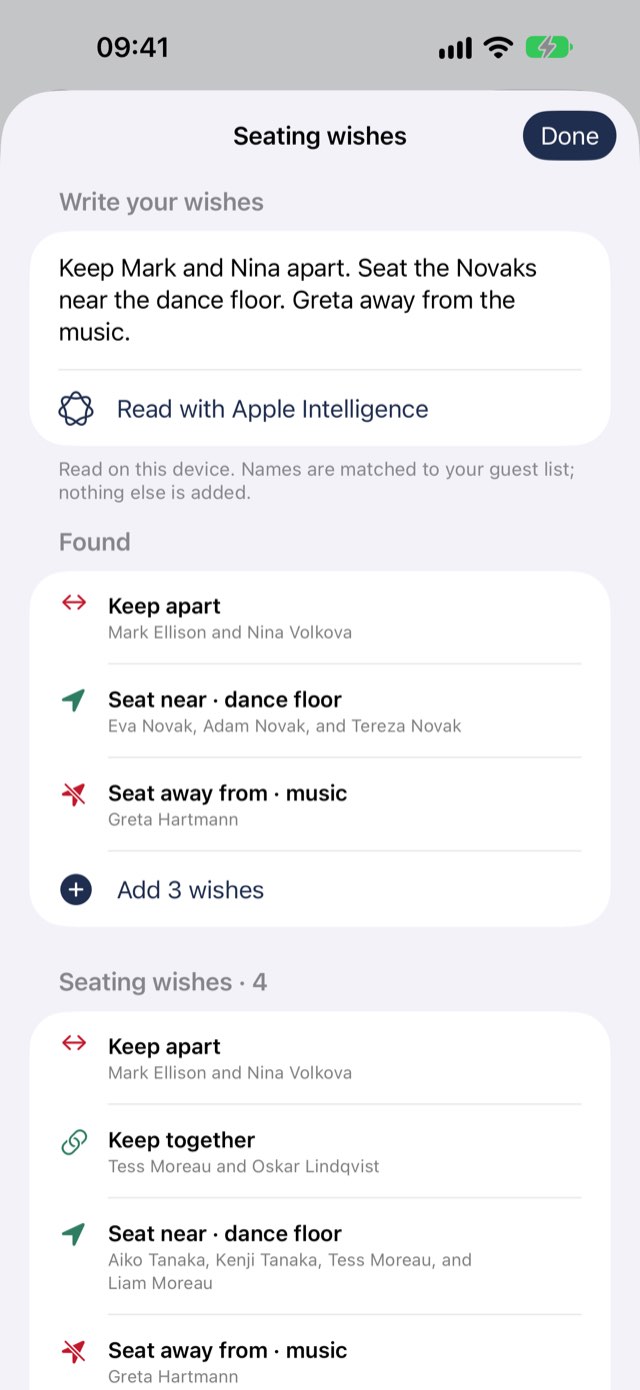
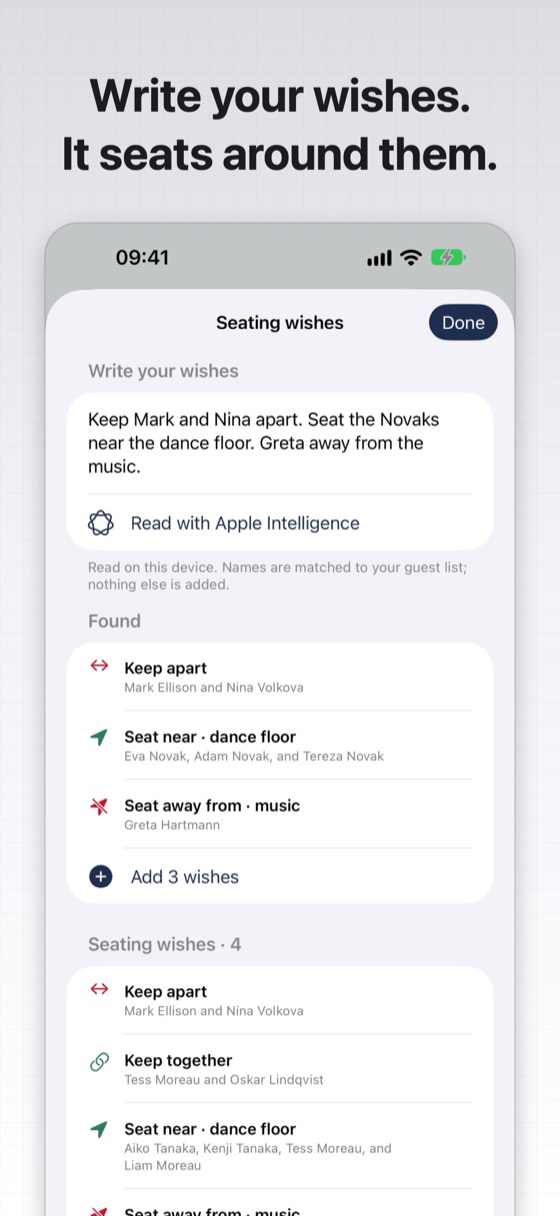
Drag a guest or a whole household onto a table. Auto-seat keeps households together, follows your wishes (“keep apart”, “keep together”, “near the dance floor”, “away from the music”) and seats guests who need step-free access near the door. Write wishes in plain words; Apple Intelligence reads them on your device. Live checks: broken wishes, split households, babies away from their family, missing meals.
03Guests
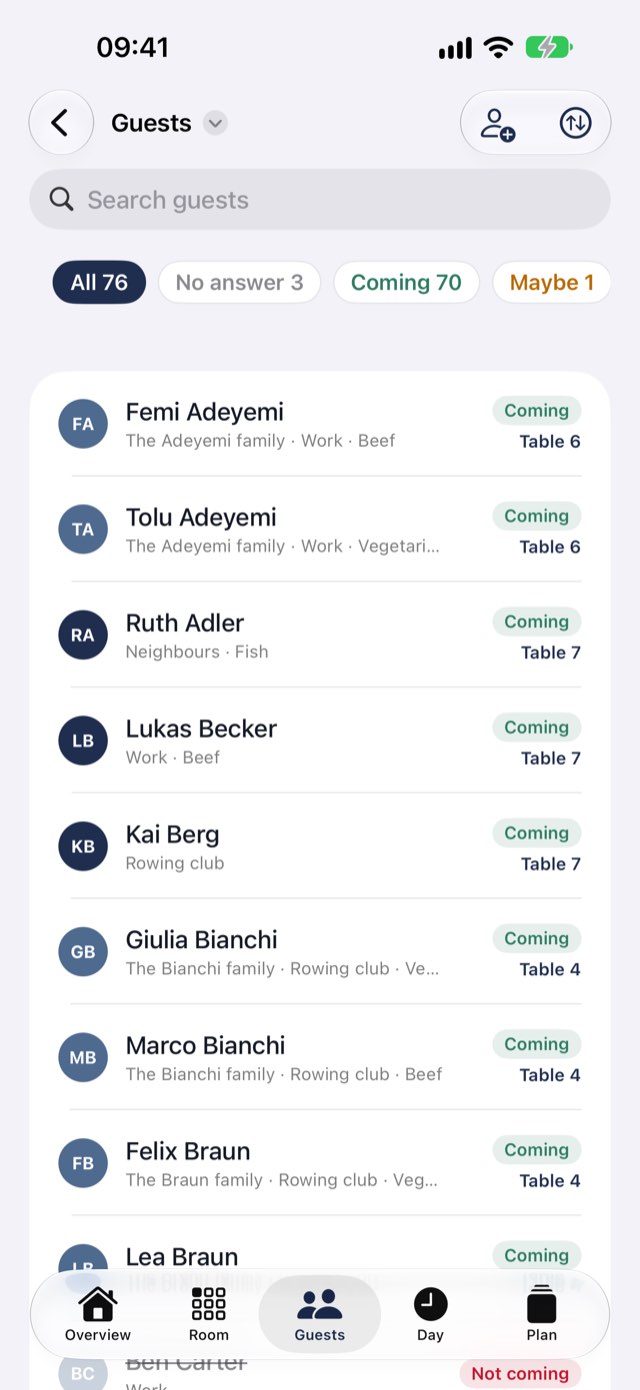
Guests
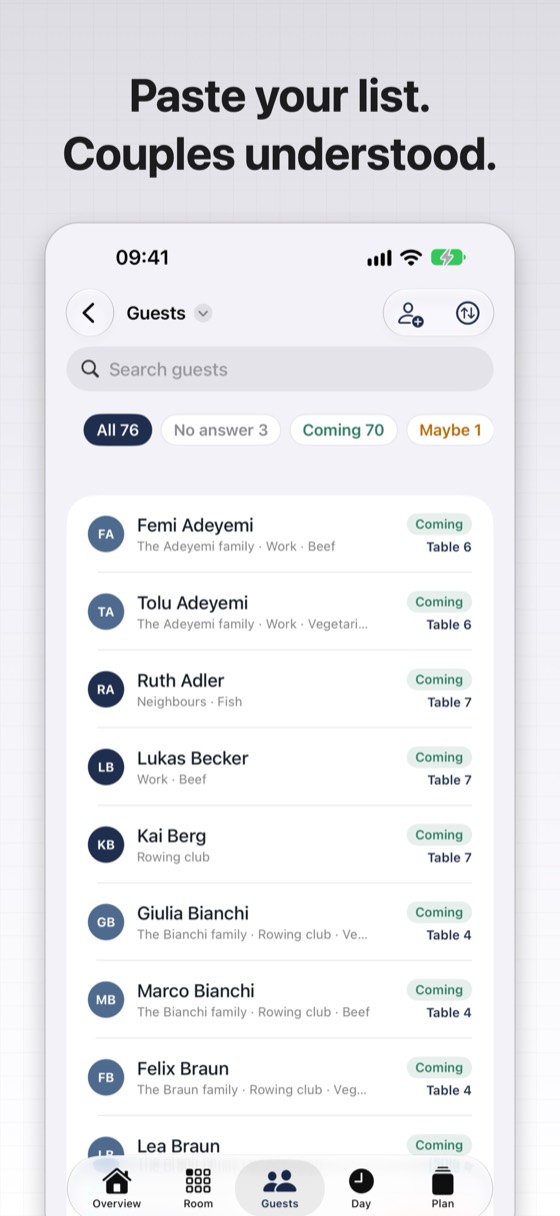
Paste a list from a spreadsheet, notes or a message — couples and +1s are understood. Pick from Contacts on iPhone and iPad. Answers, meals, dietary notes, groups and sides.
04The day
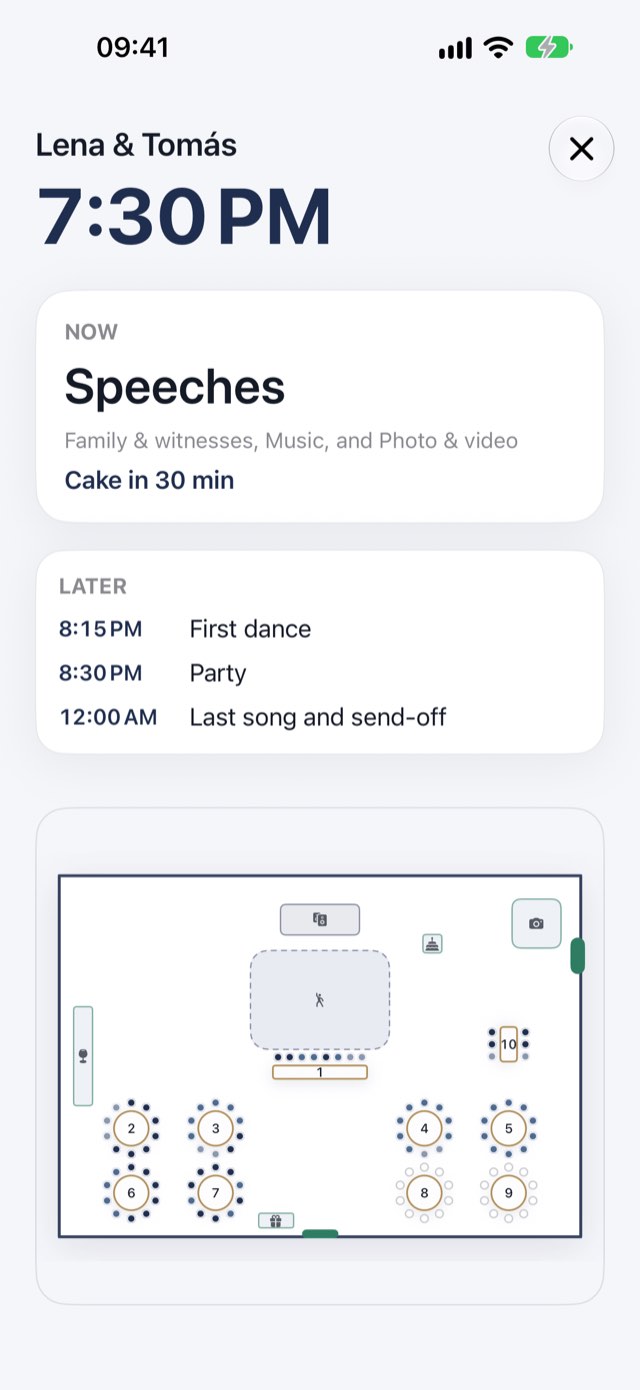
The day
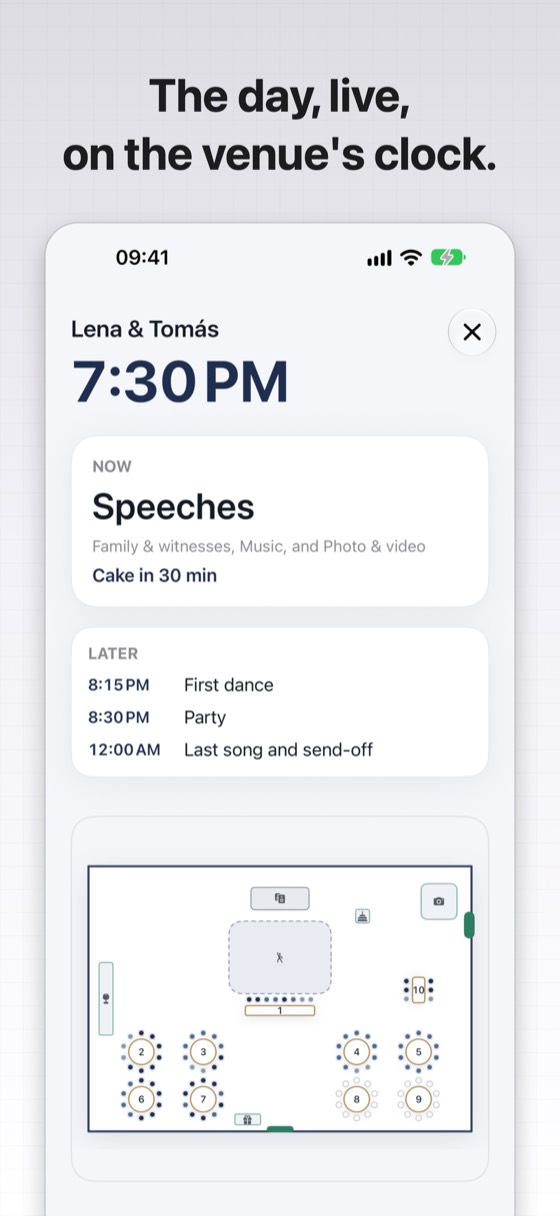
Running order on the venue's clock, even when you plan from another country. Every moment linked to a place in the room and the people needed. Live view on the day, local reminders, calendar file. Starting templates for one-day and multi-day weddings, all editable.
Wedding Table Studio · App Store
How to use
1Step 1 of 3
The room, to scale
Start from the room's size, lay your venue's own floor plan underneath (photo or PDF, set the scale with one known distance), or scan the room with LiDAR on iPhone Pro and iPad Pro
2Step 2 of 3
Guests
Paste a list from a spreadsheet, notes or a message — couples and +1s are understood
3Step 3 of 3
Seating that thinks with you
Auto-seat keeps households together, follows your wishes (“keep apart”, “keep together”, “near the dance floor”, “away from the music”) and seats guests who need step-free access near the door
More
01
Budget and tasks
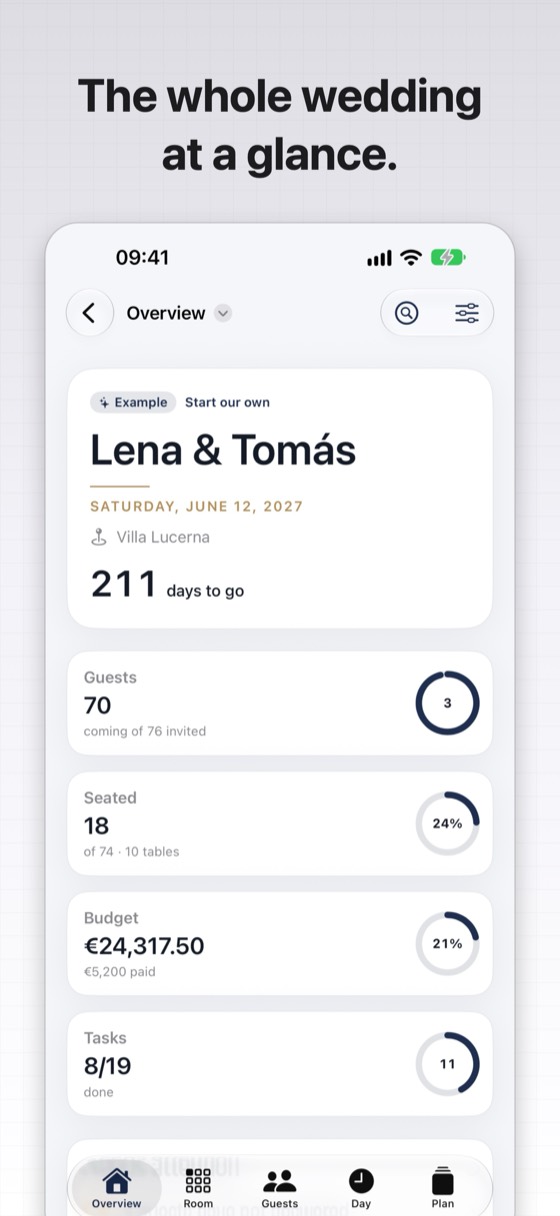
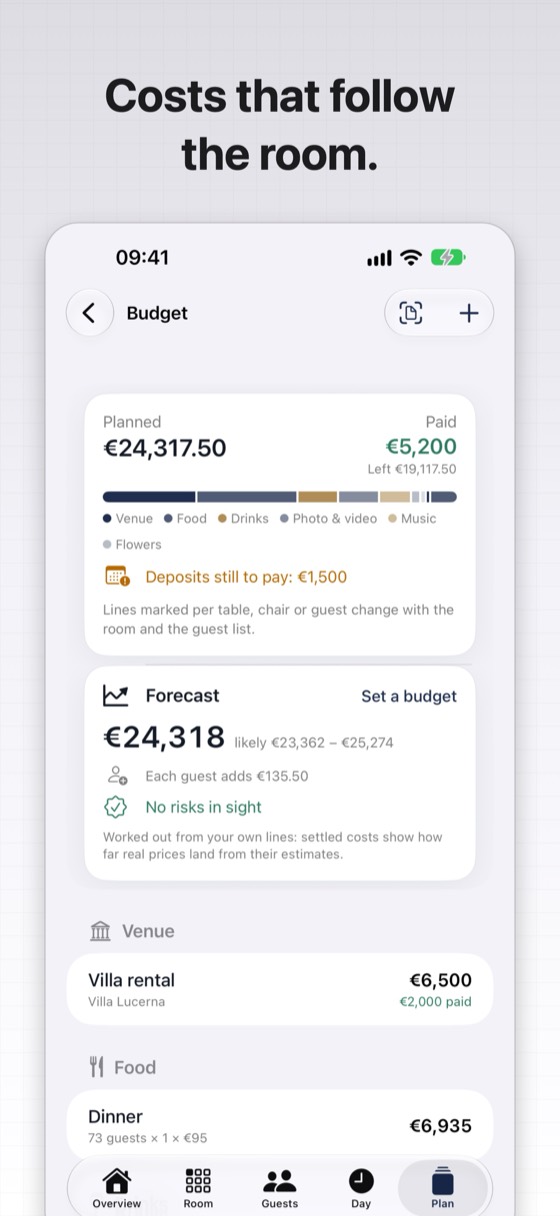
Costs per table, chair or guest follow the room and the guest list. Deposits due, paid and left. A starting checklist dated from your wedding day.
02
Print and share
Seating board, folded place cards, table numbers, kitchen sheet, venue pack and call sheets as PDF. Guest list as a spreadsheet, running order as a calendar.
⌘
Wedding Table Studio for Mac
The same Wedding Table Studio on the Mac: the room to scale, the guests in a sidebar, auto-seat, the day and the budget — and a Mac at the entrance where guests find their seat. One purchase for iPhone, iPad and Mac. Wedding Table Studio for Mac →
One purchase, no subscription
Buy it once. Keep it for good.
No account and nothing to sign up for. One purchase on the App Store unlocks Wedding Table Studio on iPhone, iPad and Mac, and nothing renews.
Prices are shown on the App Store, in your own currency. One payment — no subscription, nothing renews.
Questions
No account and nothing to sign up for. One purchase on the App Store unlocks Wedding Table Studio on iPhone, iPad and Mac, and nothing renews.
Apple takes the payment, so this developer never sees a card or a name. Refunds are handled by Apple at reportaproblem.apple.com.
Each wedding is a Wedding Table Studio file you keep in iCloud Drive or Files and share with your partner or planner. No account, no ads, no tracking.
The language your device is set to, if it is English, French, German, Italian, Japanese, Polish or Spanish; otherwise English.
Facts
Platform
iPhone, iPad and Mac
Account
None needed
Purchase
One payment for iPhone, iPad and Mac; nothing renews
Support
Write to alpenlume@gmail.com — say which device and what you expected to happen.
Privacy
No account, no ads, no tracking. Each wedding is a file you keep.