TalkquoteQuotations by voice

Say what the work needs. The quotation writes itself.

For the electrician, the plumber, the painter, the joiner, the tiler and the builder who quotes from a van rather than a desk — and just as much for the caterer, the mechanic, the consultant and the shop that prices by the piece rather than the hour. Speak the job before you leave the site and Talkquote turns it into priced lines, a total and a PDF the client can read. Optimised for iPhone Duo.

Seven days freeiPhone, iPad and iPhone Duo22 languagesWorks offlinePDF, Word, Excel, CSV, text
Talkquote – Quotations by voiceTalkquote – Quotations by voiceTalkquote – Quotations by voiceTalkquote – Quotations by voiceTalkquote – Quotations by voiceTalkquote – Quotations by voice
The job is quoted in the van, or it is quoted at eleven at night.

Ninety seconds on site, spoken, and the client has a document before you have driven home. That is the whole of it.

0days free
0languages
0accounts needed
Talkquote – Talk through the job, once.
01Dictation

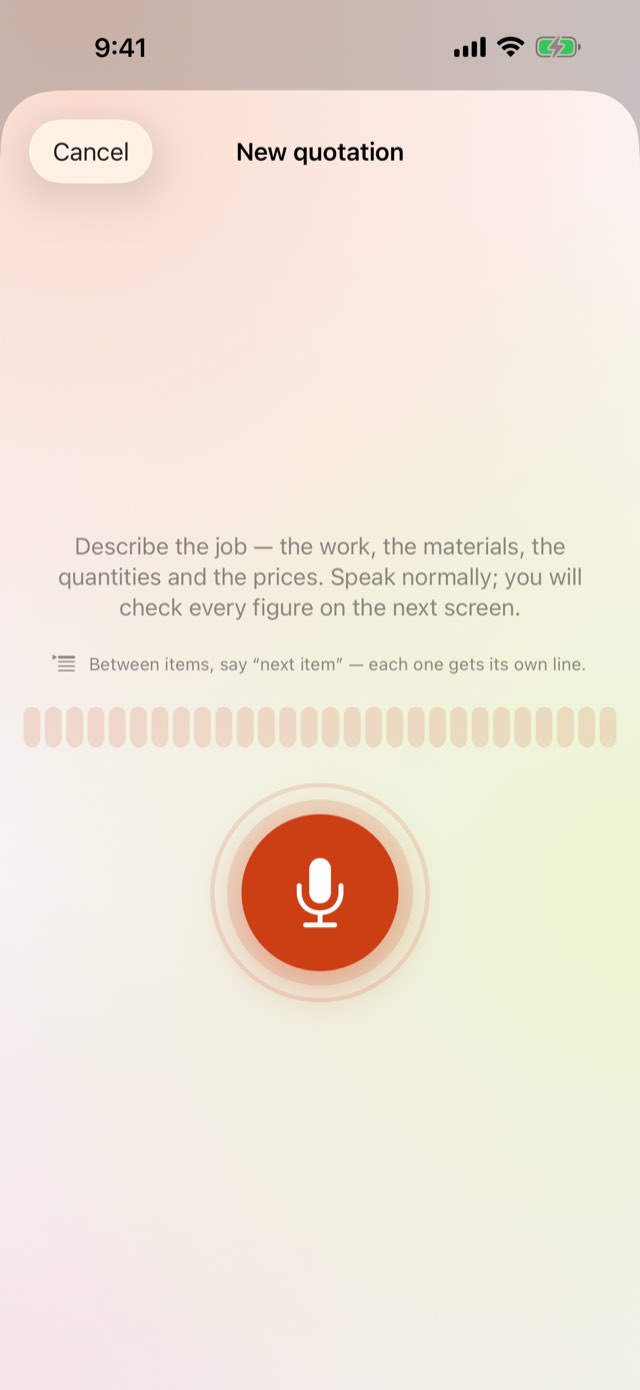
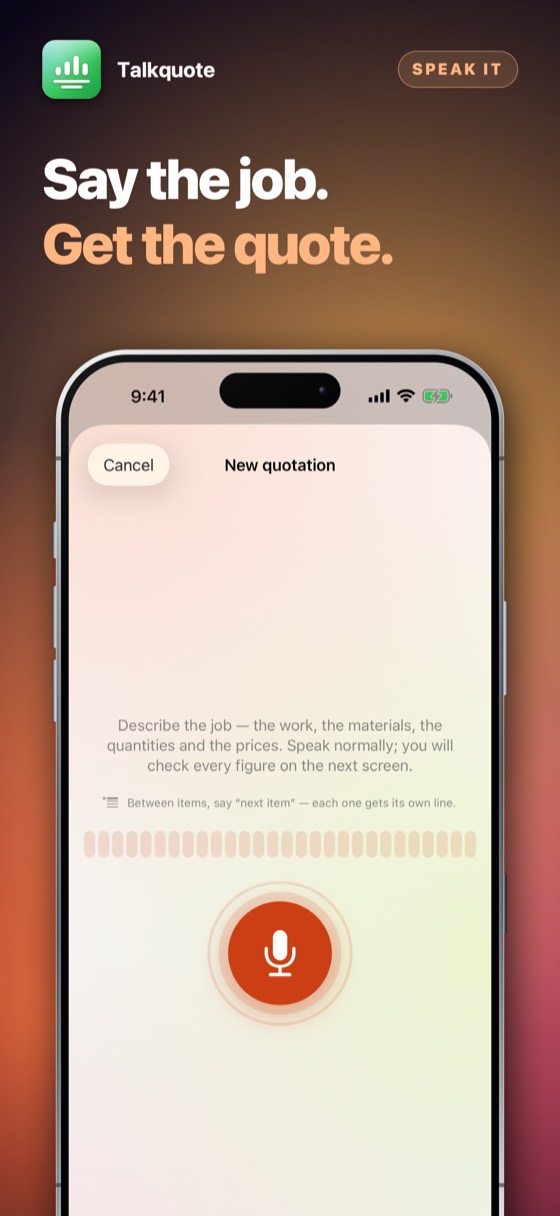
Talk through the job, once.

“Three hours labour at ninety-five, twelve square metres of tiling at sixty, two hundred for materials.” Talkquote splits that into lines, units and prices, and marks anything it had to infer so you can check it. Say “next item” to start a new line, “make that…” to change the last one, “scratch that” to take it back. It learns your clients’ names on your iPhone and flags any figure it was unsure of.

Talkquote – Your firm's quotation, on your own letterhead.
02The document

Your firm's quotation, on your own letterhead.

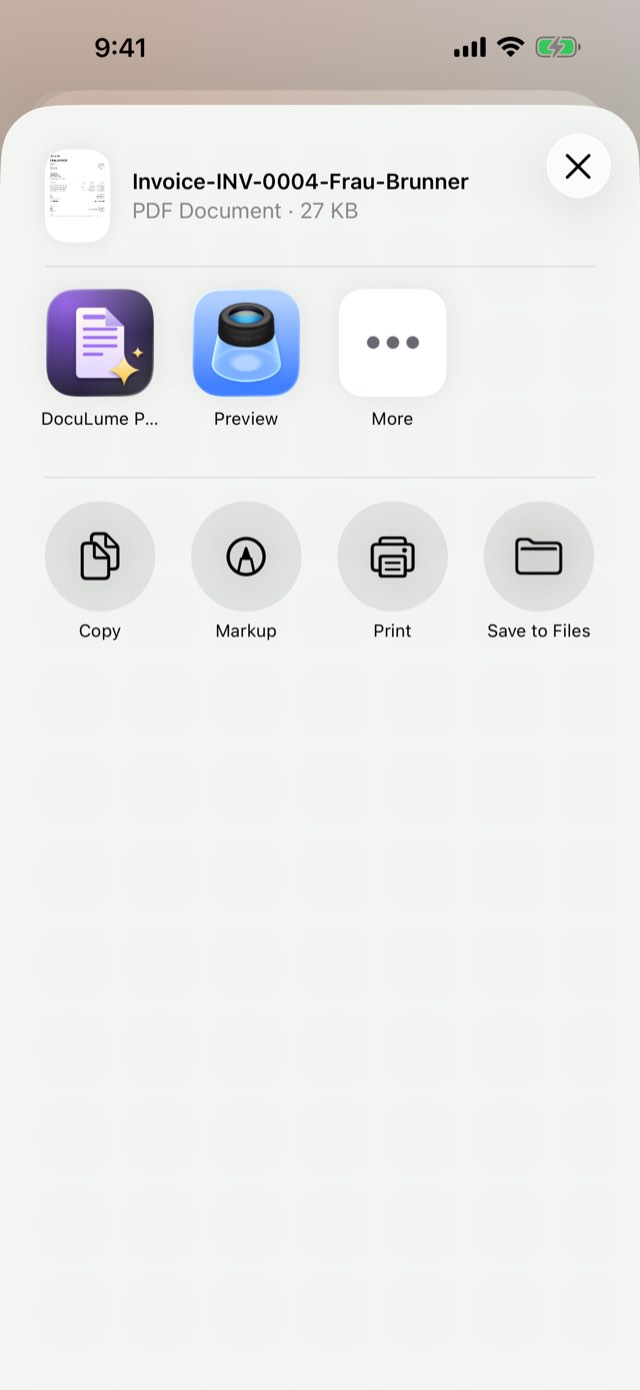
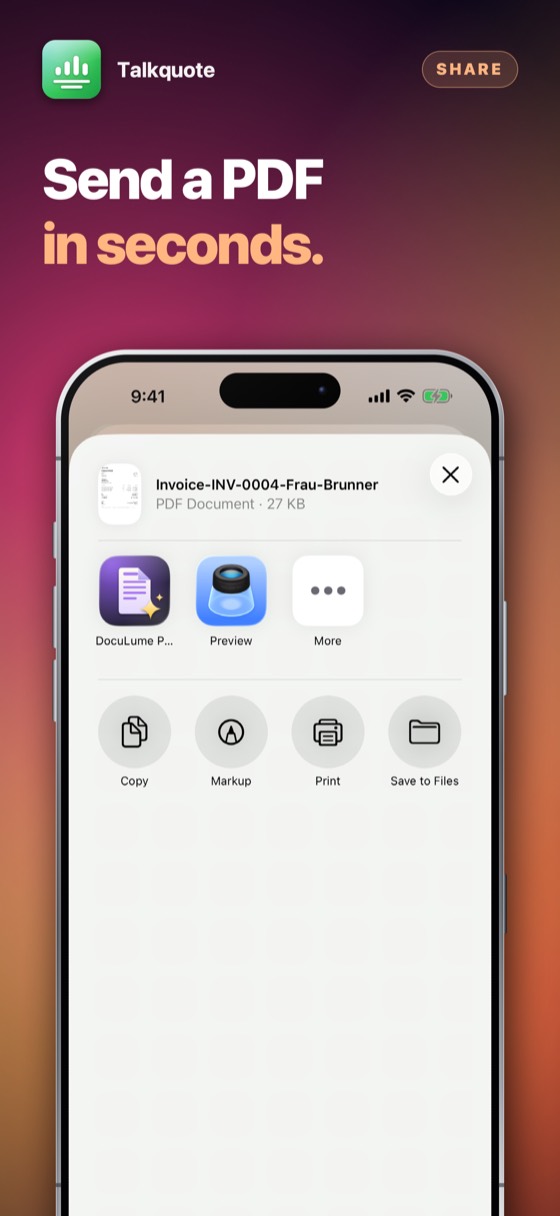
Your logo, your address, your VAT number, your currency and your own terms, in the language your client reads. Send it as a PDF, as a Word file they can edit, as an Excel spreadsheet, as a CSV for the bookkeeper, or as plain text to paste into a message — five formats, from the same figures, by e-mail or through anything else on the phone.

Talkquote – The quotations that are costing you money.
03Follow-up

The quotations that are costing you money.

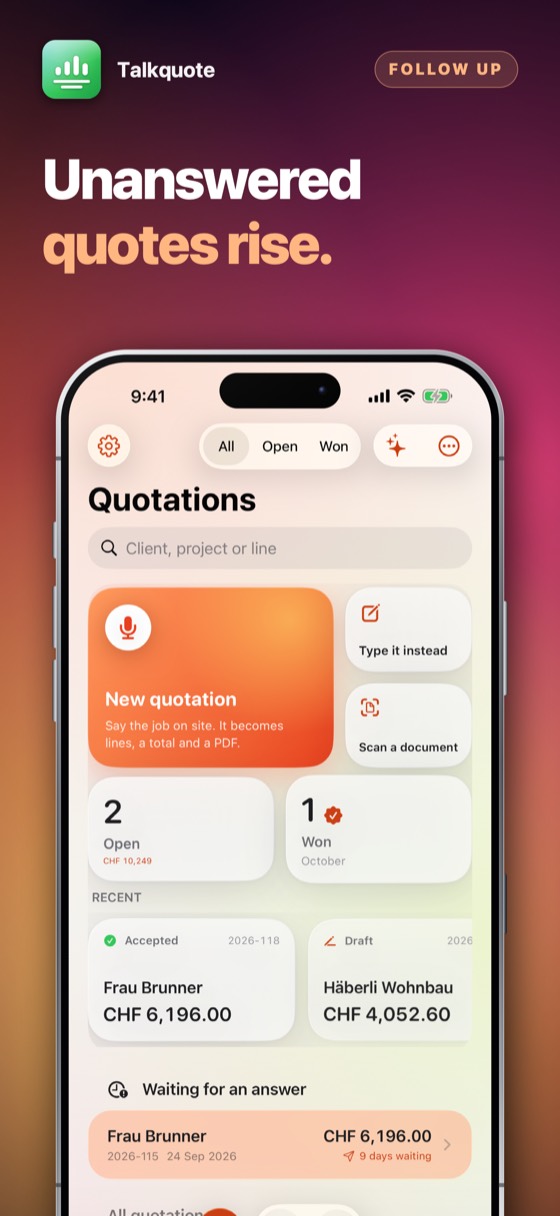
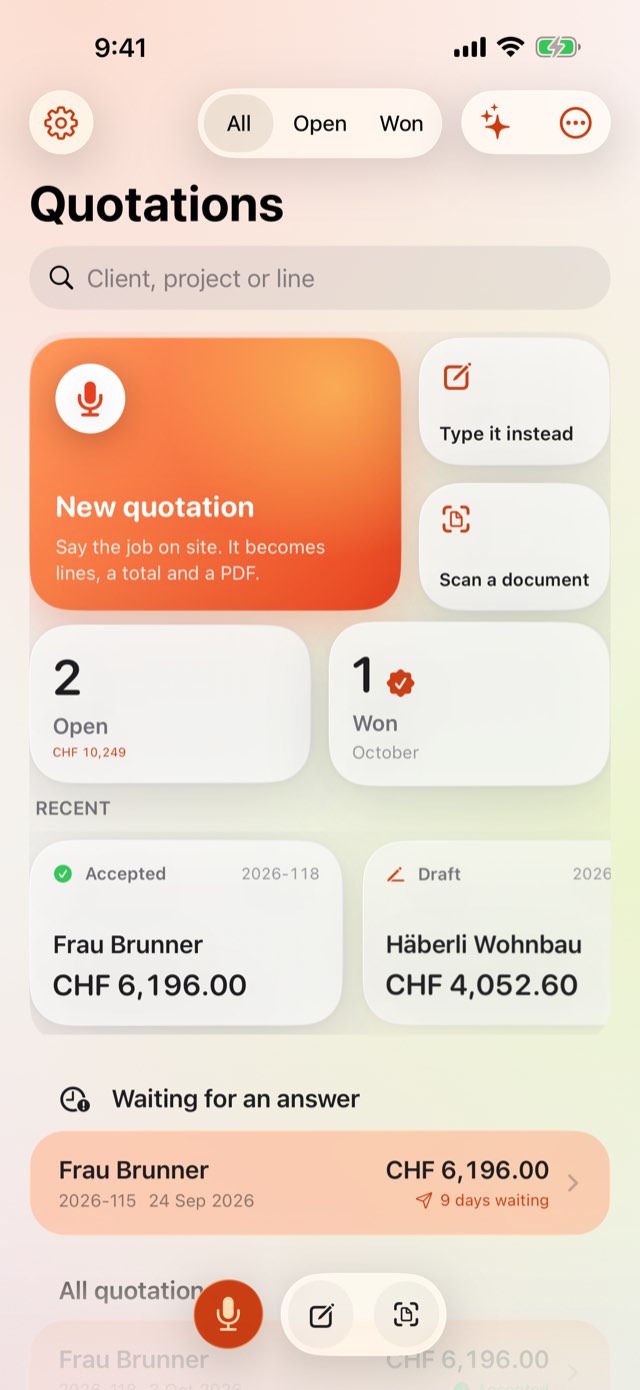
Sending one — by e-mail, message or AirDrop — marks it as sent, and the list puts anything unanswered for a week at the top. The most expensive thing that happens to a quotation is nothing at all.

Talkquote · App Store

Talkquote – Talk through the job, once.Talkquote – Your firm's quotation, on your own letterhead.Talkquote – The quotations that are costing you money.Talkquote 4Talkquote 5Talkquote 6Talkquote 7Talkquote 8

How to use it

From standing in the client's kitchen to the quotation being in their inbox. Five steps, none of which needs a signal.

1Step 1 of 5

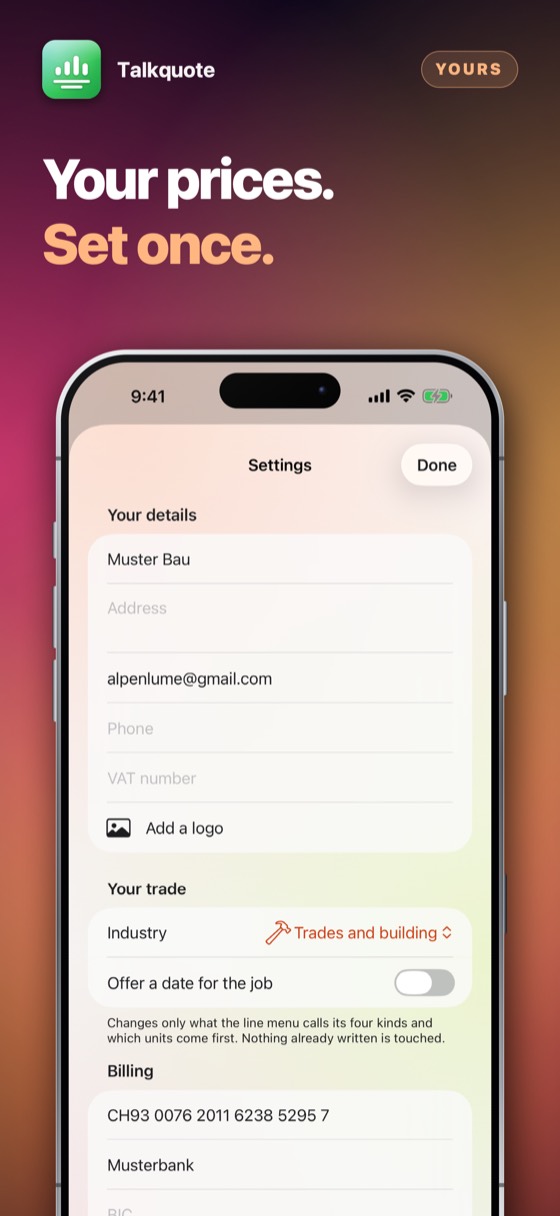
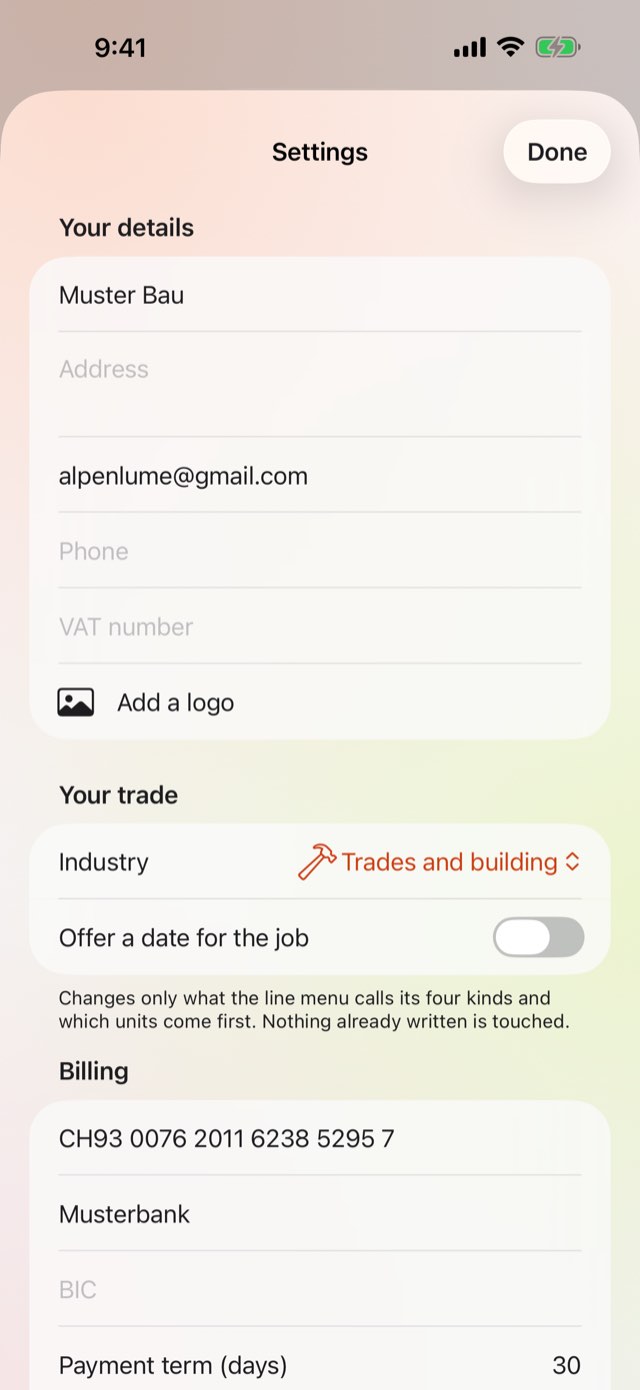
Put your business in once

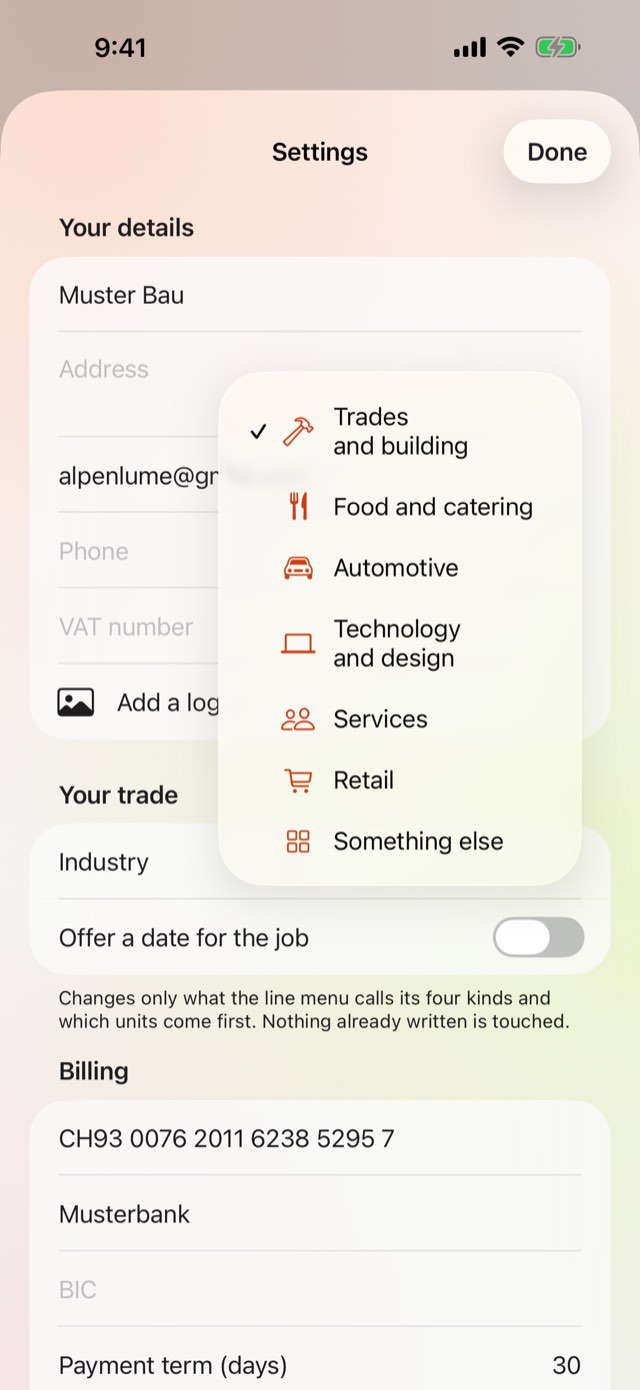
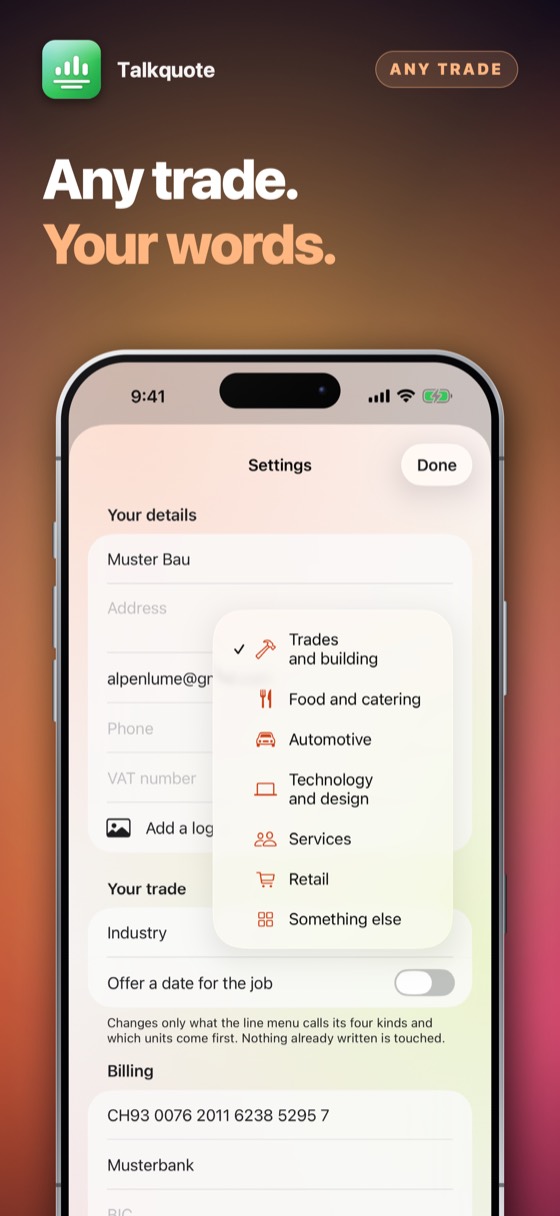
Settings holds your name, address, logo, VAT number, currency, default tax rate and your own terms. It goes on every document from then on. Talkquote supplies no terms of its own: they are your contract with your client, and nothing to do with the app.

Put your business in once
2Step 2 of 5

Dictate the job on site

Tap the microphone and talk normally. Quantities, units and prices are pulled out of the sentences; anything the parser had to infer is flagged so you can look at it. The recognition runs on the device — no signal needed and nothing uploaded.

Dictate the job on site
3Step 3 of 5

Check the lines and the margin

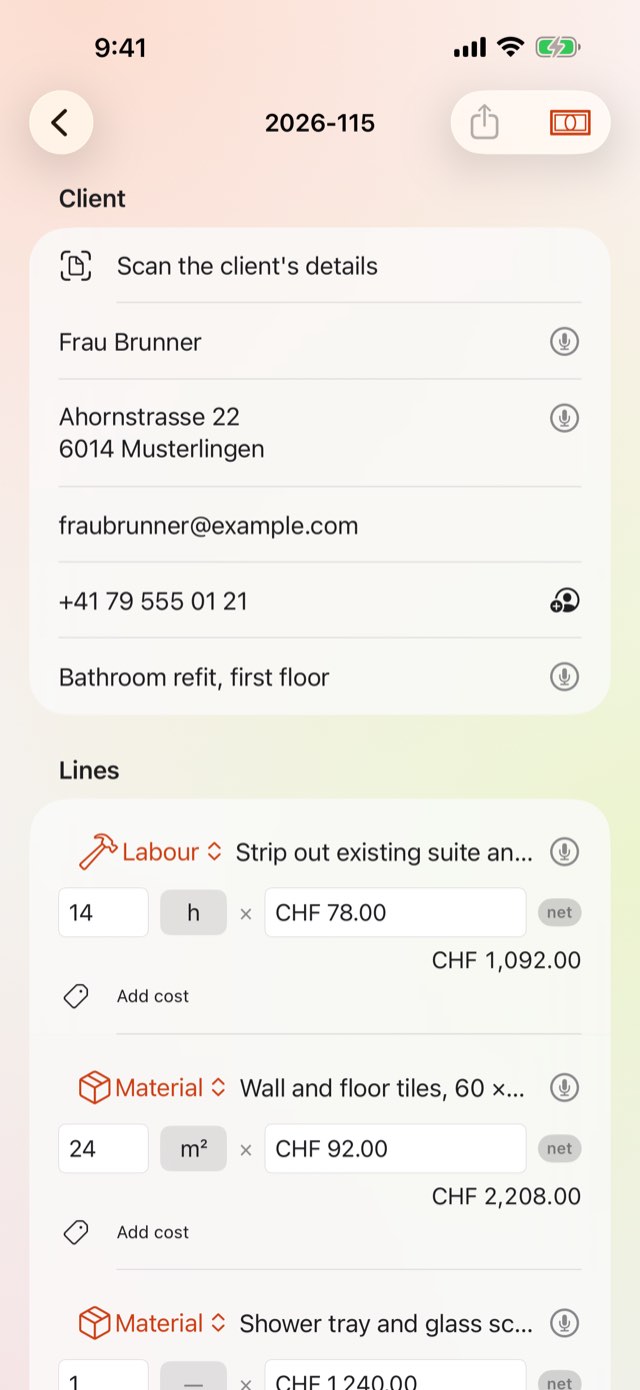
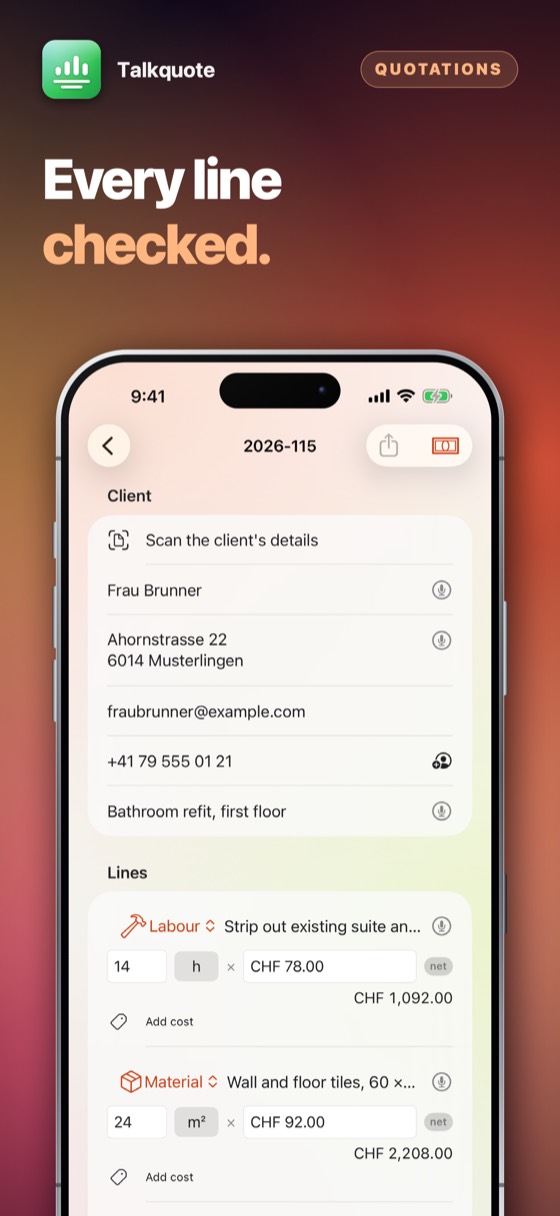
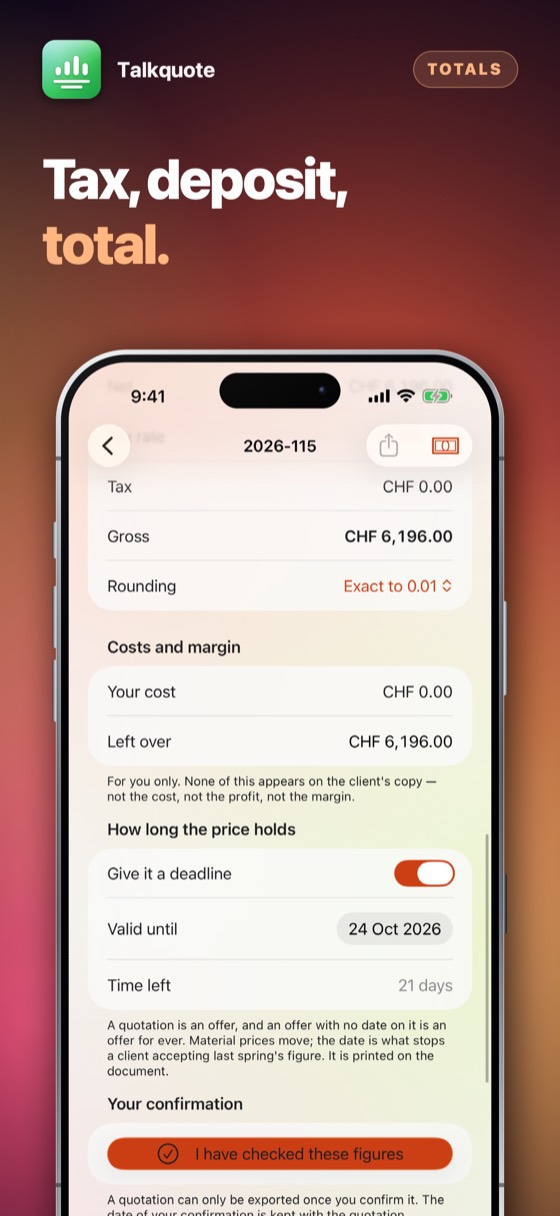
Every line shows the sentence it came from, one tap away. Add your cost price and Talkquote shows the profit and the margin — inside the app only. Your client never sees a cost price, because a client seeing your cost price is a conversation nobody wants.

Check the lines and the margin
4Step 4 of 5

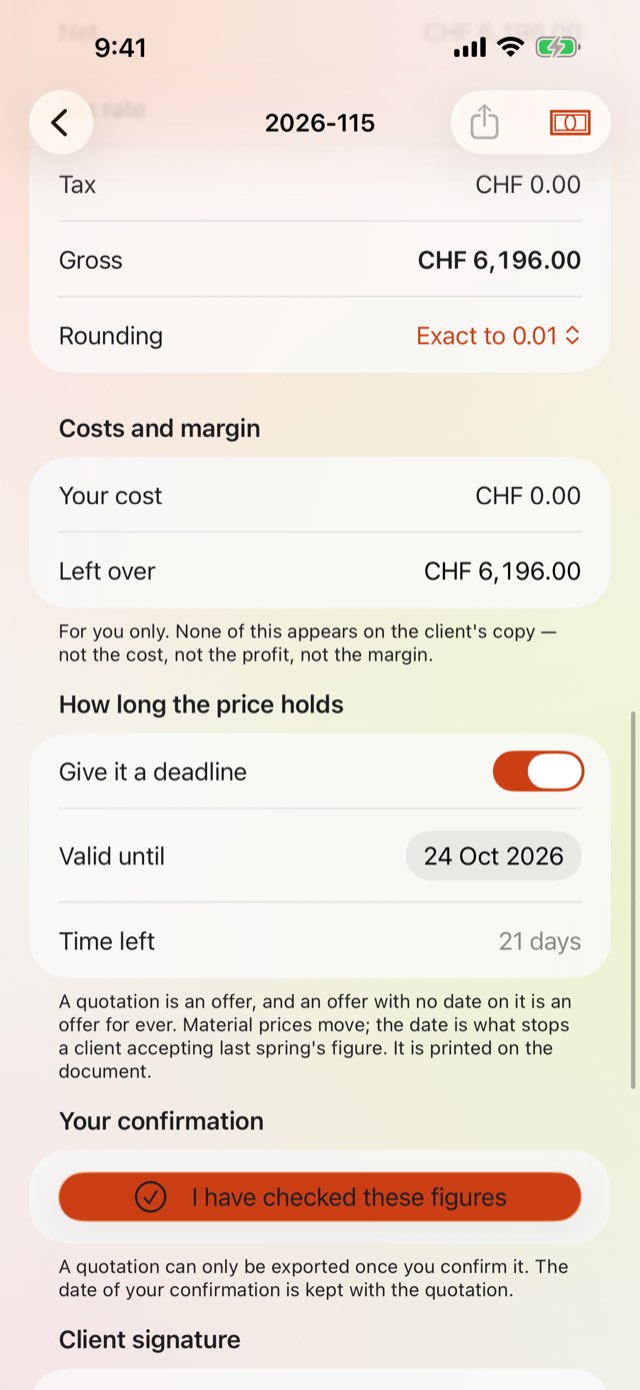
Approve the figures

Before anything can be exported, you confirm in as many words that you checked the totals. The date, the version and the totals at that moment are kept with the quotation. Any later edit clears it, so the record can never describe numbers that have since changed.

Approve the figures
5Step 5 of 5

Send it, and know where it got to

Export as PDF or Word and either share it anywhere or send it straight from the app — the mail opens already addressed to your client, with the document attached and a covering note written in their language. Select several quotations and they go in one message. Sending marks them as sent, and the list starts counting the days.

Send it, and know where it got to

Quotations, start to finish

Six different businesses, six ordinary jobs, priced the way the app prices them. The clients are invented; every figure below came out of Talkquote.

Painter

Two flats, repainted

Häberli Wohnbau
  • Walls and ceilings, four rooms26 h
  • Emulsion, white matt34 l
  • Filling and masking8 h
  • Covers and waste1
Total the client seesCHF 3'749.60
Bathroom fitter

Bathroom refit, first floor

Frau Brunner
  • Strip out suite and tiling14 h
  • Wall and floor tiles, laid24 m²
  • Shower tray and screen1
  • Plumbing, both fixes18 h
Total the client seesCHF 6'072.00
Electrician

New circuits, front of house

Café Sonnenrad
  • Installation and testing11 h
  • Downlights, dimmable22
  • Consumer unit, certified1
  • Certificate and report1
Total the client seesCHF 2'494.00
Caterer

Wedding dinner, eighty guests

Hochzeit Vogt
  • Three-course menu80 port.
  • Service staff, evening24 h
  • Wine and soft drinks80 pers.
  • Delivery and setting up1
Total the client seesCHF 11'060.00
Garage

Service and front brakes

Frau Item
  • Service, oil and filters2.5 h
  • Brake discs and pads, front1 set
  • Diagnostics and road test1 h
  • Parts disposal1
Total the client seesCHF 1'252.50
Web studio

Website with an online shop

Bäckerei Steiner
  • Design and build9 d
  • Licences, first year3
  • Product photography1
  • Handover and training4 h
Total the client seesCHF 10'570.00

Figures are examples. Your rates, your currency, your tax — the app uses yours.

What it replaces

The platforms do scheduling, payments and crews. This does the ninety seconds you actually repeat twenty times a week.

The questionThe usual answerTalkquote
Quoting a job on siteType it later, at the deskSay it there, and drive away with it sent
Getting startedAn account, a seat price, a trial that expiresOpen it and use it; it asks once, after seven days
A quote nobody answeredYou find out when the job is goneIt goes to the top of the list, counting the days
Your prices and your clientsOn somebody's serverOn your phone, behind Face ID

Everything else it does

01

Twenty-two languages

Speak in one, write the document in another. A Polish tradesperson in Lucerne can quote a German client in German.

02

Your own price list

Set a default hourly rate and Talkquote uses it whenever you say hours without a price.

03

Tax the way your country does it

VAT, MWST, TVA, IVA — the rate and the label are yours to set, per quotation or per line, because a business near a border does not always use one.

04

Deposits and discounts

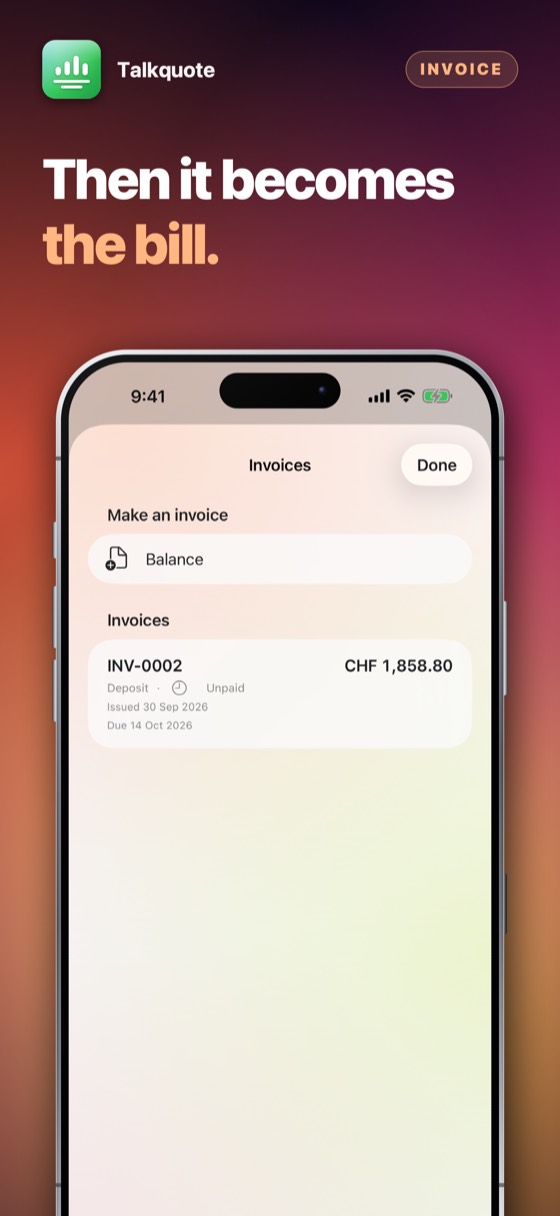
A deposit as a share of the total, discounts per line or over the whole quotation, and rounding that matches how you actually invoice.

05

Duplicate the last one

Most jobs are variations of a job already quoted. Copy it, change three lines, send it — without retyping fourteen.

06

Locked when you put it down

Face ID or a passcode on the app itself, so a phone left on a worktop does not show a client's prices.

07

Signed on the spot

The client signs on your screen with a finger. The signature is printed on the quotation and carried to the bill that follows it.

08

Your trade's own words

Choose your trade and the lines rename themselves: ingredients for a caterer, parts for a garage, licences for an agency. Nothing already written changes.

09

The date of the job

Quoting a wedding, a delivery, a shutdown? Switch on the event date and it prints on the document and follows through to the invoice.

10

Ask Siri for it

Find a quotation by client or by number, or ask which are still waiting, from Siri, Spotlight or a Shortcut — without opening the app first. Ask for a new one and Siri asks who it is for and what the job needs.

11

What the year came to

What you quoted, what was accepted and what is still waiting — without a spreadsheet.

Seven days free

Seven days of everything, free.

No account and nothing to sign up for. Try the whole app for seven days; then it asks once, and you decide.

Download on the App Store

Prices are shown on the App Store, in your own currency. Seven days free, then a month or a year at a time — cancel any time in Settings on your iPhone.

Questions people ask

No. Dictation, parsing, PDF and Word generation all run on the device. You can write a full quotation in a basement with no signal.

The only network traffic Talkquote causes belongs to the App Store, when you subscribe or restore.

That is between you and your client, and it depends on your own terms — which you write and Talkquote prints. The app supplies no terms of its own and makes no promise on your behalf.

What Talkquote does give you is a record: when you approved the figures, which version of the app was running, and what the totals were at that moment. If a figure is ever disputed, that is worth considerably more than any wording.

It can mis-hear a word, like any recognition. That is why every line shows the sentence it came from, why anything inferred is flagged, and why nothing can be exported until you have confirmed the totals yourself. Talkquote drafts; you decide.

Yes. On the list, choose “Select several”, tick the ones you want and send — they go as attachments in one message.

If they are all for the same client the message is already addressed. If they are for different clients the To field is left empty on purpose: putting two clients on one e-mail would show each of them the other's address.

Talkquote can be used in full for seven days before it asks for anything. The days are counted by use: a day you do not open the app is not spent. They start by themselves the first time you open it, with no account and nothing to sign up for. When they are up, the app asks once and you decide — a month at a time, a year at a time, or buy it once.

The App Store page shows what it costs and how it is paid — once, or as a subscription — in your own currency, before anything is charged. Apple takes the payment, so this developer never sees a card or a name. There are no advertisements.

Yes. Cancel at any time in the App Store: tap your picture at the top right, then Subscriptions. That is the only place a subscription can be stopped — the app cannot do it for you, because Apple takes the money. You keep it until the end of the period you have already paid for.

Refunds are handled by Apple, not by us — we never see your payment details and cannot issue one. Go to reportaproblem.apple.com, sign in, and choose the purchase.

Whatever you bought belongs to your Apple Account. Sign in on an iPad or a new iPhone with the same Apple Account, open the app, and choose Restore on the purchase screen. Nothing is charged again.

One purchase covers one Apple Account. It is not shared with a family and cannot be passed round a firm — a second person needs their own.

No. There is no account, no sign-in and no server. Everything the app holds is on your own device and is removed when you delete the app.

The only network traffic the app causes belongs to the App Store, when you buy, subscribe or restore.

Whatever your device is set to, if that language is one it has been translated into; otherwise English. There is no language setting to get wrong — changing your iPhone's language changes the app with it.

The details

Platform
iPhone, iPad and iPhone Duo, iOS 17 and later
Languages
English, German, French, Italian, Polish, Spanish, Dutch, Portuguese, Swedish, Czech, Danish, Norwegian, Finnish, Turkish, Ukrainian, Japanese, Chinese, Arabic, Korean, Russian, Greek, Hindi
Exports
PDF, Word (.docx), Excel, CSV and plain text
Data collected
None
Account required
None
One Apple Account
One purchase, one Apple Account. Not shared with a family or passed round a firm.
Support

Payments, refunds and cancellations

Apple takes every payment for this app. That means Apple — and only Apple — can look a charge up, stop a subscription or give a refund. This developer never sees a card, a name or a payment, and has no way to change one.

Cancelling is done at the App Store, and nowhere else. Open the App Store, tap your picture at the top right, then Subscriptions. Cancelling stops the next payment; what you have already paid for runs to the end of its period. Do it at least 24 hours before the period ends, or that renewal goes through anyway.

What Talkquote does not do

Talkquote drafts a quotation from what you said and prints it under your name. It does not check your prices, know your local rules, or take any responsibility for the figures. You approve every quotation before it can leave the app, and that approval is the point: the numbers are yours.

A word was recognised wrongly

Every line keeps the sentence it came from — tap the line to see it. Fix the number in place; the quotation's approval clears itself so you are asked to check the new total before it can be sent.

The export button is greyed out

Two things disable it: a quotation with no lines, and a quotation whose figures you have not approved since the last edit. Open the approval section and confirm the totals.

Nothing happens when I choose “Send by email”

That needs a mail account set up on the device. Add one in Settings, or use Share instead — that reaches Gmail, Outlook, WhatsApp and anything else you have installed.

Restoring something you already paid for

A purchase belongs to your Apple Account, not to one device. On a new phone, or after reinstalling, open the app and choose Restore on the purchase screen. Nothing is charged again.

Cancelling a subscription

Open the App Store, tap your picture at the top right, then Subscriptions. That is the only place a subscription can be stopped — this app cannot do it for you, because Apple takes the money. Cancelling stops the next payment and leaves the period you have already paid for running to its end. A one-time purchase never renews and has nothing to cancel.

Still stuck? Write to alpenlume@gmail.com — say which app, which iPhone or iPad, and what you expected to happen.

Privacy policy

Last updated 4 October 2026.

The short version

Talkquote collects nothing, sends nothing and has no account. Your quotations and your clients' details stay on your device.

What stays on your device

Your company profile, your clients, your quotations and the documents you export live in the app's own storage on your device. There is no account and no server belonging to this app.

Dictation. Speech recognition runs on your device, using Apple's offline model, whenever your phone has that model for the language it is set to. When it has not, dictation stops and says so rather than quietly doing something else: it offers to send the recording to Apple's speech service, under Apple's privacy policy, and nothing is sent unless you tap the button that says so. Talkquote remembers that answer, so the next dictation does not ask again; you can take it back at any time in Settings › Privacy, and after every dictation that went to Apple the screen says so. You can always type instead.

AI assistance. Where the parser cannot read a sentence, Talkquote asks for a second opinion — on this iPhone, by Apple Intelligence, without being asked; and where that is not available, from Apple's own Private Cloud Compute, only when you tap the button under a draft. Neither needs an account, a key or any company you have to choose. Whatever either one returns arrives marked as unchecked, and a figure it gives that you did not say is taken out, so nothing reaches a client until you have confirmed it.

A document goes somewhere else only when you send or share it, and then only where you send it.

What is collected

Nothing. This app has no account, no sign-in, no analytics, no advertising identifier, no crash reporting service and no tracking of any kind. No profile is built and nothing is shared with anyone.

Network use

This app has no server of its own: nothing to sign in to, and nothing uploaded to the developer, ever. What it does with the internet — for most of these apps, nothing at all — is set out under “On your device” above.

Two things do use the internet, and both are somebody else's. The App Store does, when you buy, subscribe or restore. And when you share something — a dish, a recipe, a document — iOS hands it to the app you picked, whether that is Messages, Mail or WhatsApp, and that app sends it over its own connection under its own privacy policy. Nothing is sent unless you press send, and this app never learns where it went.

Purchases

Buying is handled entirely by Apple. The app never sees a card number, a name or an address; it asks the App Store one question — whether this Apple Account owns the app — and receives yes or no. Apple's own privacy policy governs the transaction.

Children

This app is not directed at children and collects nothing from anybody, so there is nothing held about a child to disclose, correct or delete.

Your rights

Data protection law gives you the right to see, correct, export and erase personal data held about you. Because none is held, there is nothing to produce or delete on request. Everything the app has is on your own device: deleting the app removes it, and it was never anywhere else.

Changes

If this policy ever changes it will be dated above. It will not be changed retroactively, because there is no collected data for a change to newly permit.

More from Alpenlume