VoucherlumeEvery card, one wallet

Every loyalty card, gift card and voucher, in one wallet.

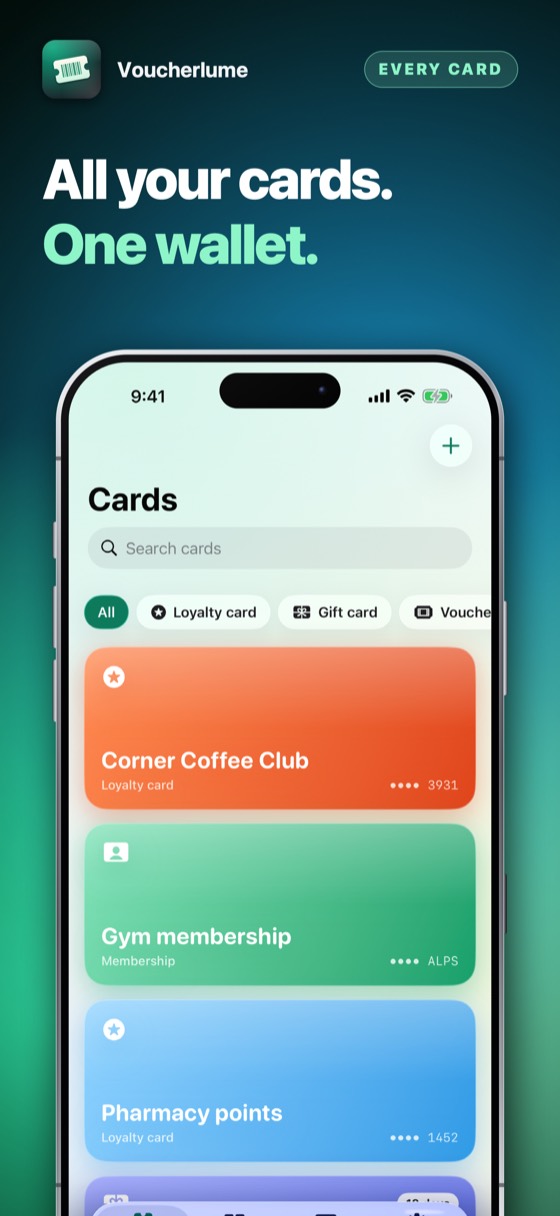
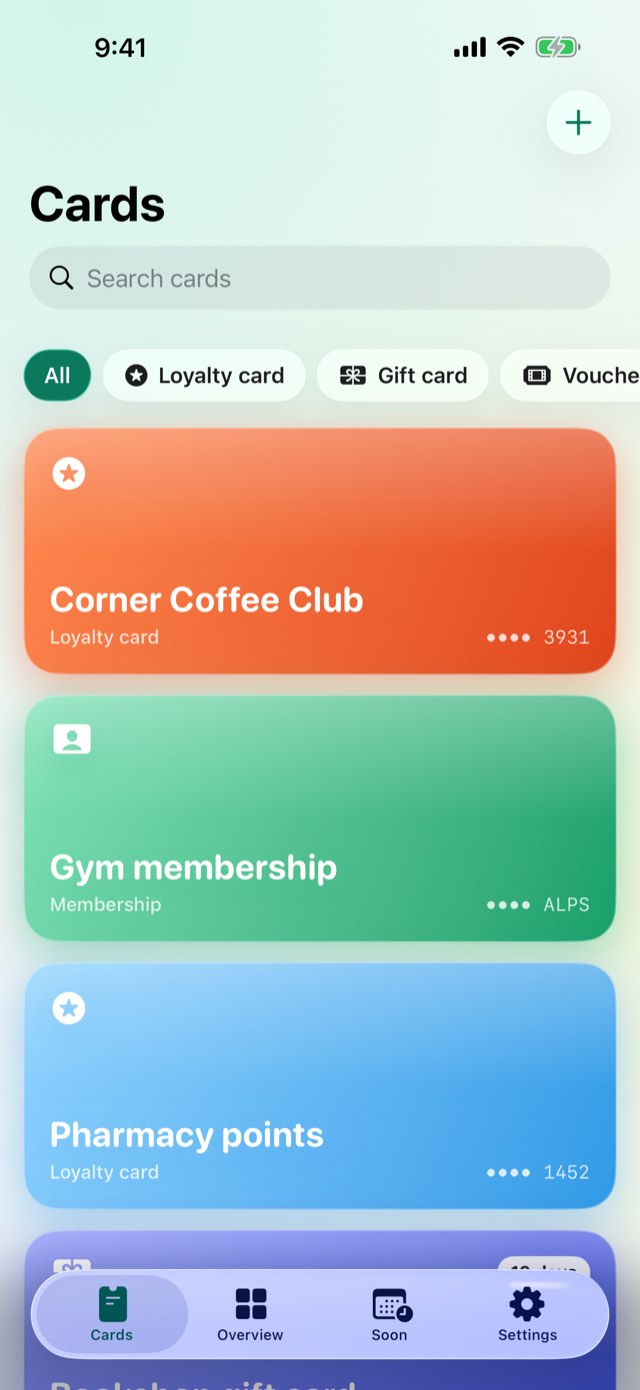
Point the camera at a barcode, choose one from a photo, or type the number in by hand, and a card joins the wallet with its own colour and its own kind — loyalty, gift card, membership, voucher or ticket. At the till it is the barcode itself, full screen and bright, on the phone or on Apple Watch with the phone left in a pocket. A gift card keeps its balance; a voucher keeps the date it runs out, with a reminder before that day comes. Optimised for iPhone Duo.

Three days freeiPhone, iPad and iPhone Duo and Apple WatchSix languagesNo accountWorks offline
Voucherlume – Every card, one walletVoucherlume – Every card, one walletVoucherlume – Every card, one walletVoucherlume – Every card, one walletVoucherlume – Every card, one walletVoucherlume – Every card, one wallet
The queue is waiting, the phone is unlocked, and the loyalty card is a nine-digit number nobody behind the till can read off a screen.

Open Voucherlume and it is already the barcode itself, at the till's own brightness — on the phone, or already on the wrist.

0days free
0accounts needed
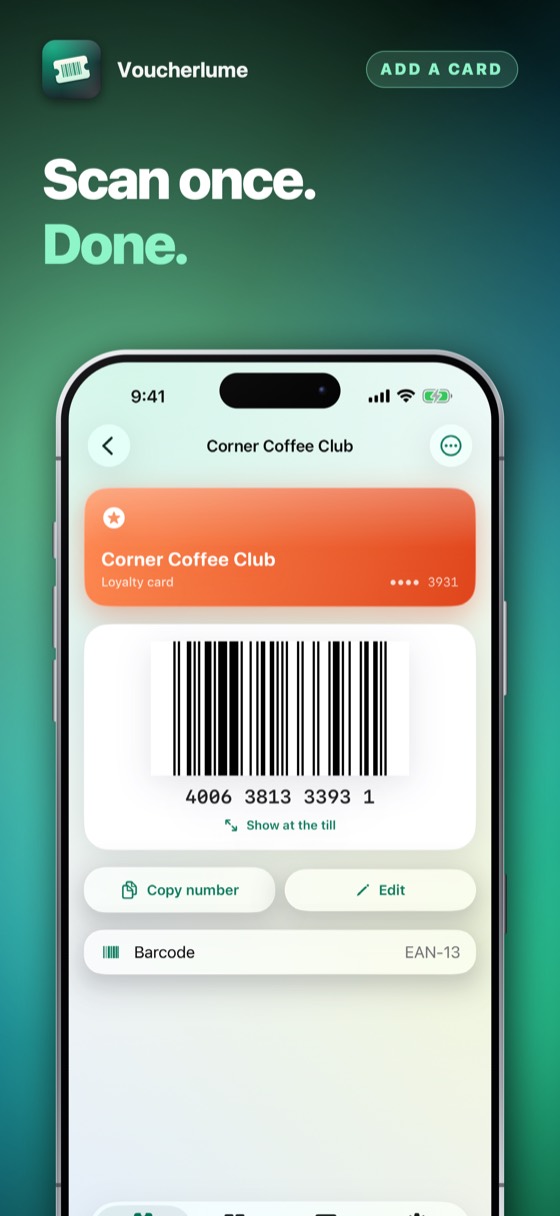
Voucherlume – Full screen, full brightness, no fumbling.
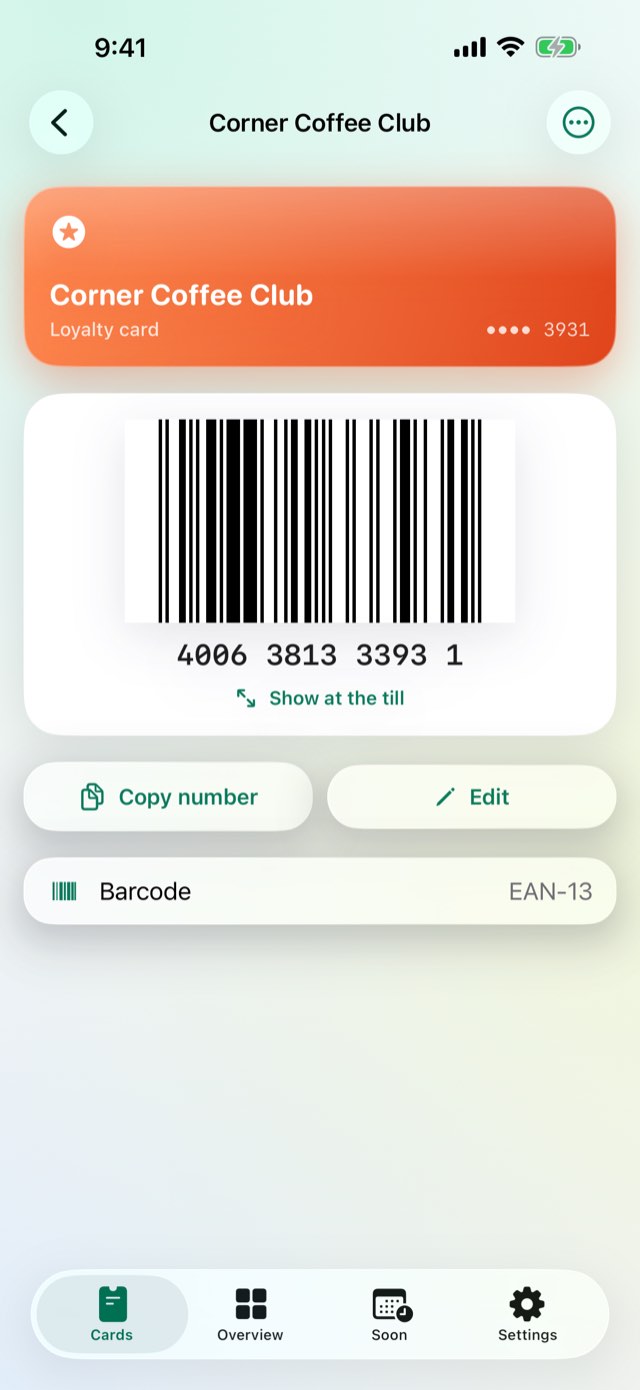
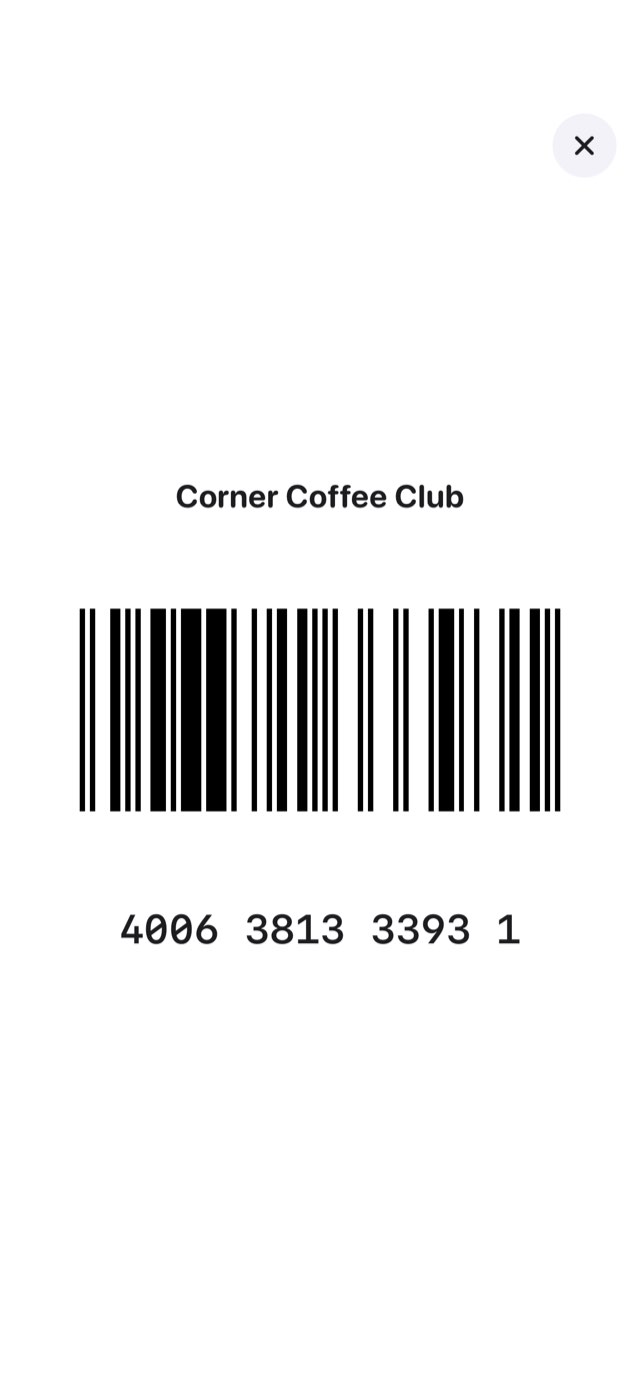
01At the till

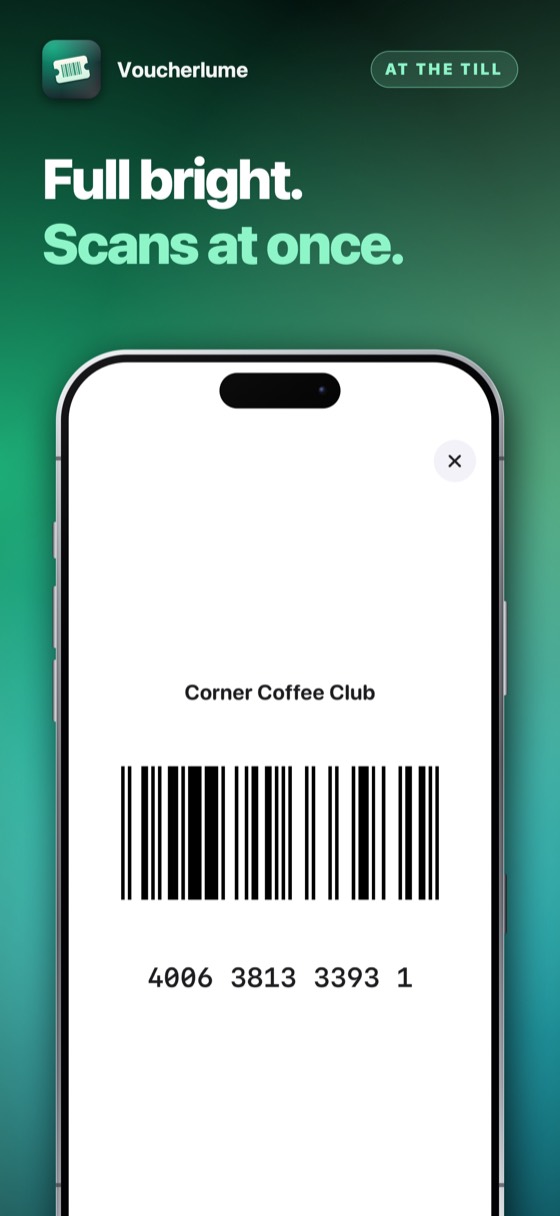
Full screen, full brightness, no fumbling.

One tap turns the card into nothing but its code — brightened, centred and large enough for any scanner, with the number underneath for the till that would rather type it. Close it and the card is exactly as it was.

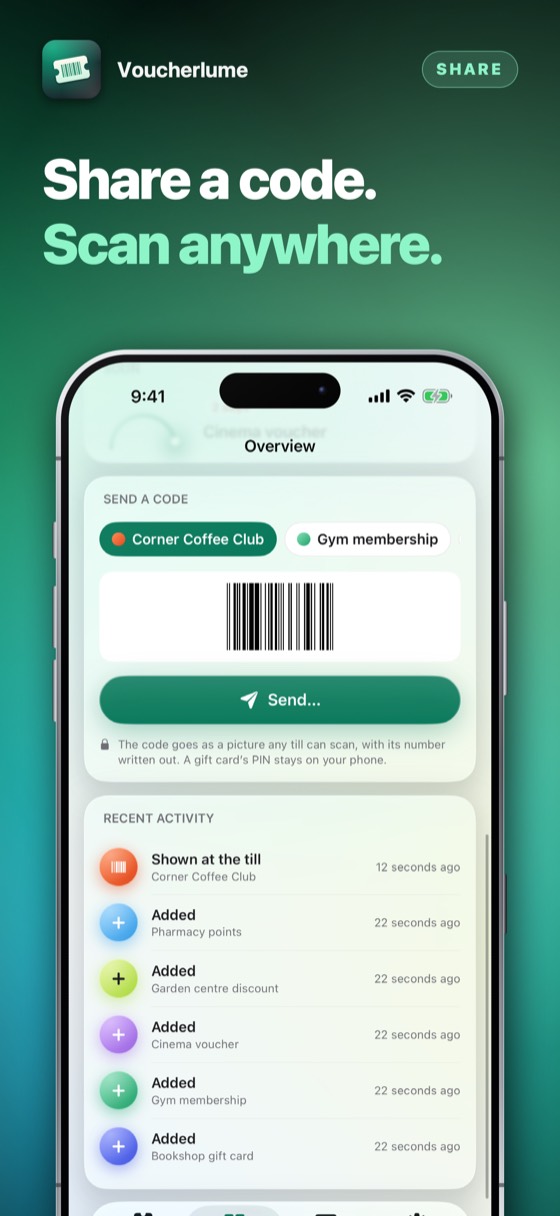
Voucherlume – Not only loyalty cards.
02Every kind of card

Not only loyalty cards.

Gift cards, memberships, vouchers and tickets — a boarding pass among them — sit beside loyalty cards in the same wallet, each in the code its issuer actually printed — EAN-13, EAN-8, UPC-A, UPC-E, Code 128, Code 39, ITF, QR, PDF417 or Aztec. A card already photographed is read from the picture; one that is not is typed in once.

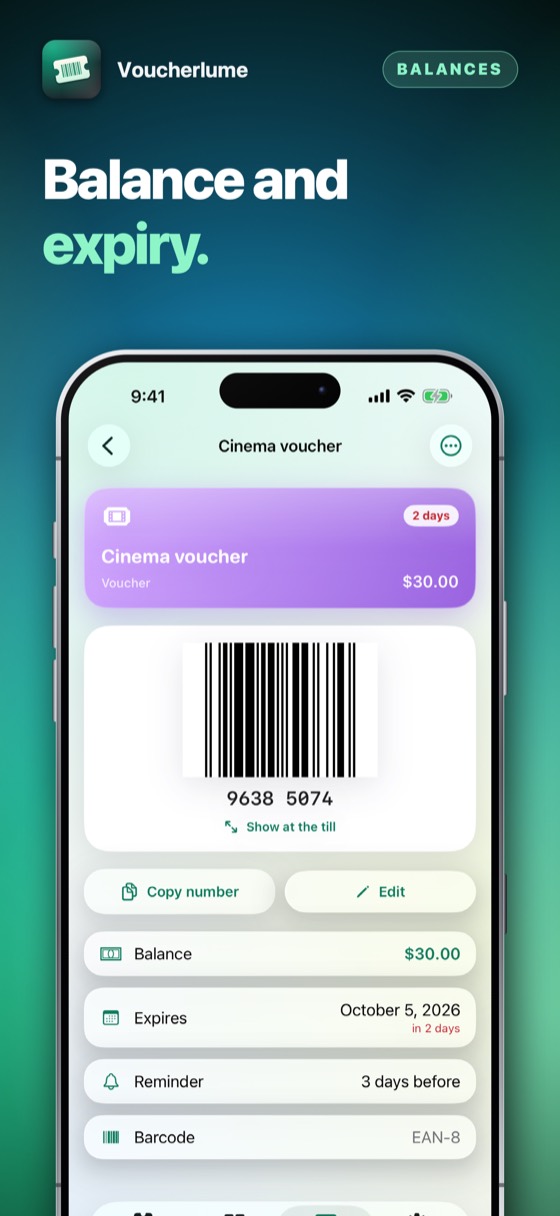
Voucherlume – What a voucher is still worth, and until when.
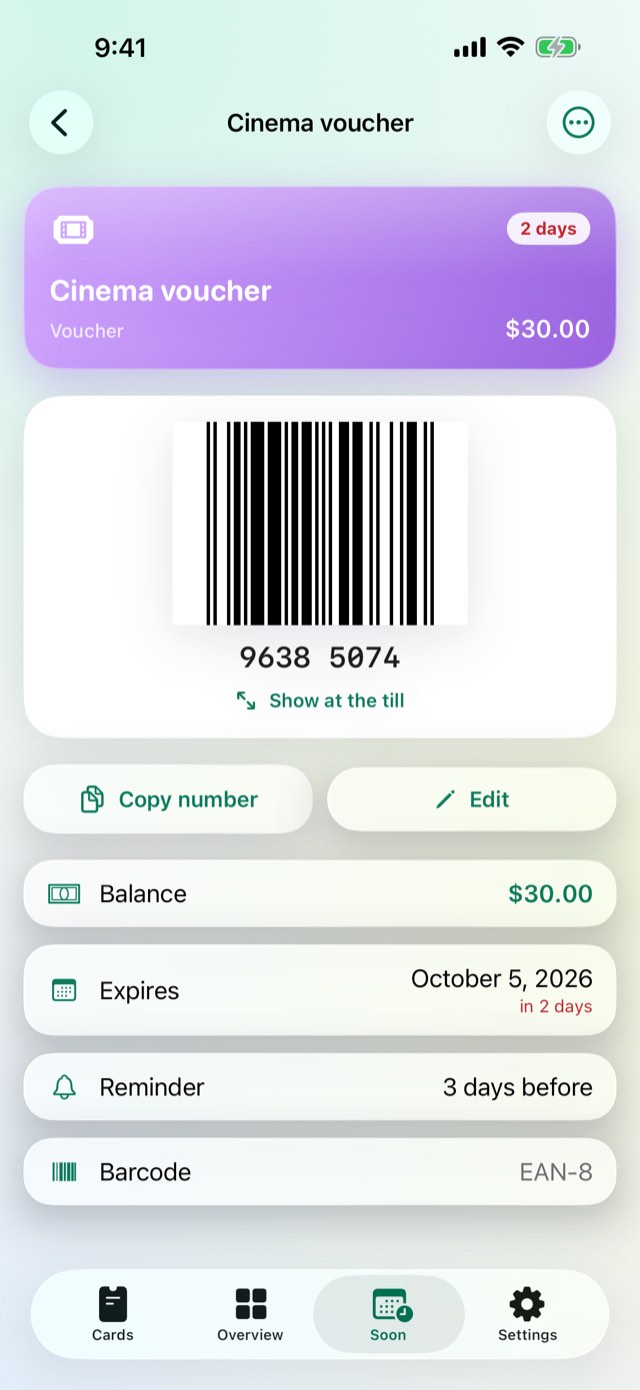
03A balance and a date, not just a code

What a voucher is still worth, and until when.

A gift card or a voucher keeps its balance and its expiry beside its barcode, updated as you spend it. Set a reminder — a day, three, a week, a fortnight or a month before — and a real notification arrives on that morning, sound and all.

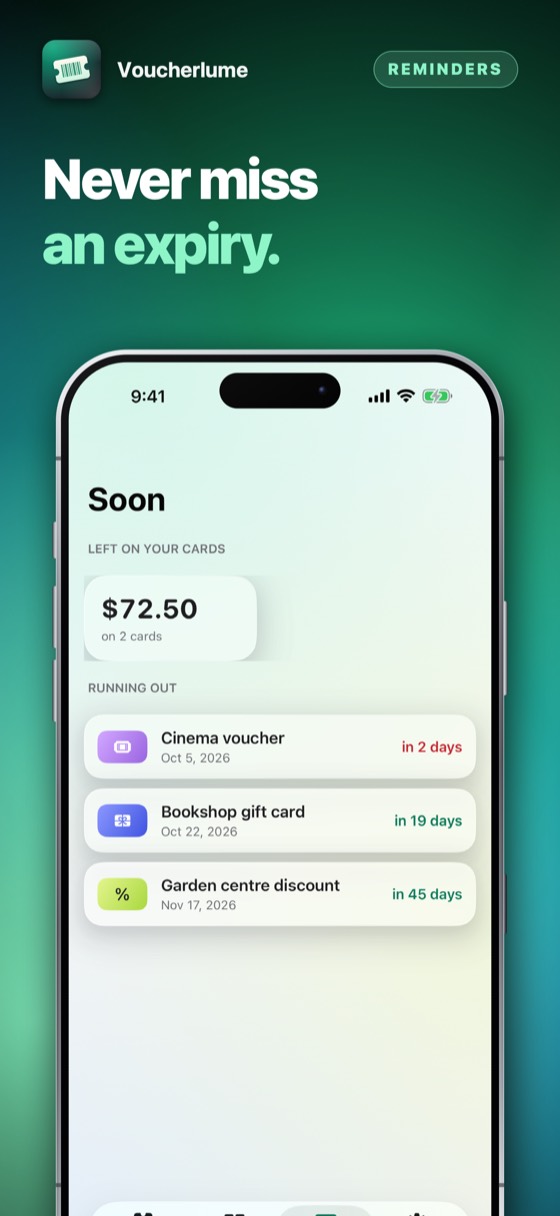
Voucherlume – Every card that needs attention, in one list.
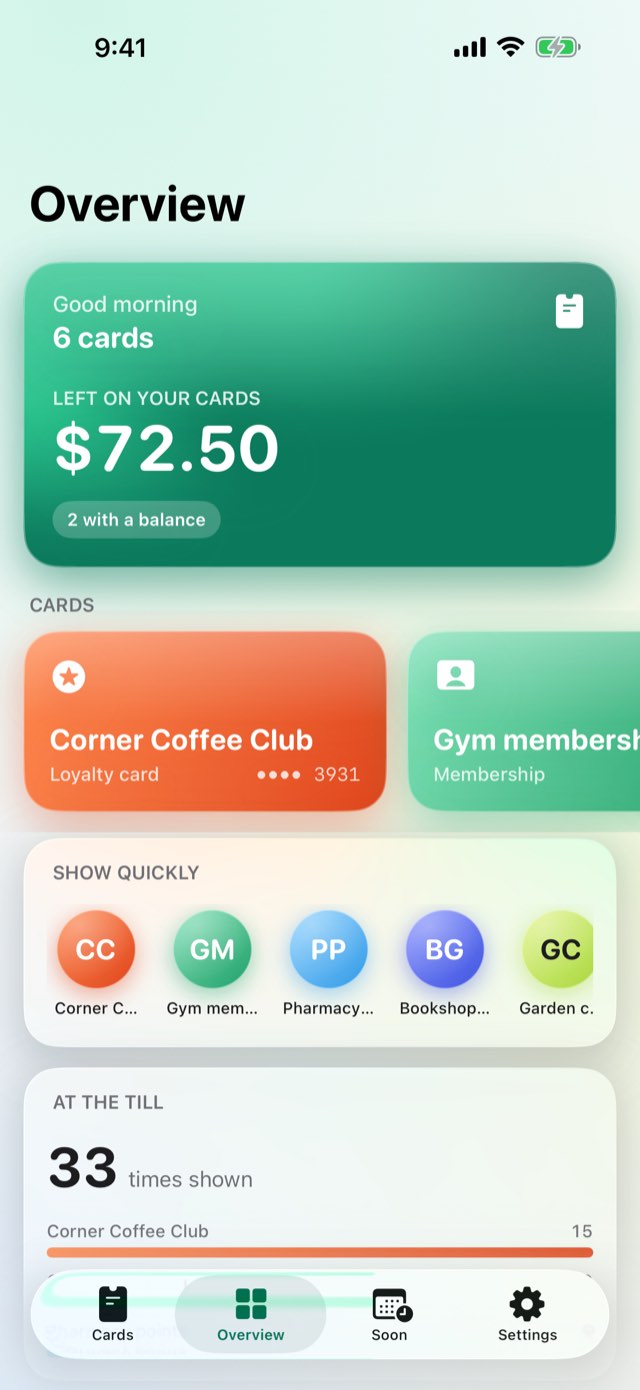
04What is running out

Every card that needs attention, in one list.

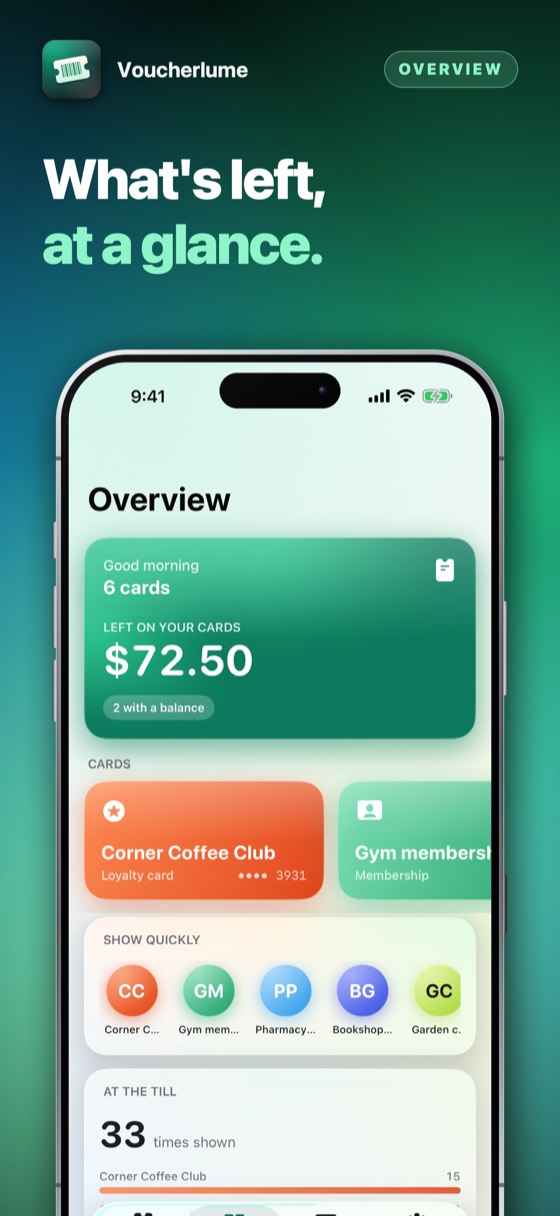
The Soon tab adds up what is left on every gift card and voucher and lists what expires soonest first, so a card bought for an occasion is spent before it lapses rather than found afterwards.

Voucherlume · App Store

Voucherlume – Full screen, full brightness, no fumbling.Voucherlume – Not only loyalty cards.Voucherlume – What a voucher is still worth, and until when.Voucherlume – Every card that needs attention, in one list.Voucherlume 5Voucherlume 6Voucherlume 7

How to use it

From an empty wallet to a card ready at the till, in under a minute. None of it needs a signal, and none of it needs an account.

1Step 1 of 5

Add a card

Point the camera at its barcode, choose it from a photo already taken, or type the number in. Choose what kind of card it is.

Add a card
2Step 2 of 5

Give it a colour

So it reads as Corner Coffee Club in orange at a glance, not card number four in a list that all looks the same.

Give it a colour
3Step 3 of 5

Add what it is worth

A gift card or a voucher keeps a balance and an expiry; choose how many days before that date a reminder should arrive.

Add what it is worth
4Step 4 of 5

Send it to the watch

Every card, and its barcode, arrive on Apple Watch on their own — nothing to open on the phone first.

Send it to the watch
5Step 5 of 5

Show it at the till

One tap brightens the screen and the barcode fills it, ready for the scanner to read.

Show it at the till

What it replaces

The free wallet apps are free because a shop, or an advertiser, is paying for a look at your cards. This one asks for nothing but the barcode.

The questionThe usual answerVoucherlume
Where your cards liveOn a server, under an accountOn your iPhone, under no account at all
How it is paid forFree, and watched by ads or offersThree days free, then one payment
On your wristA number to read out, if it works at allThe barcode itself, drawn on the watch
A gift card's balanceWhatever you remember or the receipt saidKept on the card, updated by hand as you spend it
A voucher about to expireFound when it already hasA local reminder, days before, with its own sound
Every kind of codeThe common fewTen families, from a single EAN to a stacked PDF417

Everything else it does

01

On the wrist

The barcode itself arrives on Apple Watch — not a number to type in — so the phone can stay in a pocket at the till.

02

Every kind of code

EAN-13, EAN-8, UPC-A, UPC-E, Code 128, Code 39, ITF, QR, PDF417 and Aztec, drawn sharp enough for any scanner.

03

A balance that keeps itself

A gift card's balance and a voucher's expiry are tracked on the card, not remembered by you.

04

A word before it runs out

A real notification, with its own sound, days before a voucher or a membership lapses.

05

Face ID over the wallet and every PIN

Lock the whole wallet with Face ID if you like, and it is asked each time you come back to it. The PIN that spends a card lives in the Keychain, never with the card itself, and is shown only behind Face ID.

06

Light or dark, your choice

Set the appearance once in Settings, or leave it to follow the phone's own.

07

Three days free

Then one payment, and nothing renews.

⌚

On the wrist, not in the pocket

Every card arrives on Apple Watch with its barcode already drawn — the same code a phone would show, full size, ready for the scanner. Add a card, change one or put one away on the iPhone, and the watch has the latest without being asked.

Three days free

Three days of everything, free.

No account and nothing to sign up for. Try the whole app for three days; then it asks once, and you decide.

Download on the App Store

Prices are shown on the App Store, in your own currency. Three days free, then a month or a year at a time — cancel any time in Settings on your iPhone.

Questions people ask

Yes. Every card is drawn on the device, and reading a barcode from the camera or from a photo happens on the device too. Aeroplane mode changes nothing about any of it.

Yes — point the camera at the barcode itself; reading it does not need a number underneath. Type one in as well, if it has one, so the card can be found by search later.

No, once a card has arrived on it. The watch keeps its own copy of every card and its barcode, so it works with the phone left behind, out of reach or turned off.

In the device's Keychain, apart from the card itself, so a backup or a synced copy of the app's own data would never carry it. Revealing it asks for Face ID, Touch ID or the passcode, every time. The whole app can be locked the same way, in Settings › Privacy.

Three days free, with nothing charged and nothing to cancel. After that, one payment on the App Store unlocks Voucherlume for good — nothing renews and there is nothing to cancel later.

Apple takes the payment, so this developer never sees a card or a name.

The purchase belongs to your Apple Account. On another iPhone signed in to it, open Voucherlume and choose Restore purchase in Settings. Nothing is charged again.

Alpenlume, in Switzerland. Support is one e-mail address and a person who answers it.

The details

Platform
iPhone, iPad and iPhone Duo and Apple Watch, iOS 17 and later
Languages
English, Spanish, German, Polish, Chinese (Simplified), Hindi
Codes read and drawn
EAN-13, EAN-8, UPC-A, UPC-E, Code 128, Code 39, ITF, QR, PDF417, Aztec
Data
On the device only. No account, no server, no analytics
How it is paid for
Three days free, then one payment. Nothing renews.
Support

Payments, refunds and cancellations

Apple takes every payment for this app. That means Apple — and only Apple — can look a charge up, stop a subscription or give a refund. This developer never sees a card, a name or a payment, and has no way to change one.

Cancelling is done at the App Store, and nowhere else. Open the App Store, tap your picture at the top right, then Subscriptions. Cancelling stops the next payment; what you have already paid for runs to the end of its period. Do it at least 24 hours before the period ends, or that renewal goes through anyway.

What Voucherlume does not do

It does not scan a card at the till for you, redeem anything, or tell a shop that you were there. It does not check a gift card's balance against the till's own record, and it gives no advice about which loyalty programme is worth joining. It holds the card, draws its code, and reminds you before a date passes.

The barcode on Apple Watch will not show

Open Voucherlume on the iPhone once with both devices nearby — the whole wallet, barcodes included, is sent to the watch the moment they are next in range of each other, and needs no further action.

Restoring something you already paid for

A purchase belongs to your Apple Account, not to one device. On a new phone, or after reinstalling, open the app and choose Restore on the purchase screen. Nothing is charged again.

Cancelling a subscription

Open the App Store, tap your picture at the top right, then Subscriptions. That is the only place a subscription can be stopped — this app cannot do it for you, because Apple takes the money. Cancelling stops the next payment and leaves the period you have already paid for running to its end. A one-time purchase never renews and has nothing to cancel.

Still stuck? Write to alpenlume@gmail.com — say which app, which iPhone or iPad, and what you expected to happen.

Privacy policy

Last updated 10 September 2026.

The short version

Voucherlume collects nothing, sends nothing and has no account. Your cards, their codes and their numbers stay on your device and on your own Apple Watch.

What stays on your device

Every card, its barcode, its balance and its expiry live in the app's own storage on your device — the same storage Apple Watch is sent. A gift card's PIN lives apart, in the device's own Keychain, and is shown only behind Face ID. There is no account, no server and nothing to sign into, so there is no copy of your cards anywhere else.

What is collected

Nothing. This app has no account, no sign-in, no analytics, no advertising identifier, no crash reporting service and no tracking of any kind. No profile is built and nothing is shared with anyone.

Network use

This app has no server of its own: nothing to sign in to, and nothing uploaded to the developer, ever. What it does with the internet — for most of these apps, nothing at all — is set out under “On your device” above.

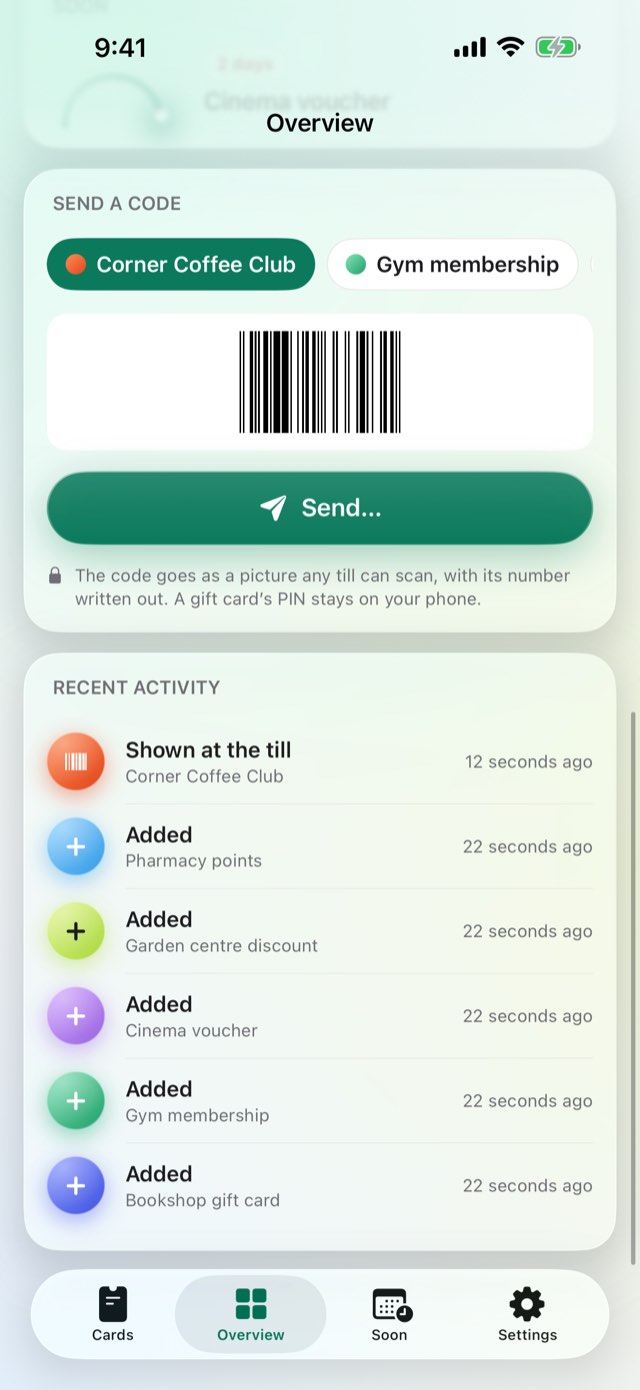
Two things do use the internet, and both are somebody else's. The App Store does, when you buy, subscribe or restore. And when you share something — a dish, a recipe, a document — iOS hands it to the app you picked, whether that is Messages, Mail or WhatsApp, and that app sends it over its own connection under its own privacy policy. Nothing is sent unless you press send, and this app never learns where it went.

Purchases

Buying is handled entirely by Apple. The app never sees a card number, a name or an address; it asks the App Store one question — whether this Apple Account owns the app — and receives yes or no. Apple's own privacy policy governs the transaction.

Children

This app is not directed at children and collects nothing from anybody, so there is nothing held about a child to disclose, correct or delete.

Your rights

Data protection law gives you the right to see, correct, export and erase personal data held about you. Because none is held, there is nothing to produce or delete on request. Everything the app has is on your own device: deleting the app removes it, and it was never anywhere else.

Changes

If this policy ever changes it will be dated above. It will not be changed retroactively, because there is no collected data for a change to newly permit.
More from Alpenlume