FilmlumeFilm negatives, into photos

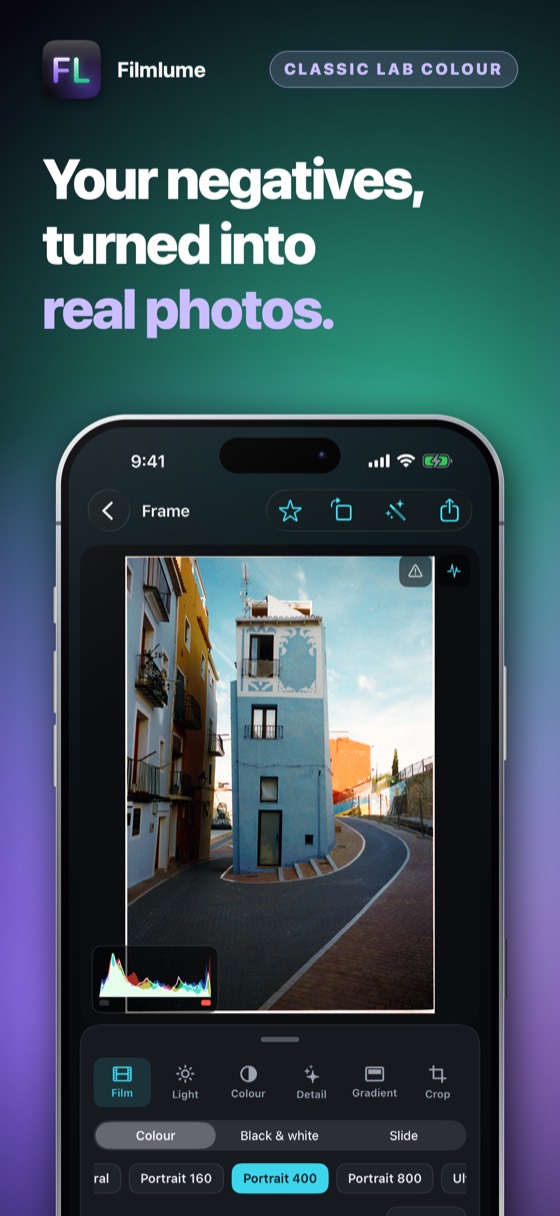
Your film negatives, turned into real photos.

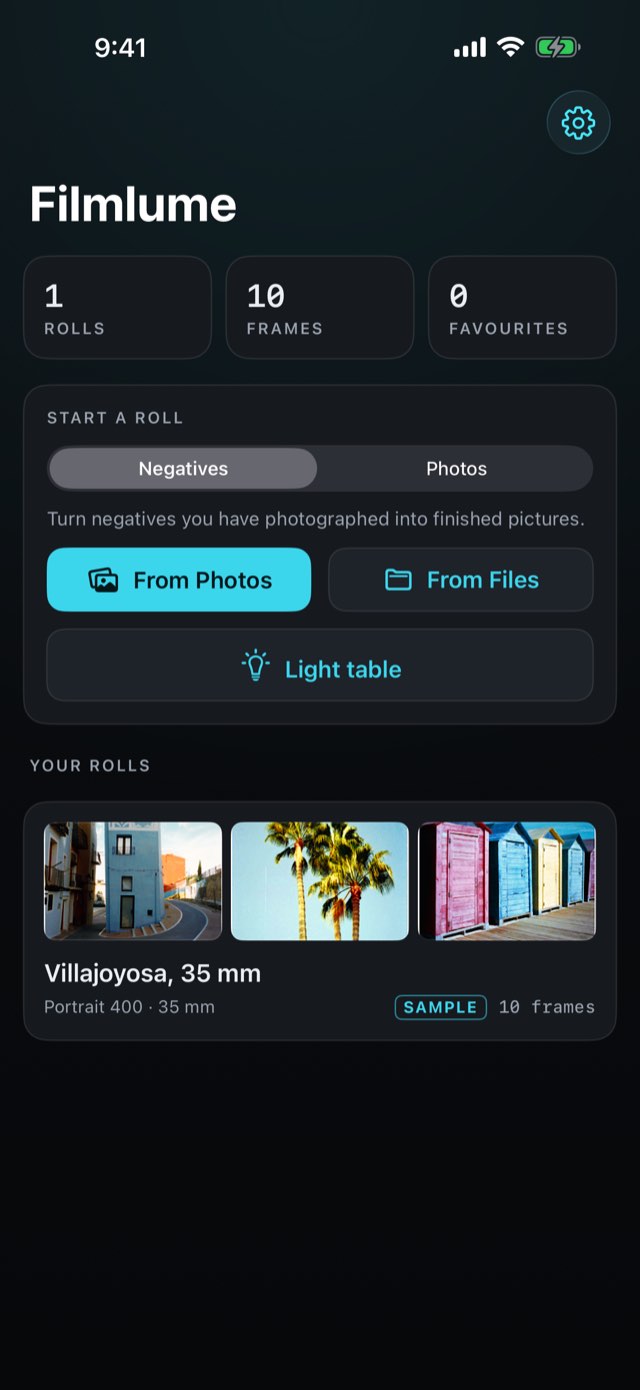
Photograph a negative on a light — an iPad showing white is enough — and bring the picture in from Photos or Files. Filmlume reads colour negative, black-and-white and slide the way a lab scanner does, in density with the orange mask divided out, and gives the picture back at the full resolution it came in. And any photo already on your phone can be printed on one of 37 film looks. It works with 35mm and 120mm film, in colour, black and white and slide. When it looks right, share the finished photo from the editor to Messages, WhatsApp, mail or any other app through the share sheet. Graduated and radial filters, blacks and whites, and six CCD looks give a photograph the finish of a raw editor. Optimised for iPhone Duo.

Three days freeiPhone, iPad and iPhone Duo35mm and 120mm37 film looksFull resolutionGradient filtersCCD looks
Filmlume – Film negatives, into photosFilmlume – Film negatives, into photosFilmlume – Film negatives, into photosFilmlume – Film negatives, into photosFilmlume – Film negatives, into photosFilmlume – Film negatives, into photos
A shoebox of negatives, and no scanner.

An iPad showing white, a photo of each frame — and the pictures come back, one by one.

0days free
0film looks
0accounts needed

From negative to photograph

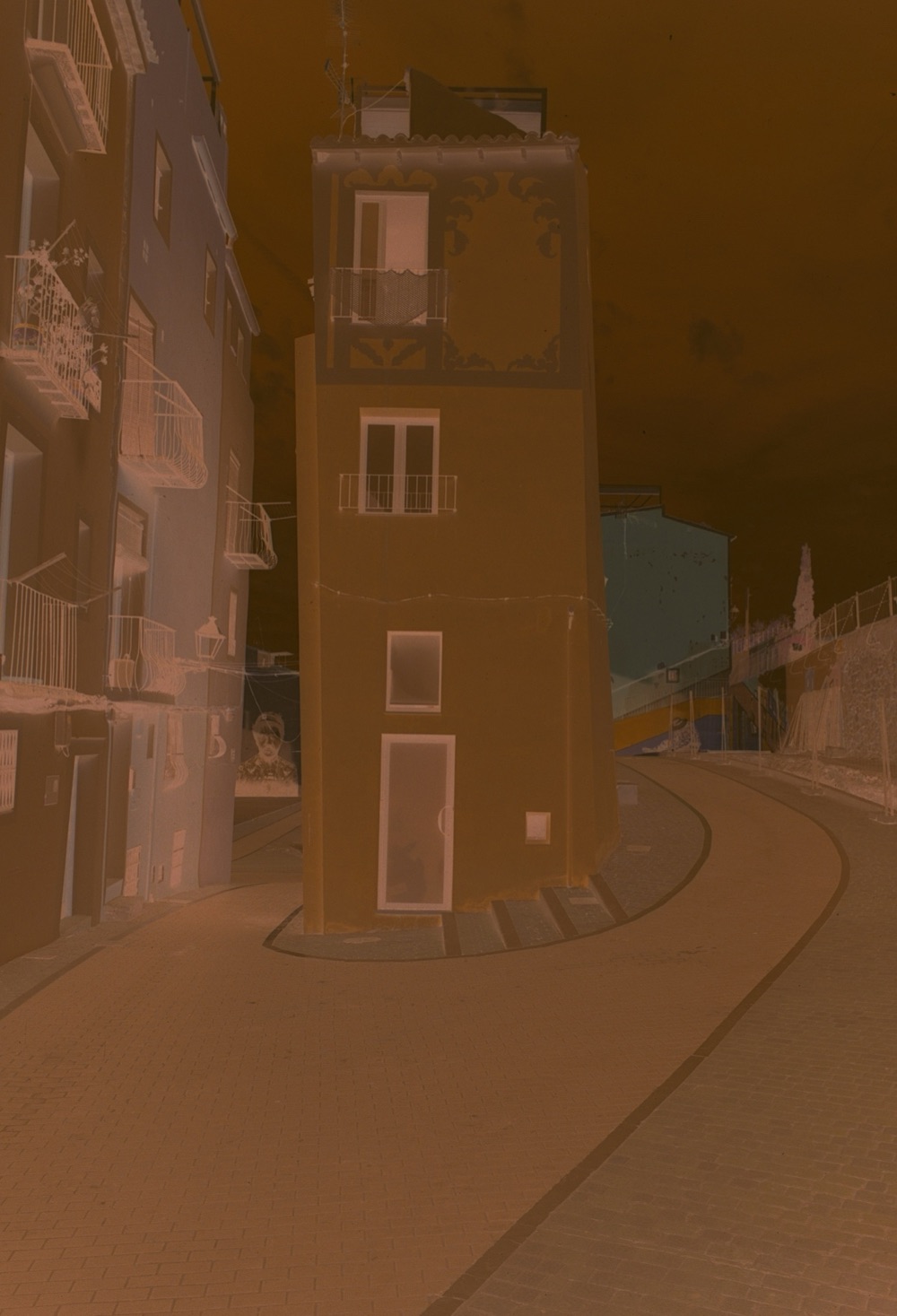
Drag across the picture. On the left, a 35 mm frame exactly as it came off a film scanner — the orange mask, every colour inverted. On the right, the same frame in Filmlume.

The author’s own film. Look: Portrait 400 · colour +15.

Photograph Negative NegativePhotograph

Made for iPhone Duo

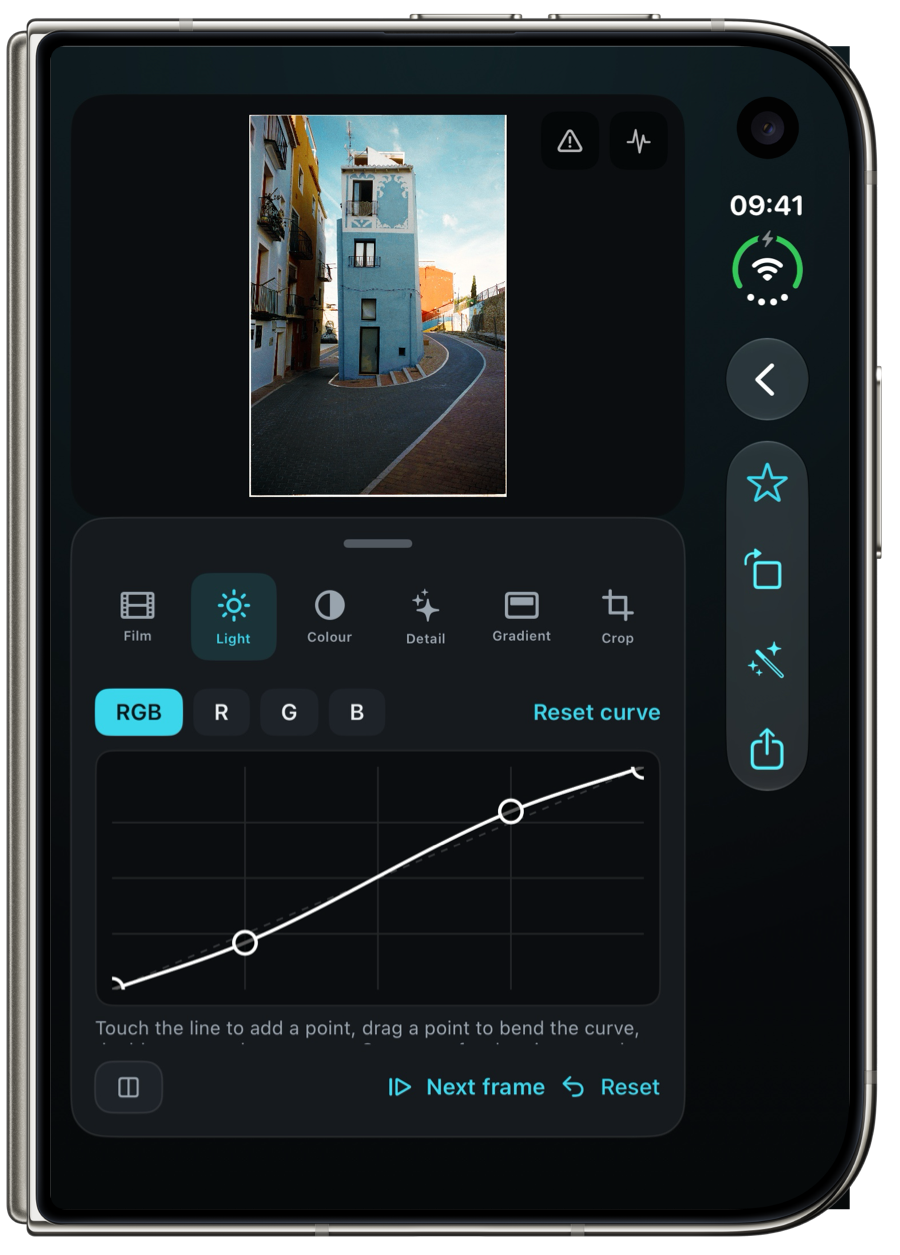
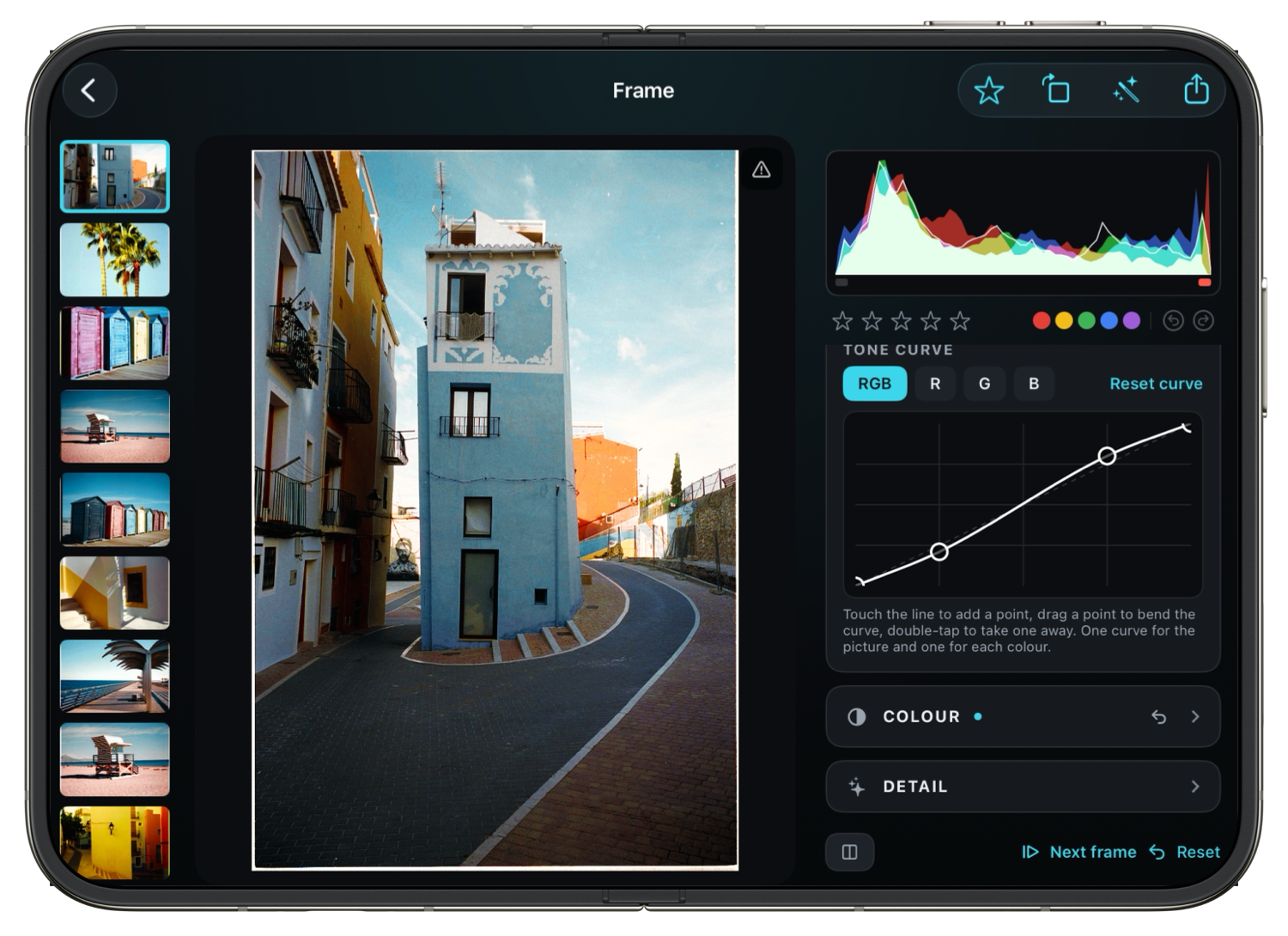
One editor, every pose. Closed, the picture sits above the tools and the actions stay in the system’s side bar. Open, the filmstrip, the picture and the tools sit side by side. On half of the large screen every control is still there, just narrower.

Outer display
Outer displayClosed: picture above, tools below
Inner display
Inner displayOpen: filmstrip, picture and tools side by side

The app’s own screens, at the sizes of the iPhone Duo displays.

Filmlume – The picture, the moment it is in.
01Positive at once

The picture, the moment it is in.

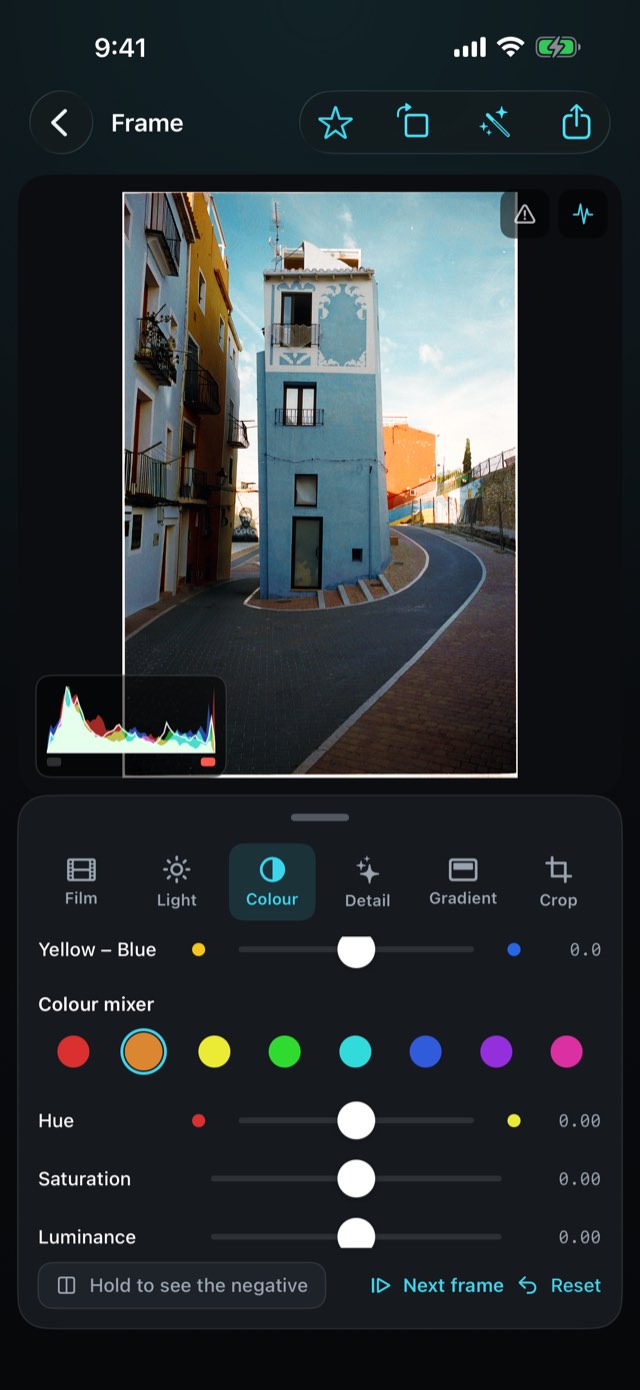
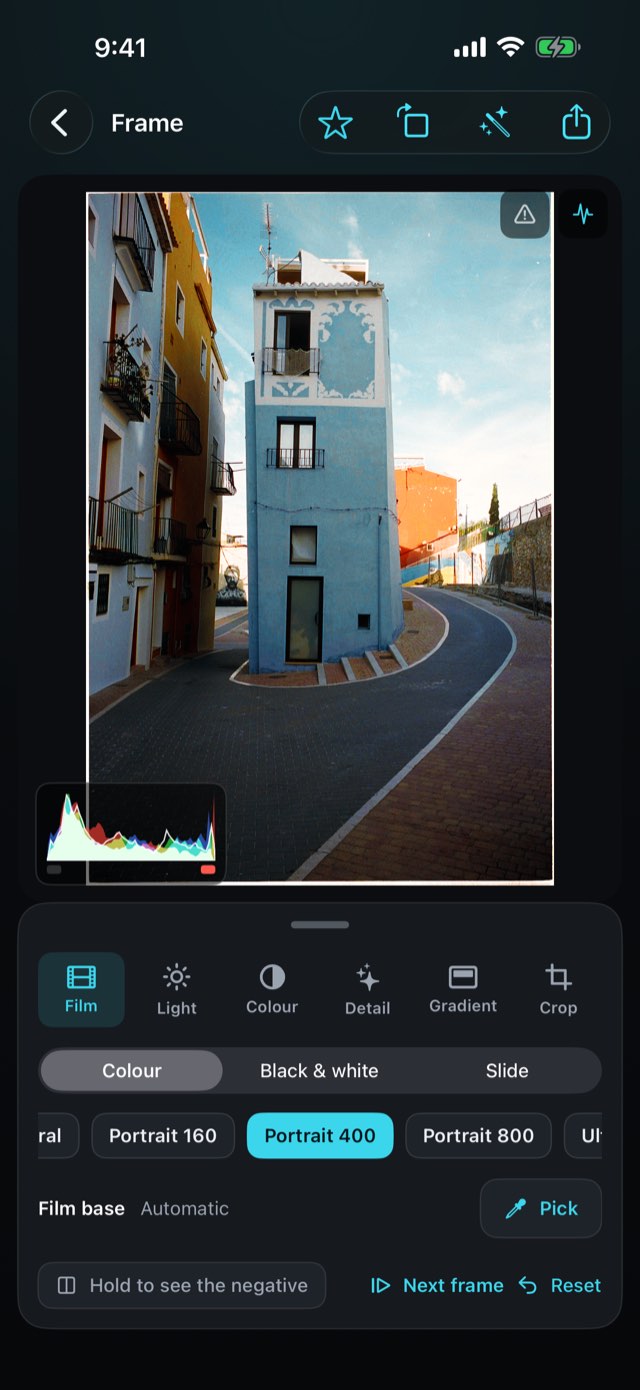
Bring in a photo of a negative and the positive is on screen at once — balanced on its own greys, the orange mask gone. Hold to see the negative again, star the good ones, and use one frame’s edit on the whole roll.

Filmlume – Printed in its own character.
02The film you shot

Printed in its own character.

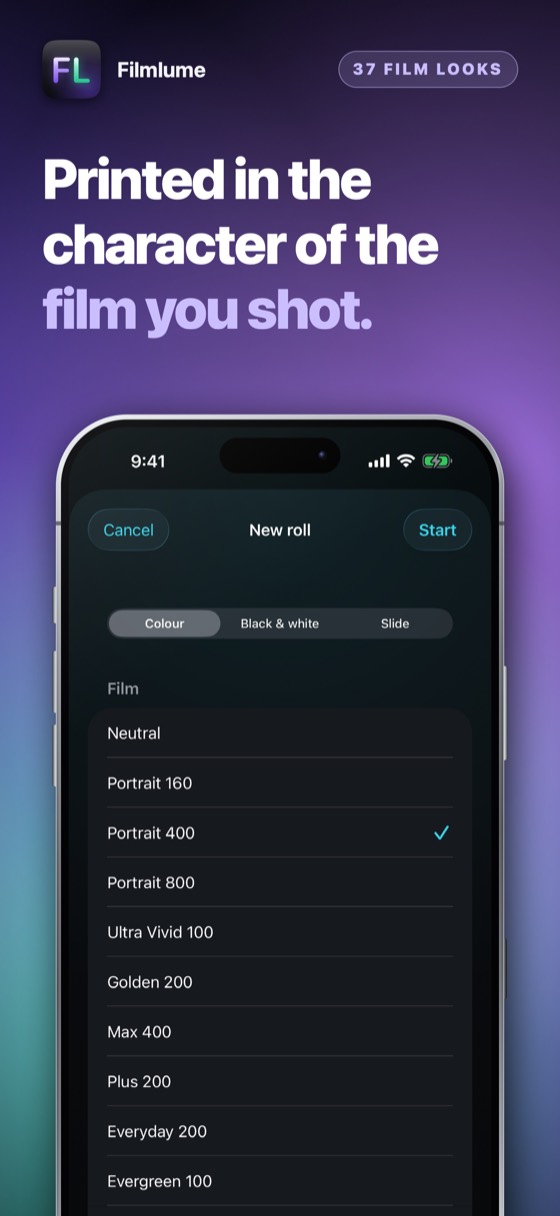
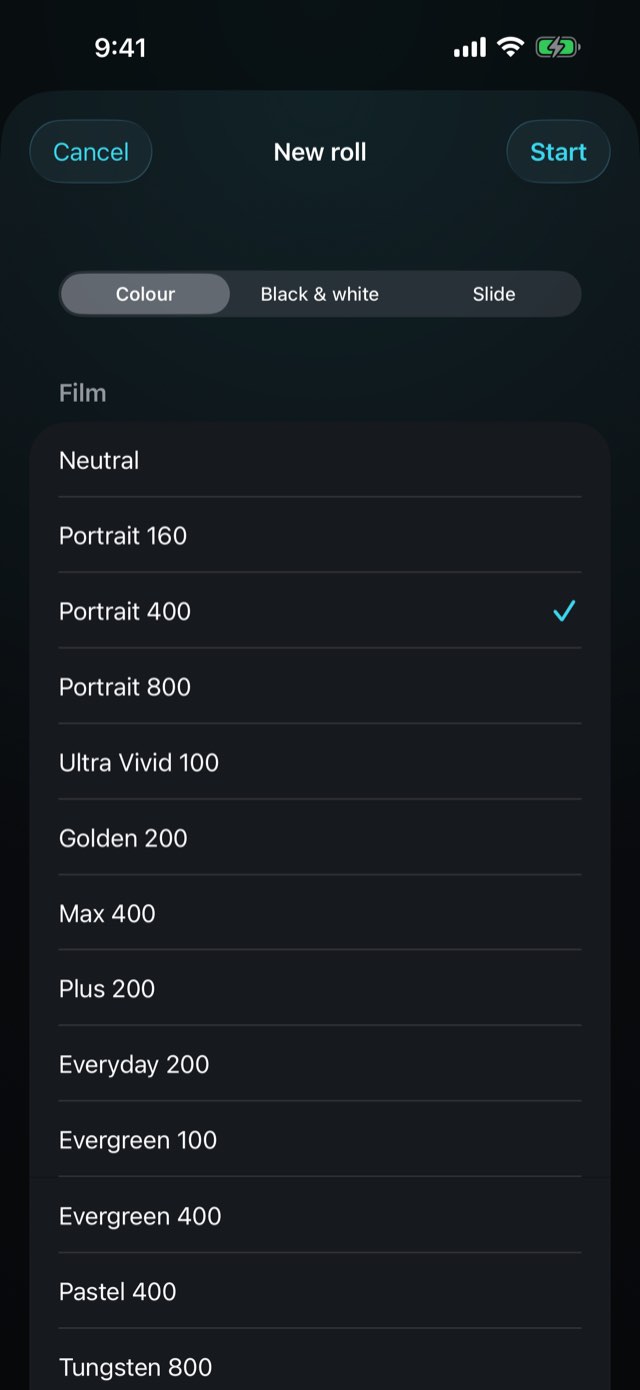
Pick the look of the film you shot — 37 of our own, from soft portrait colour and vivid daylight to gritty black-and-white and bright slide film — and print the photos already on your phone on them too. Every picture stays editable.

Filmlume – The few things a printer changes.
03A light hand

The few things a printer changes.

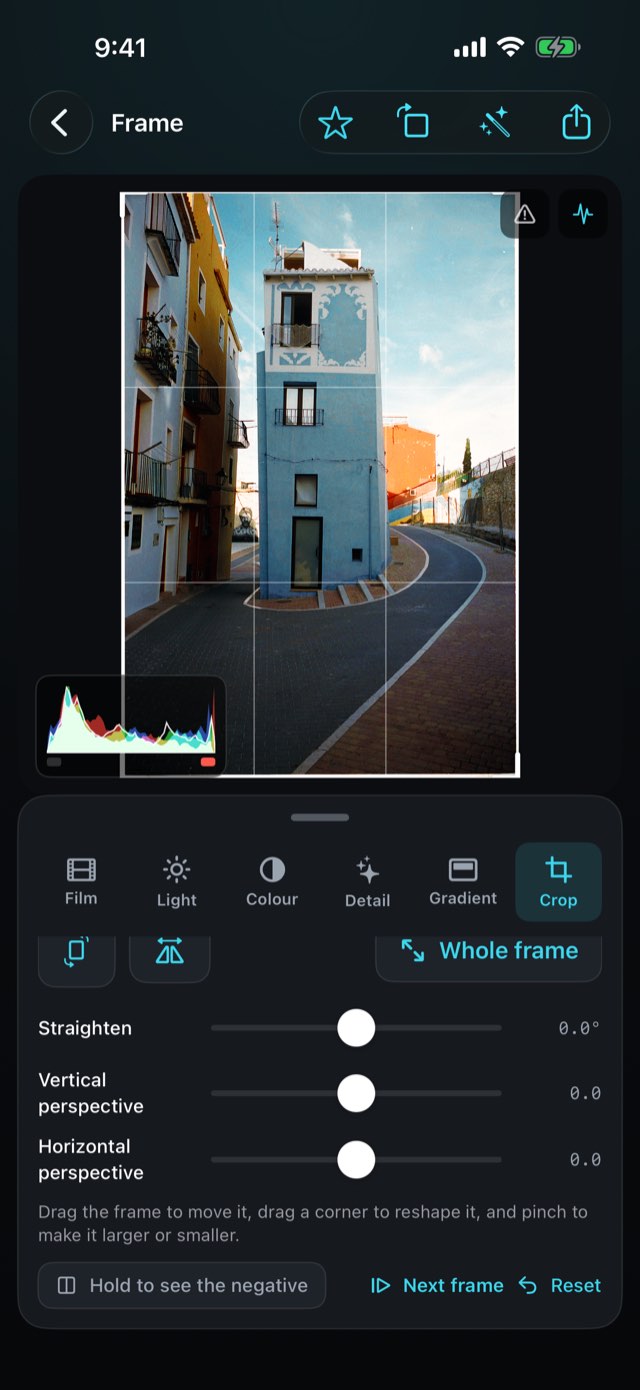
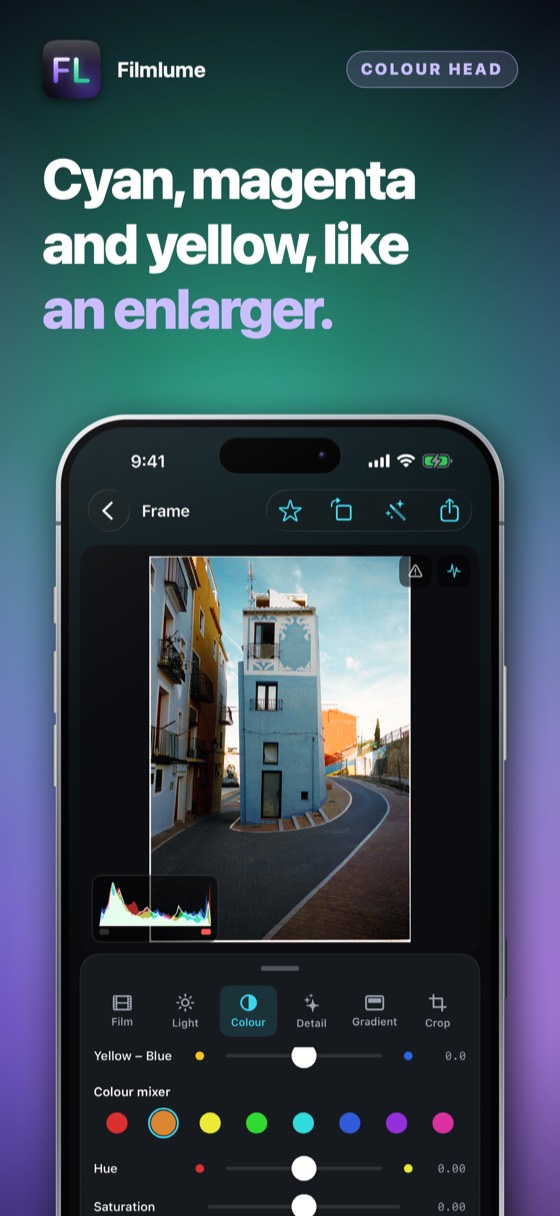
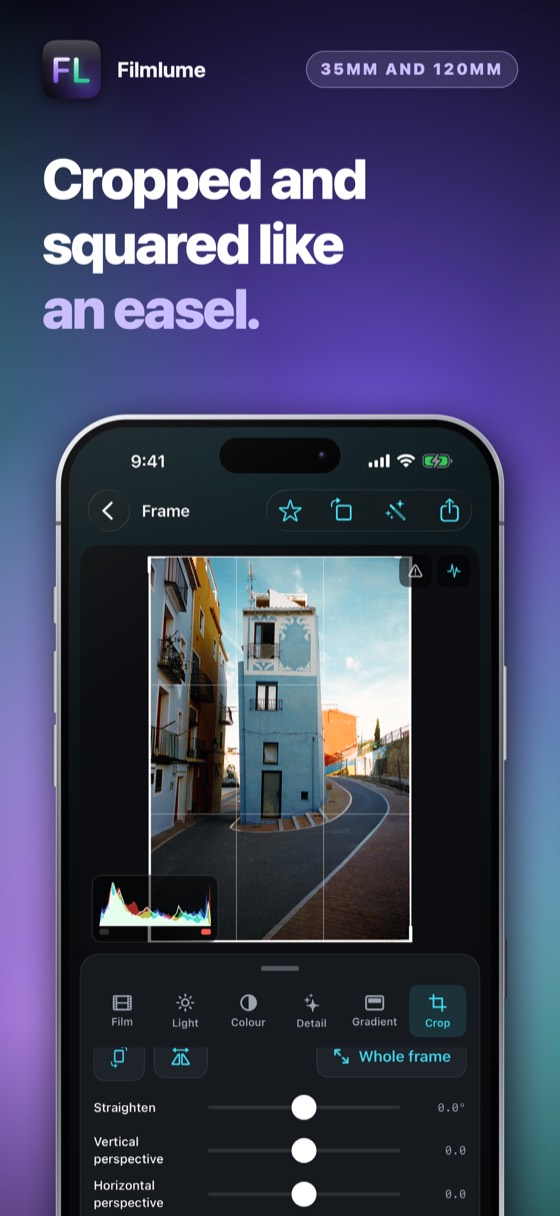
Exposure, contrast, highlights, shadows, warmth, tint, saturation and a colour head’s filtration, with a live histogram, pinch to zoom, a straighten and a crop — every figure moves the moment the slider does, a double tap puts any of them back to zero, and a swipe takes you straight to the next frame. Take the film base from the rebate, or tap something grey to balance the colour exactly.

Filmlume – A filter where you need it.
04Local edits

A filter where you need it.

Graduated and radial filters, as in a raw editor: lay one over a sky or a face, with its own exposure, contrast, highlights, shadows, whites, blacks, warmth, tint and saturation, a soft edge, and the effect inside the shape or outside it. Up to six on a frame; drag the handles on the picture.

Filmlume – Blacks, whites and CCD colour.
05Tones and colour

Blacks, whites and CCD colour.

Set the deepest and the brightest tones on their own with Blacks and Whites. Photographs can also be printed in six CCD looks — the deep blues and hard reds of early digital cameras — and no film look adds grain unless you do. Large files come in as files and go out at their full size.

Filmlume – Draw it with points.
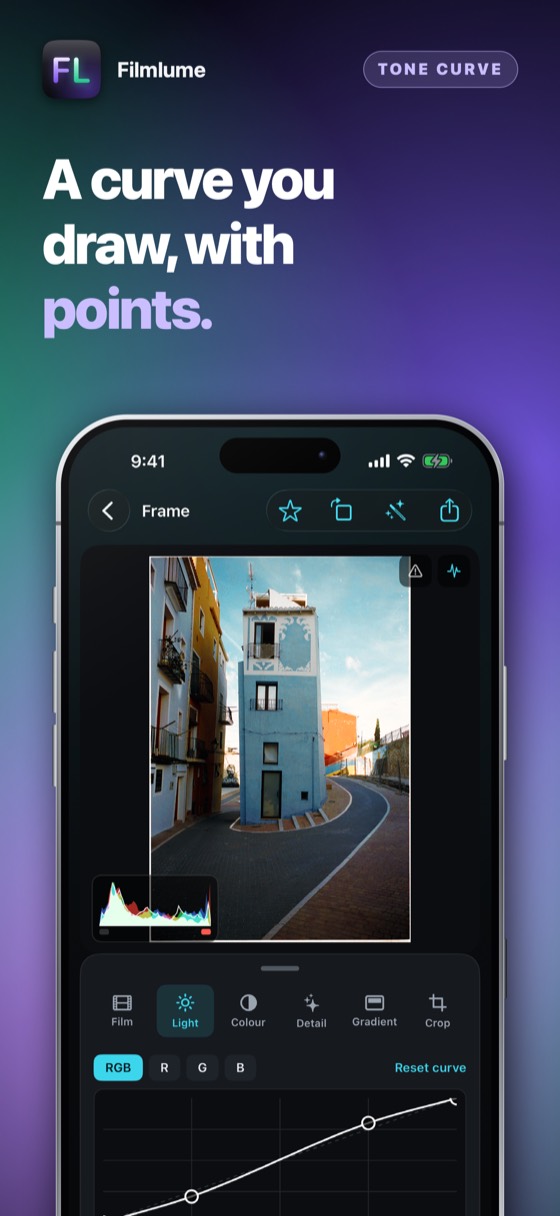
06Tone curve

Draw it with points.

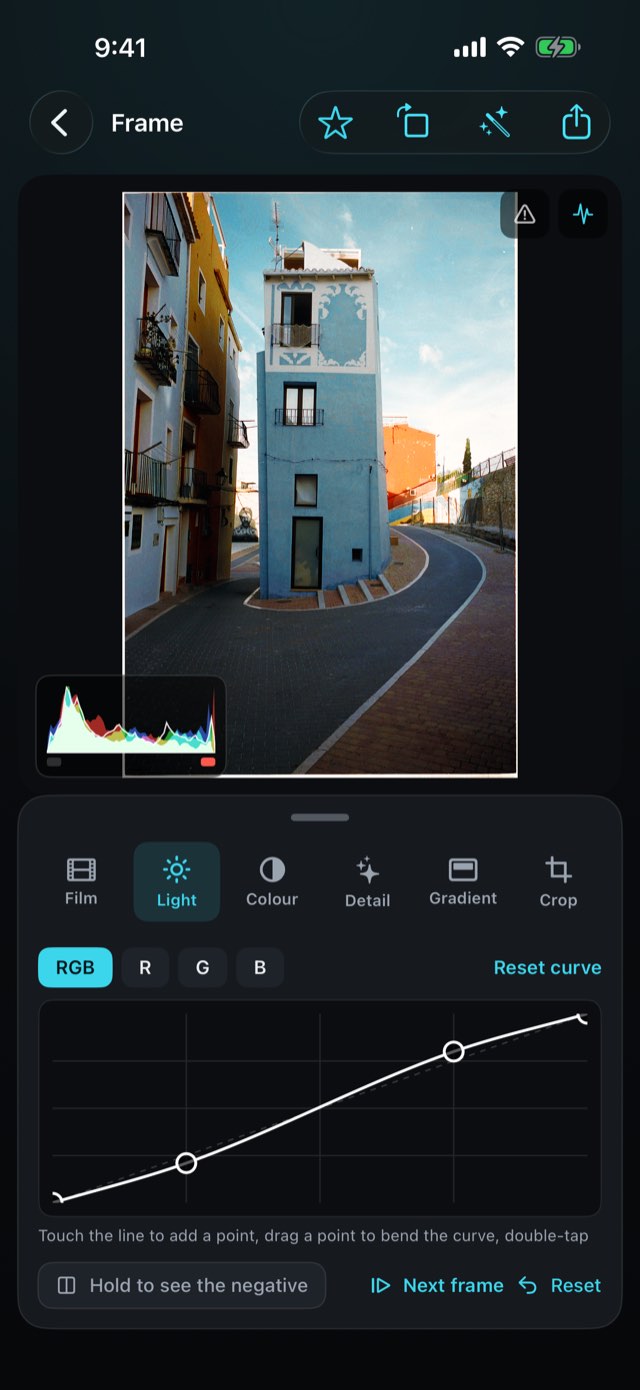
Touch the line to add a point, drag it to bend the curve, double-tap to take it away: one curve for the whole picture and one each for red, green and blue. The picture follows your finger live.

Filmlume – Taken out with care.
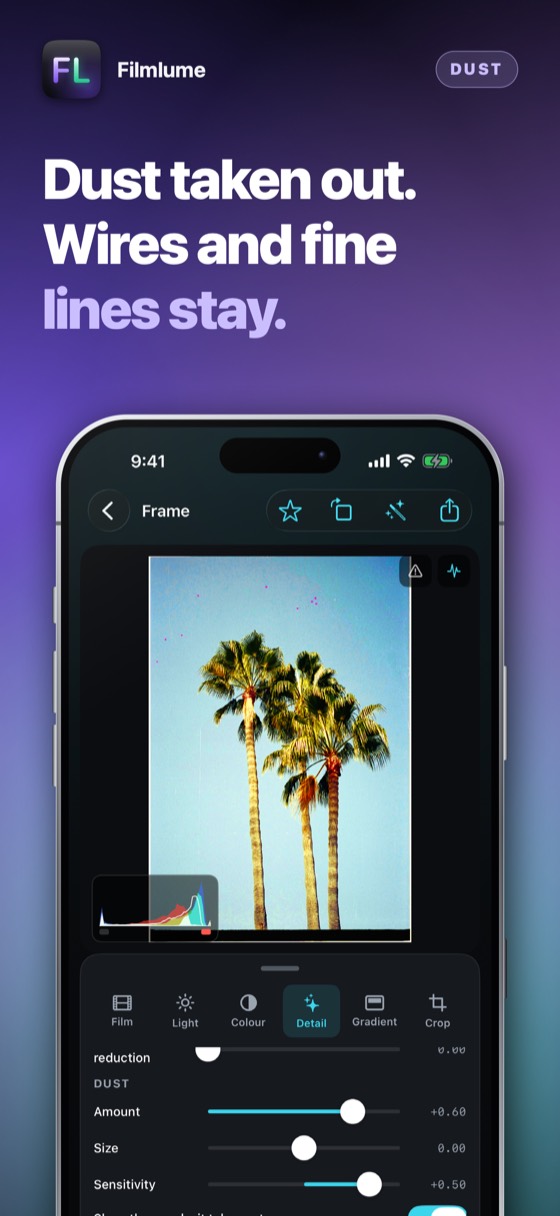
07Dust

Taken out with care.

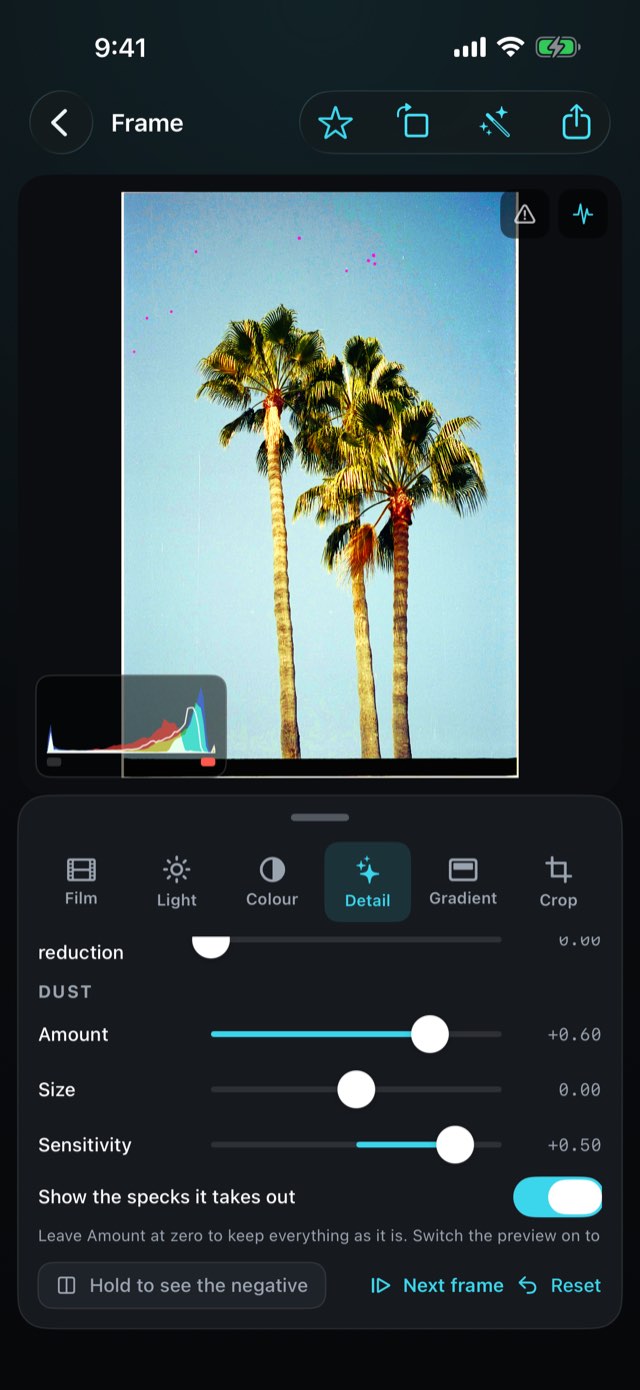
Small specks and dust on a scan disappear; long thin things — wires, railings, aerials, branches — stay where they are. Switch on the preview to see exactly what is removed, and lower Size or Sensitivity if it takes too much.

Filmlume · App Store

Filmlume – The picture, the moment it is in.Filmlume – Printed in its own character.Filmlume – The few things a printer changes.Filmlume – A filter where you need it.Filmlume – Blacks, whites and CCD colour.Filmlume – Draw it with points.Filmlume – Taken out with care.Filmlume 8

How to use it

From a strip of film to a picture on your phone.

1Step 1 of 5

Light it

Lay the negative on a light table — or on an iPad showing the app’s own light table.

Light it
2Step 2 of 5

Photograph it

Square over the film, with any camera or your phone’s own Camera app. RAW, DNG or TIFF keeps the most.

Photograph it
3Step 3 of 5

Bring the frames in

Start a roll — the film and the format — and pick the pictures in Photos or Files.

Bring the frames in
4Step 4 of 5

Adjust

Film look, light, colour and crop — non-destructive, always undoable.

Adjust
5Step 5 of 5

Save or share

Every pixel of the original to Photos as 10-bit HEIF, a JPEG to send, or a 16-bit TIFF to wherever you edit. Only a crop makes it smaller.

Save or share

What it replaces

Photographing a negative is easy. Getting its colour right is the part that takes a lab — or this.

The questionThe usual answerFilmlume
The orange maskInverted, and the picture turns blueDivided out, using the film's own base
Colour balanceA fight with slidersEach dye layer balanced — or on a grey you pick
Seeing what you getInvert it later, on a computerThe positive on screen the moment a frame is brought in
Film characterOne generic look37 film looks of our own — soft, vivid, gritty or slide — as starting points
What you keepA smaller copyEvery pixel of the original — 100 MP in, 100 MP out — and 16-bit TIFF

Everything else it does

01

Your photos, on film

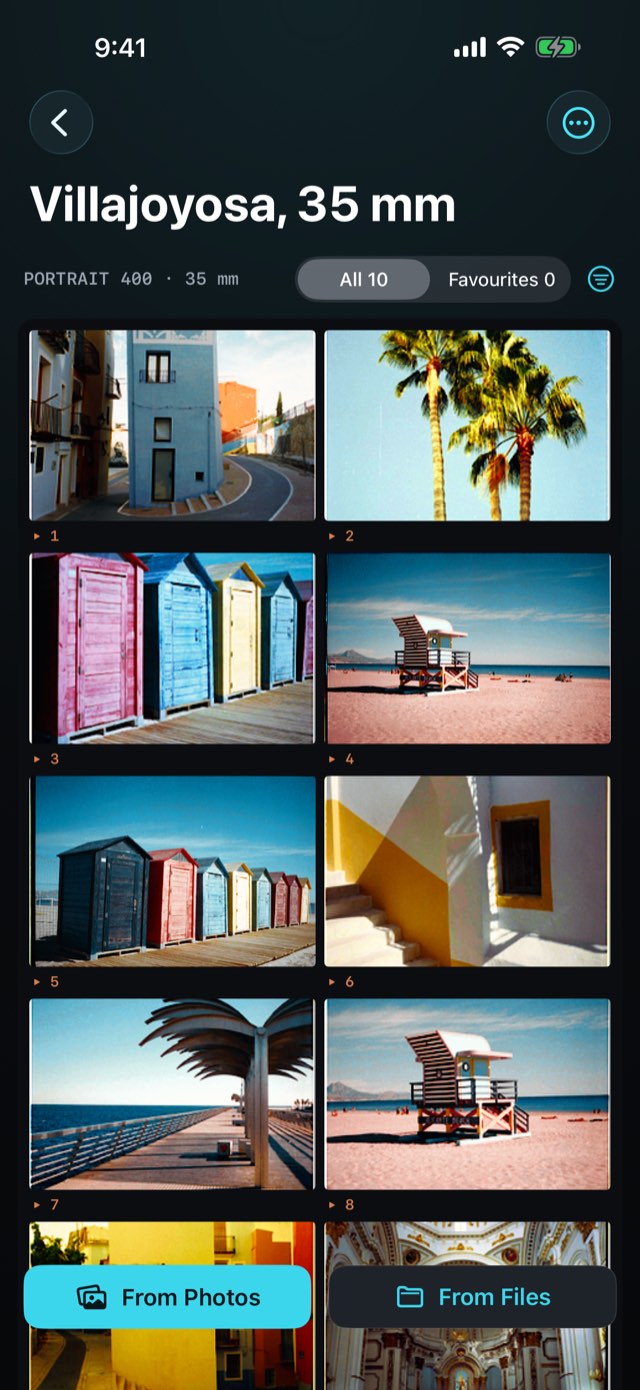
Start a roll of Photos and print any picture from your library on a film look. The originals are never touched.

02

A histogram that warns

Red, green, blue and brightness over the picture, with a light when shadows or highlights are lost.

03

Favourites

Star the frames worth keeping, show only those, and save them all to Photos in one go.

04

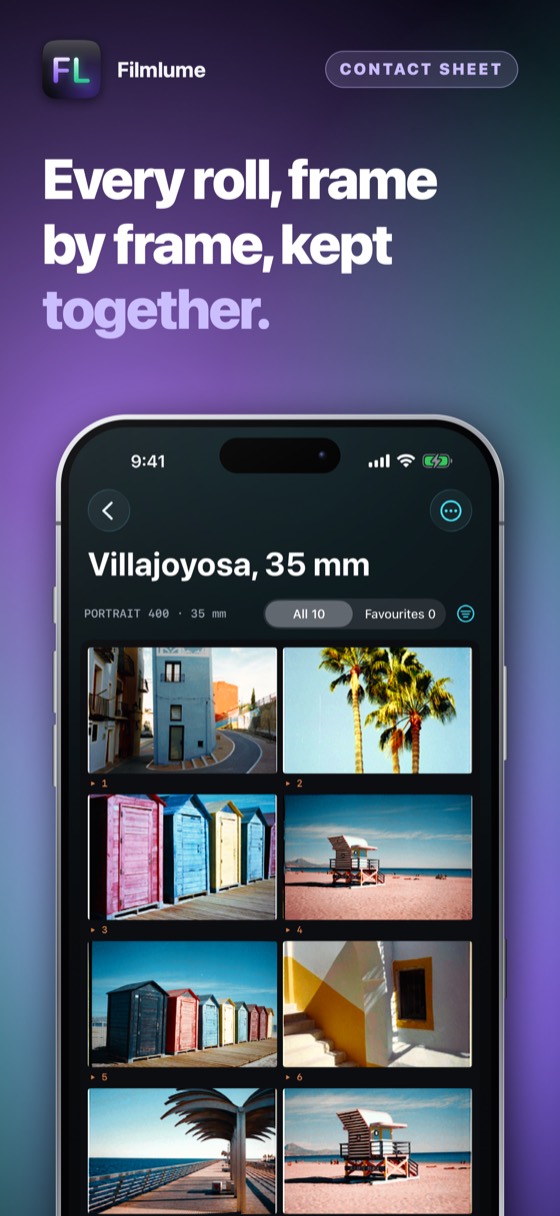
Rolls kept together

Frames stay grouped by roll, with the film they were shot on — and one frame’s edit can go to the whole roll.

05

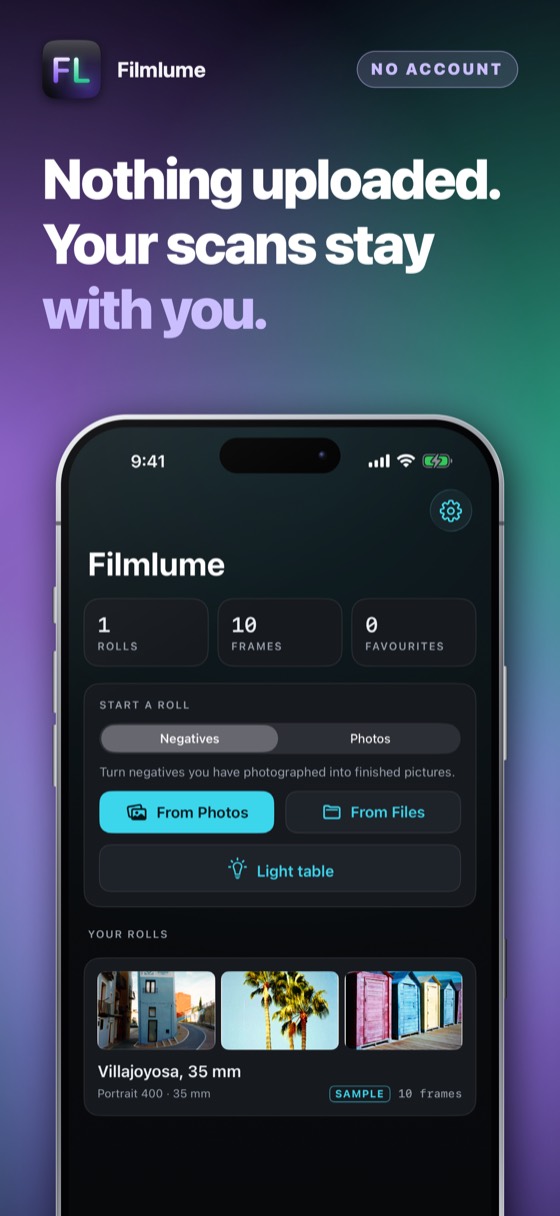
Nothing uploaded

Your pictures stay on your device until you save or share them.

06

Three days free, then yours

Try everything for three days — nothing is charged and nothing renews. Then one payment, and it is yours for good.

Three days free

Three days of everything, free.

No account and nothing to sign up for. Try the whole app for three days; then it asks once, and you decide.

Download on the App Store

Prices are shown on the App Store, in your own currency. Three days free, then one payment — nothing renews.

Questions people ask

A light and something to keep the phone steady. An iPad or a second iPhone showing the light table is an even, flicker-free light big enough for 6×9. A stand, a copy stand or a pile of books keeps the phone square over the film.

They are made from the full resolution of the picture you bring in — a RAW or DNG file from a camera, a ProRAW file from an iPhone, a 16-bit TIFF from a scanner — and leave the app at that same resolution: a 100-megapixel file comes out at 100 megapixels. The conversion works in density, the way lab scanners do, so colour negatives come out without the muddy cast of a simple inversion. A dedicated film scanner still resolves more grain; for sharing, for prints of modest size and for keeping, the results are excellent.

No. They are looks of our own, each modelled on the kind of print a family of film is known for — contrast, saturation and colour lean — and applied as a starting point. They carry our own names; no film maker is connected with this app.

Yes. Slides are read as positives and only get their black and white points; black-and-white negatives are converted in grey.

Every app can be tried in full for three days before you pay anything. The offer is shown on the App Store page and again in the app, nothing is charged by surprise, and when the days are up you decide, once.

The App Store page shows what it costs and how it is paid — once, or as a subscription — in your own currency, before anything is charged. Apple takes the payment, so this developer never sees a card or a name. There are no advertisements.

Yes. Cancel at any time in the App Store: tap your picture at the top right, then Subscriptions. That is the only place a subscription can be stopped — the app cannot do it for you, because Apple takes the money. You keep it until the end of the period you have already paid for.

Refunds are handled by Apple, not by us — we never see your payment details and cannot issue one. Go to reportaproblem.apple.com, sign in, and choose the purchase.

Whatever you bought belongs to your Apple Account. Sign in on an iPad or a new iPhone with the same Apple Account, open the app, and choose Restore on the purchase screen. Nothing is charged again.

One purchase covers one Apple Account. It is not shared with a family and cannot be passed round a firm — a second person needs their own.

No. There is no account, no sign-in and no server. Everything the app holds is on your own device and is removed when you delete the app.

The only network traffic the app causes belongs to the App Store, when you buy, subscribe or restore.

Whatever your device is set to, if that language is one it has been translated into; otherwise English. There is no language setting to get wrong — changing your iPhone's language changes the app with it.

The details

Platform
iPhone, iPad and iPhone Duo, iOS 17 and later
Formats
35 mm, half frame, 6×4.5, 6×6, 6×7, 6×9
Film types
Colour negative, black-and-white, slide
Export
Full resolution: 10-bit HEIF, JPEG, 16-bit TIFF
Network
None. Nothing is uploaded
Payment
Three days free, then one payment; nothing renews
Support

Payments, refunds and cancellations

Apple takes every payment for this app. That means Apple — and only Apple — can look a charge up, stop a subscription or give a refund. This developer never sees a card, a name or a payment, and has no way to change one.

Cancelling is done at the App Store, and nowhere else. Open the App Store, tap your picture at the top right, then Subscriptions. Cancelling stops the next payment; what you have already paid for runs to the end of its period. Do it at least 24 hours before the period ends, or that renewal goes through anyway.

What this app does not do

It does not remove dust and scratches by itself, and it is not a drum scanner. Colour is an interpretation, as it is in every scan; the film looks are starting points, not certified emulations, and every picture can be adjusted.

Restoring something you already paid for

A purchase belongs to your Apple Account, not to one device. On a new phone, or after reinstalling, open the app and choose Restore on the purchase screen. Nothing is charged again.

Cancelling a subscription

Open the App Store, tap your picture at the top right, then Subscriptions. That is the only place a subscription can be stopped — this app cannot do it for you, because Apple takes the money. Cancelling stops the next payment and leaves the period you have already paid for running to its end. A one-time purchase never renews and has nothing to cancel.

Still stuck? Write to alpenlume@gmail.com — say which app, which iPhone or iPad, and what you expected to happen.

Privacy policy

Last updated 10 September 2026.

The short version

Filmlume collects nothing and sends nothing. Your pictures stay on your device.

What stays on your device

The photographs of your negatives, your rolls and every edit are files in the app on your device. There is no server and no account. The app has no camera of its own: you choose pictures in the system pickers, and they leave the app only when you save or share them.

What is collected

Nothing. This app has no account, no sign-in, no analytics, no advertising identifier, no crash reporting service and no tracking of any kind. No profile is built and nothing is shared with anyone.

Network use

This app has no server of its own: nothing to sign in to, and nothing uploaded to the developer, ever. What it does with the internet — for most of these apps, nothing at all — is set out under “On your device” above.

Two things do use the internet, and both are somebody else's. The App Store does, when you buy, subscribe or restore. And when you share something — a dish, a recipe, a document — iOS hands it to the app you picked, whether that is Messages, Mail or WhatsApp, and that app sends it over its own connection under its own privacy policy. Nothing is sent unless you press send, and this app never learns where it went.

Purchases

Buying is handled entirely by Apple. The app never sees a card number, a name or an address; it asks the App Store one question — whether this Apple Account owns the app — and receives yes or no. Apple's own privacy policy governs the transaction.

Children

This app is not directed at children and collects nothing from anybody, so there is nothing held about a child to disclose, correct or delete.

Your rights

Data protection law gives you the right to see, correct, export and erase personal data held about you. Because none is held, there is nothing to produce or delete on request. Everything the app has is on your own device: deleting the app removes it, and it was never anywhere else.

Changes

If this policy ever changes it will be dated above. It will not be changed retroactively, because there is no collected data for a change to newly permit.
More from Alpenlume