MelopocketMusic and podcasts

Listen with the phone in your pocket. Nothing can touch it.

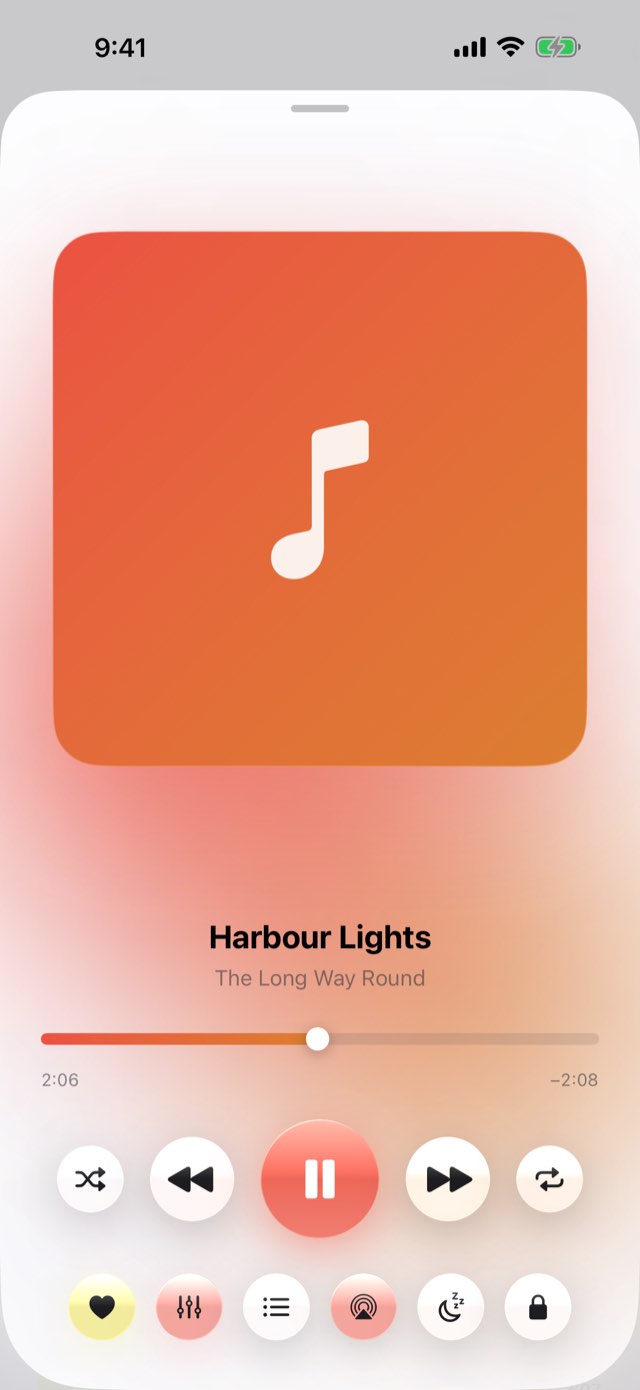
Your own music, any podcast and the artists you love — played with the phone in your pocket, behind a lock that swallows every touch. Type an artist and keep their songs in your lists: Apple Music plays right here with the screen off, and YouTube plays in its own player on screen. And a week in music: how long you listened on each of the last seven days, counted privately on your iPhone and kept there for ninety days. Optimised for iPhone Duo.

Free to useiPhone, iPad and iPhone DuoYour music and podcastsApple MusicNo account
Coming to the App StoreHow to use it ↓All apps
Melopocket – Music and podcastsMelopocket – Music and podcastsMelopocket – Music and podcastsMelopocket – Music and podcastsMelopocket – Music and podcastsMelopocket – Music and podcasts
You put the phone in your pocket and the music stops for no reason.

One slide to lock it, and it plays until you take it out again.

0accounts needed
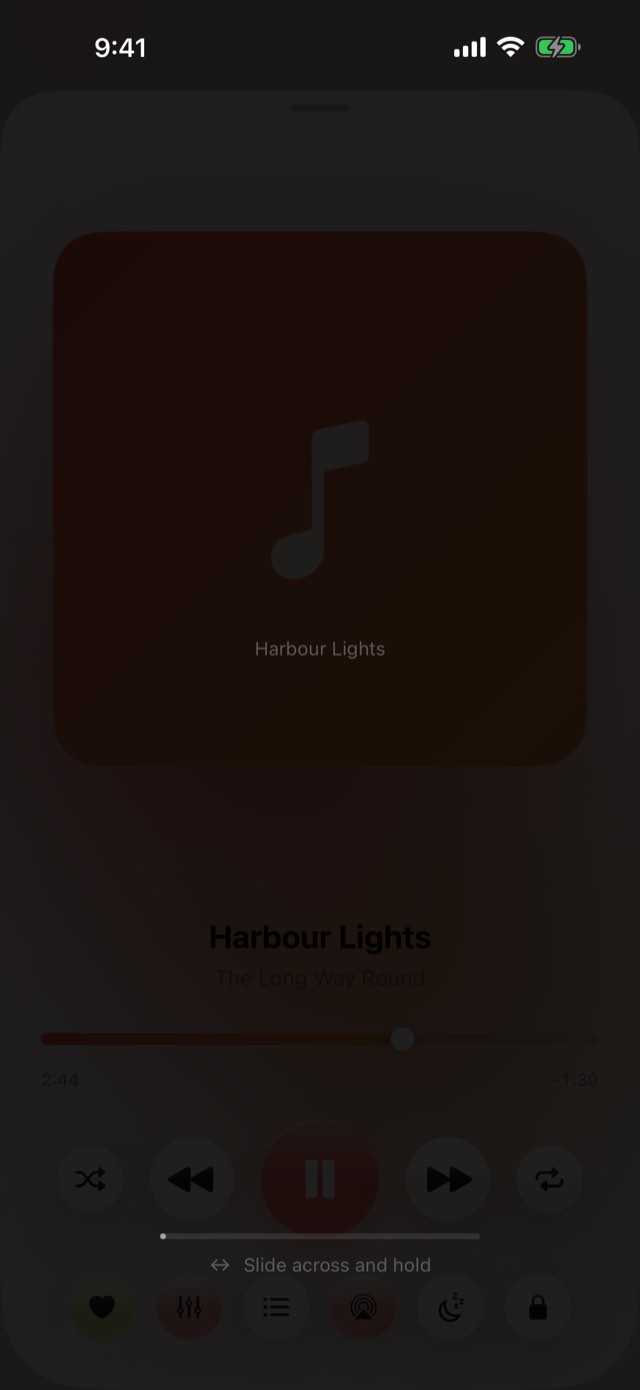
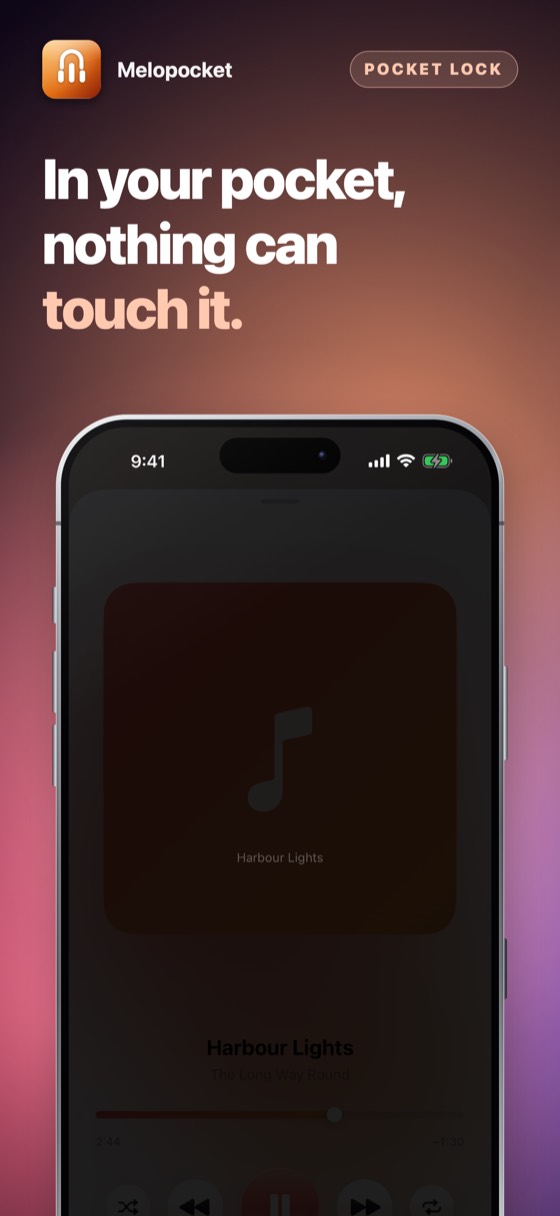
Melopocket – A shield that eats every touch.
01The pocket lock

A shield that eats every touch.

One slide the width of the screen, held for most of a second, and it lifts. Denim does not do that. A thumb does it without looking. The screen goes almost black — not fully, because a screen showing nothing reads as a dead phone and people press it to check.

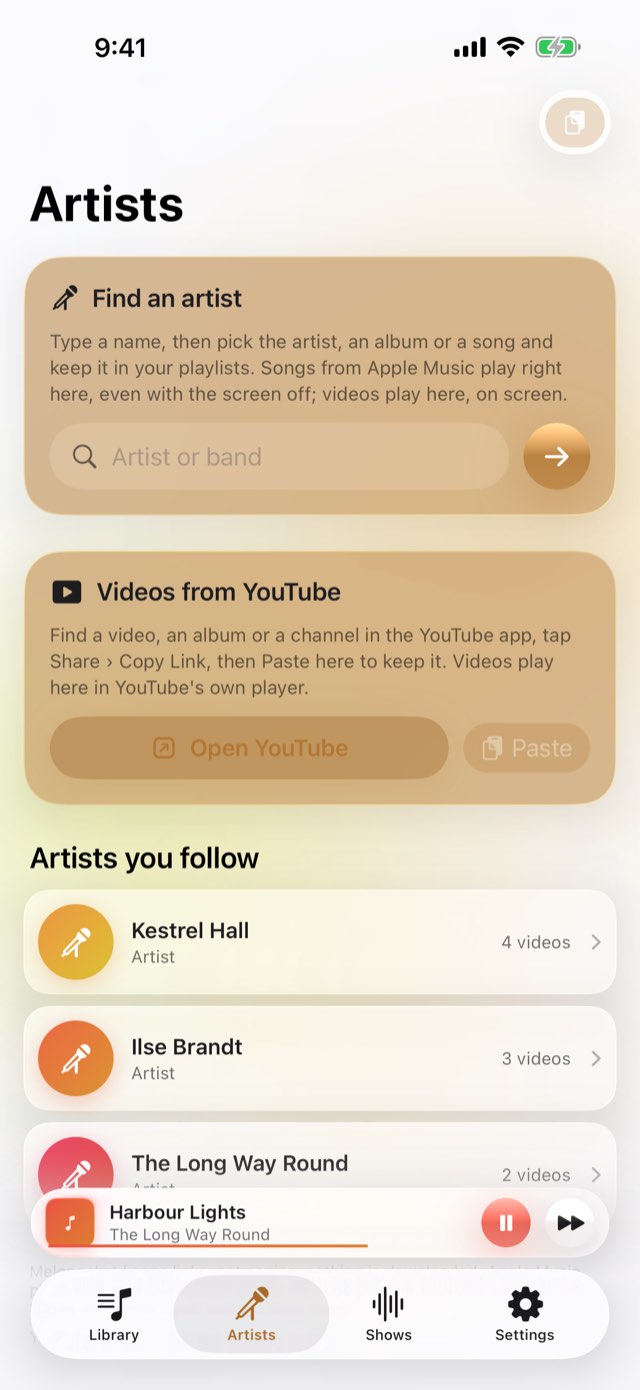
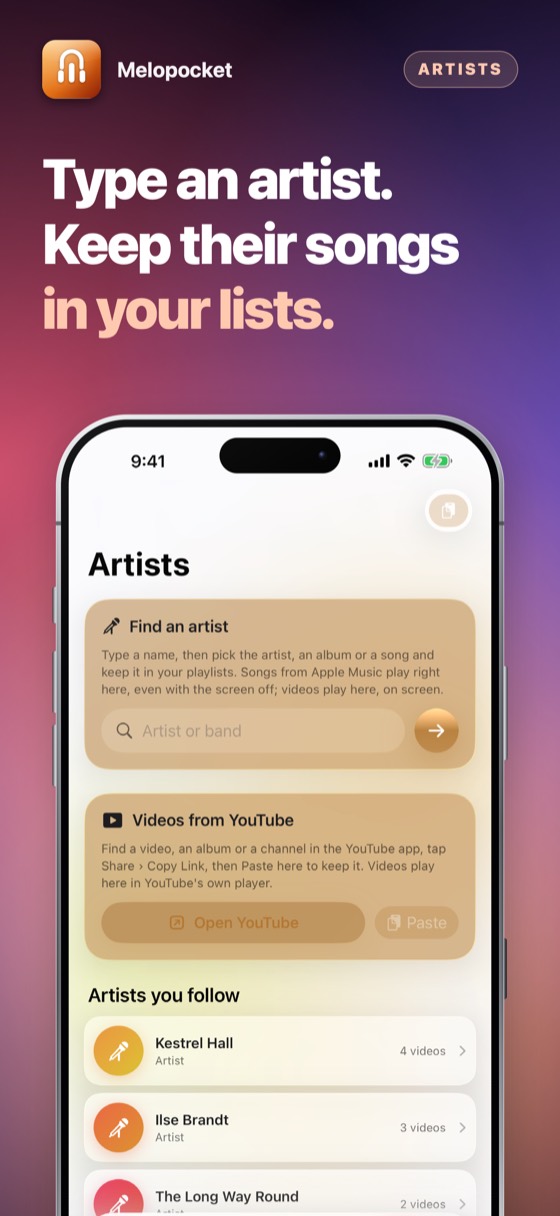
Melopocket – Type a name. Keep the songs.
02Artists

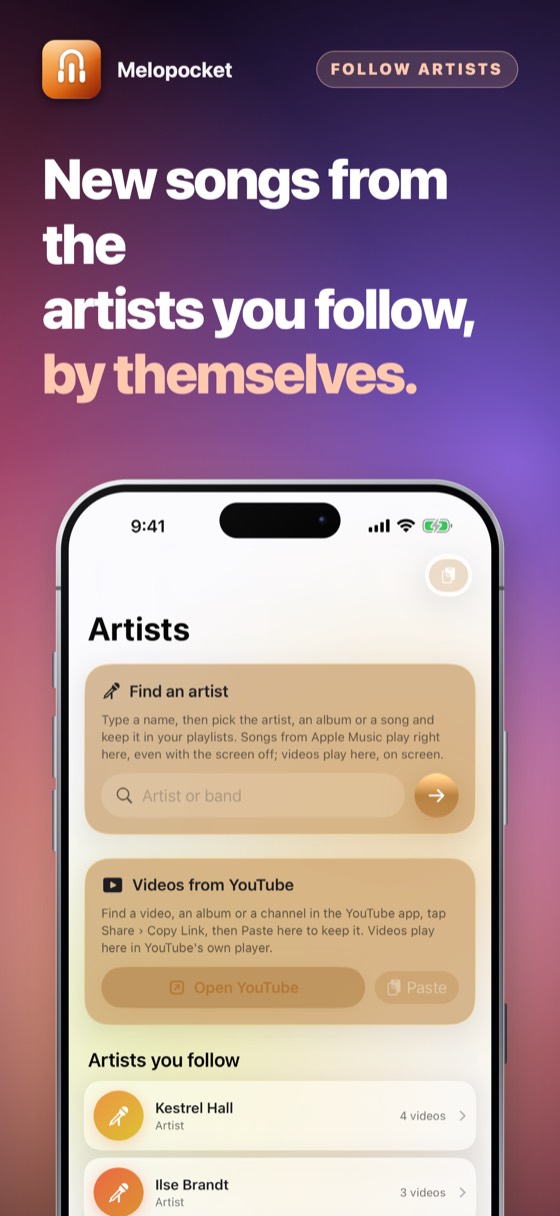
Type a name. Keep the songs.

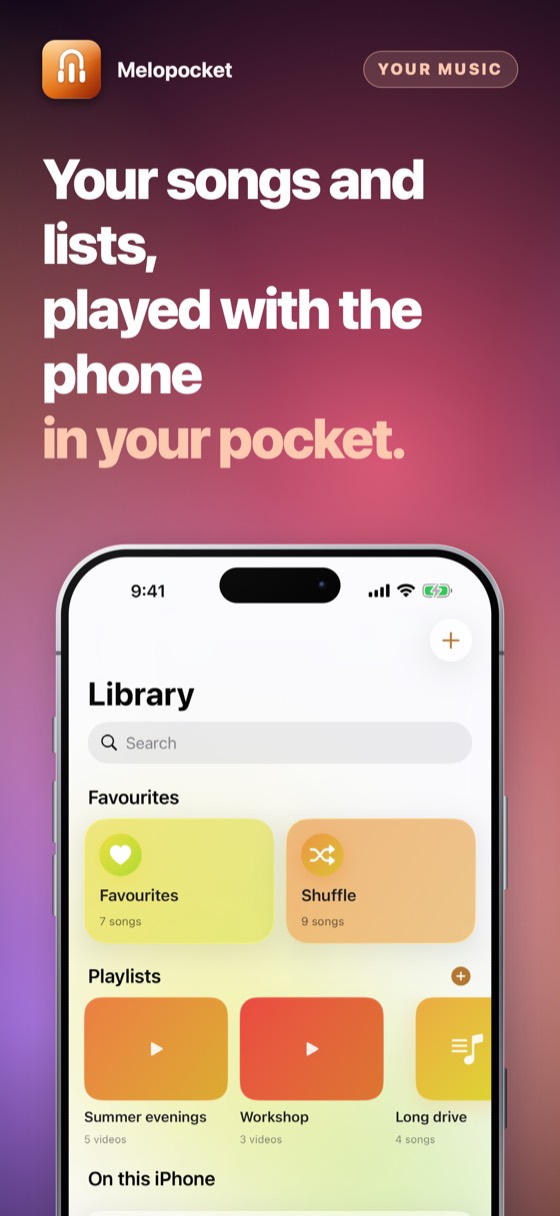
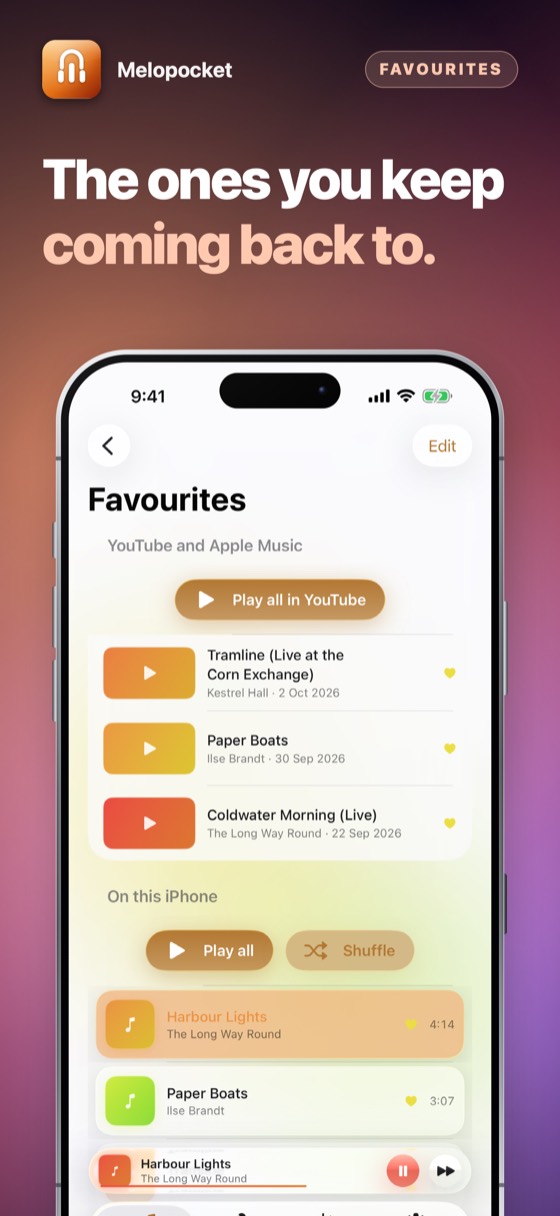
Search an artist and add their songs and albums to your lists, with favourites and your own order. With Apple Music they play right in Melopocket — in a pocket, with the screen off. YouTube channels are followed by the feeds YouTube publishes and played in YouTube’s own player.

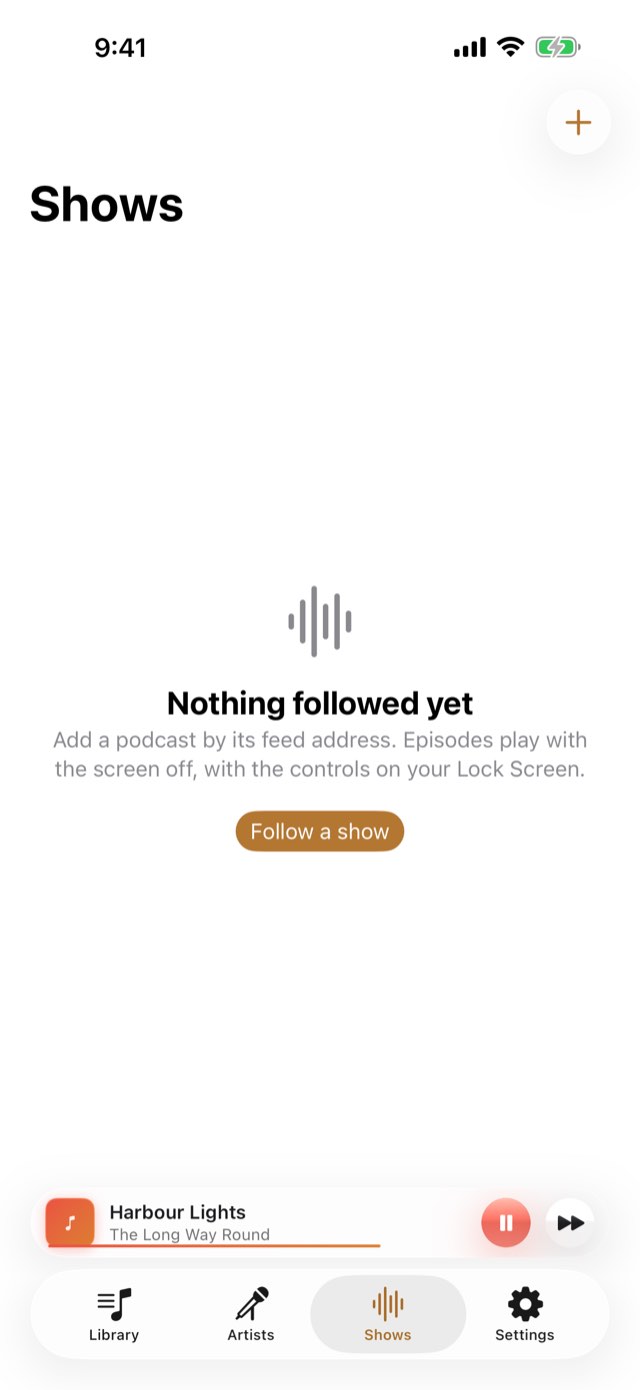
Melopocket – Any show, by its feed.
03Podcasts

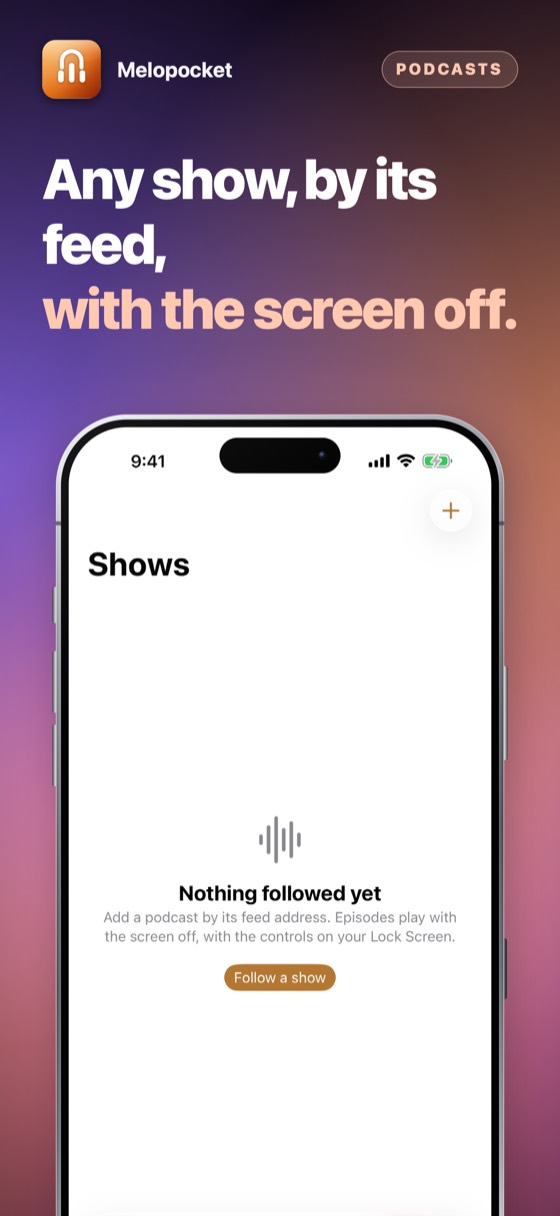
Any show, by its feed.

Add a podcast by its RSS address and it plays with the screen properly off, with the controls on your Lock Screen, in Control Centre and in the car. It remembers where you got to.

Melopocket – Your week in music, counted on the phone.
04Your week

Your week in music, counted on the phone.

A bar for each of the last seven days and the total time you listened, counted on this iPhone while something plays and kept for ninety days. Nothing is sent anywhere, and one tap erases it.

Melopocket · App Store

Melopocket – A shield that eats every touch.Melopocket – Type a name. Keep the songs.Melopocket – Any show, by its feed.Melopocket – Your week in music, counted on the phone.Melopocket 5Melopocket 6Melopocket 7Melopocket 8Melopocket 9

How to use it

From putting the phone away to taking it out again.

1Step 1 of 5

Add a show

Its RSS address. Most shows put it on their own site, and many of the ones people watch on YouTube publish the same episodes this way.

Add a show
2Step 2 of 5

Press play

It starts where you left off.

Press play
3Step 3 of 5

Tap the lock

The shield comes down and the screen goes dark.

Tap the lock
4Step 4 of 5

Put it in your pocket

Nothing that touches the screen does anything at all.

Put it in your pocket
5Step 5 of 5

Slide and hold

One deliberate movement, and you are back.

Slide and hold

Three ways to listen

What plays where — and what each one is allowed to do.

Your music and podcasts

Screen fully off

Background audio
  • Lock Screen controlsYes
  • ScreenOff
  • Pocket lockYes
  • In the carYes
In shortBest for listening
Apple Music

Screen fully off

Apple’s own player
  • NeedsYour Apple Music subscription
  • ScreenOff
  • Lock Screen controlsYes
  • Licensed byApple Music
In shortThe artists you love
YouTube

On screen only

YouTube’s own player
  • ScreenOn
  • When the phone locksIt pauses
  • DownloadsNever
  • Ads and rulesYouTube’s own
In shortBest for watching

What each service allows is set by its owner and can change.

What it replaces

The problem is not the player. Every player works. The problem is the fabric.

The questionThe usual answerMelopocket
Phone in a pocketDenim pauses it, skips it, scrubs itEvery touch swallowed
Getting back to itUnlock, find the app, find your placeSlide across and hold
What is playingTake the phone out to seeShown faintly on the locked screen
Where your listening goesSomebody's recommendation engineNowhere. There is no account
Your favourite artistsAnother app, another accountType a name; keep the songs in your lists

Everything else it does

01

Lock Screen controls

Play, pause, thirty forward, fifteen back, and a scrubber — on the Lock Screen, in Control Centre, on a watch and in a car.

02

It remembers where you were

A two-hour episode does not start again because the app was closed.

03

Speed

From 0.8 up to 2×, for people who listen to talk at speed.

04

Nothing to sign into

No account, no e-mail address, no password.

05

Nothing leaves the phone

Your lists, favourites and listening stay in the app. Apple Music and YouTube see only what they need to play.

06

Free for good. Pro if you want it

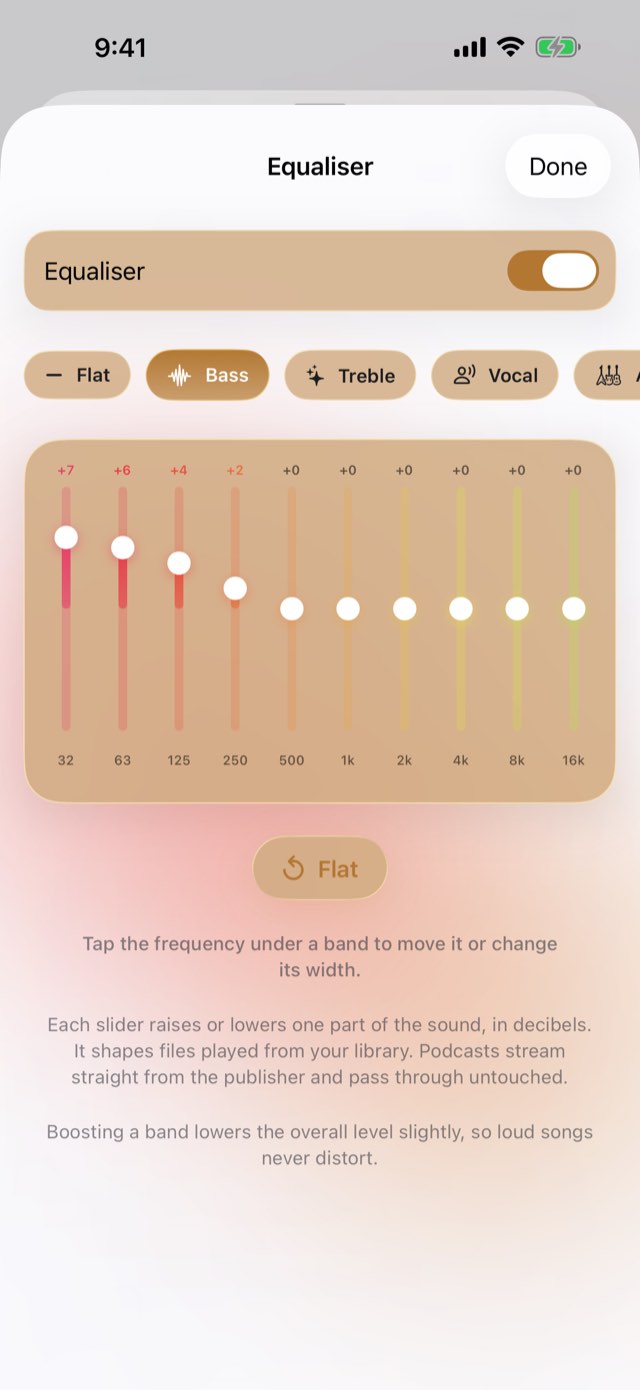
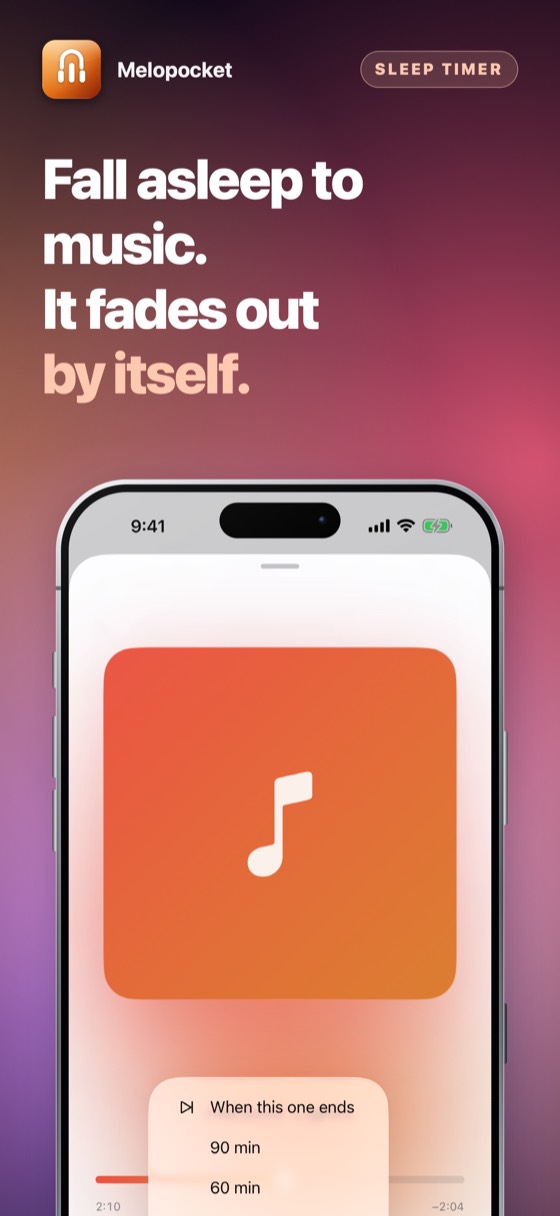
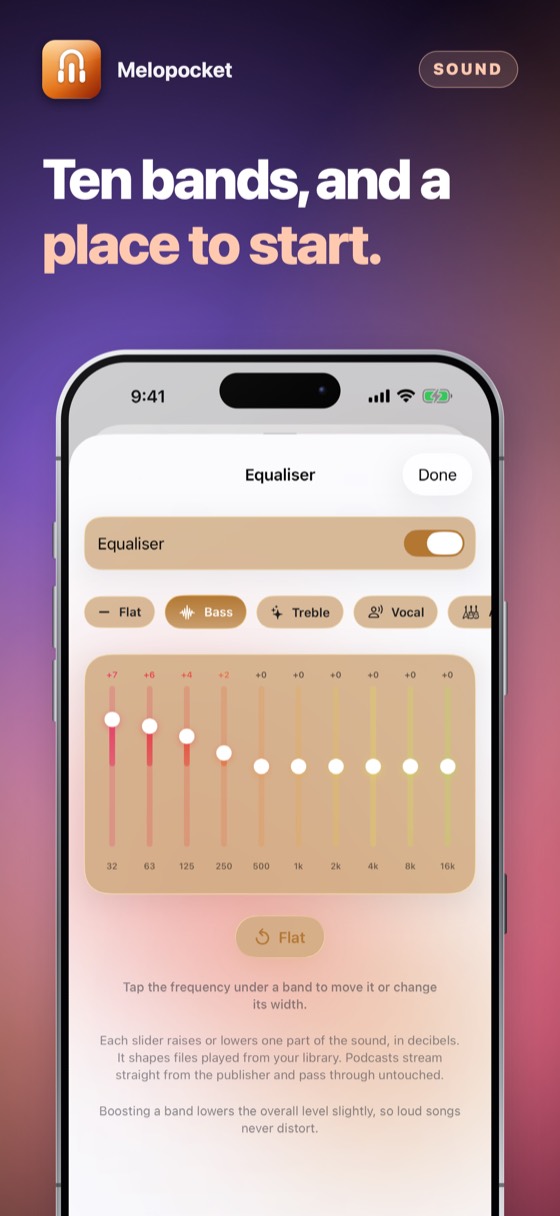
The player, playlists, podcasts, pocket lock, sleep timer and Artists never ask for money. Pro adds the automatic lock, the equaliser and crossfade — yearly with three days free, or once for good.

Free to use

The whole player, free.

No account and nothing to sign up for. Pro is optional: try it free for three days.

Coming to the App Store

Prices are shown on the App Store, in your own currency. Pro: yearly with three days free, or one payment for good.

Questions people ask

No. YouTube’s terms let its videos play only in YouTube’s own player while it is on screen; playing in the background is something YouTube offers only in its own app. Melopocket plays YouTube in YouTube’s own embedded player and pauses it when you lock the phone.

For music in your pocket with the screen off, use Apple Music inside Melopocket: Apple Music is licensed for exactly that.

Only for Apple Music songs. Your own music files and podcasts play without it. Apple Music songs play in full with your own Apple Music subscription.

No. It never downloads, converts or copies anything from YouTube or Apple Music. It keeps links in your lists, and the music is played by their own players.

The player, playlists, podcasts, pocket lock, sleep timer and Artists are free for good. Melopocket Pro adds the automatic pocket lock, the ten-band equaliser and crossfade. New subscribers get three days of Pro free from the App Store; cancel at least 24 hours before they end and nothing is charged.

Pro is either a yearly subscription that renews until you cancel, or a single payment that is yours for good and never renews. Apple takes the payment and only Apple can refund it; this developer never sees a card or a name. Apple Music and YouTube are never behind a payment.

Yes. Cancel at any time in the App Store: tap your picture at the top right, then Subscriptions. That is the only place a subscription can be stopped — the app cannot do it for you, because Apple takes the money. You keep it until the end of the period you have already paid for.

Refunds are handled by Apple, not by us — we never see your payment details and cannot issue one. Go to reportaproblem.apple.com, sign in, and choose the purchase.

Whatever you bought belongs to your Apple Account. Sign in on an iPad or a new iPhone with the same Apple Account, open the app, and choose Restore on the purchase screen. Nothing is charged again.

One purchase covers one Apple Account. It is not shared with a family and cannot be passed round a firm — a second person needs their own.

No. There is no account, no sign-in and no server. Everything the app holds is on your own device and is removed when you delete the app.

The only network traffic the app causes belongs to the App Store, when you buy, subscribe or restore.

Whatever your device is set to, if that language is one it has been translated into; otherwise English. There is no language setting to get wrong — changing your iPhone's language changes the app with it.

The details

Platform
iPhone, iPad and iPhone Duo, iOS 17 and later
Plays
Your music files, podcasts, Apple Music, and YouTube’s own player
With the screen off
Your music, podcasts and Apple Music. YouTube on screen only, by YouTube’s terms
Account
None of ours
Network
Only for podcasts, Apple Music and YouTube
Payment
Free to use; Pro yearly with three days free, or once for good
Support

Payments, refunds and cancellations

Apple takes every payment for this app. That means Apple — and only Apple — can look a charge up, stop a subscription or give a refund. This developer never sees a card, a name or a payment, and has no way to change one.

Cancelling is done at the App Store, and nowhere else. Open the App Store, tap your picture at the top right, then Subscriptions. Cancelling stops the next payment; what you have already paid for runs to the end of its period. Do it at least 24 hours before the period ends, or that renewal goes through anyway.

About Apple Music and YouTube

Melopocket never downloads, converts or copies music or video. Apple Music songs play through Apple’s own player with your own subscription. YouTube videos play in YouTube’s own embedded player, on screen, and pause when the phone is locked, as YouTube’s terms require. Neither is behind Melopocket’s subscription.

Restoring something you already paid for

A purchase belongs to your Apple Account, not to one device. On a new phone, or after reinstalling, open the app and choose Restore on the purchase screen. Nothing is charged again.

Cancelling a subscription

Open the App Store, tap your picture at the top right, then Subscriptions. That is the only place a subscription can be stopped — this app cannot do it for you, because Apple takes the money. Cancelling stops the next payment and leaves the period you have already paid for running to its end. A one-time purchase never renews and has nothing to cancel.

Still stuck? Write to alpenlume@gmail.com — say which app, which iPhone or iPad, and what you expected to happen.

Privacy policy

Last updated 10 September 2026.

The short version

Melopocket collects nothing and has no account. When you use Apple Music or YouTube, they work under Apple’s and Google’s own privacy policies.

What stays on your device

Your music, lists, favourites, the shows you follow and where you got to are files in the app on your device. There is no server and no account. When you search Apple Music or YouTube, the search goes straight to Apple or YouTube; nothing passes through us. Melopocket uses YouTube API Services — YouTube’s own embedded player — in privacy-enhanced mode. YouTube’s pages and player are covered by Google’s Privacy Policy, and by watching YouTube videos in Melopocket you agree to the YouTube Terms of Service.

What is collected

Nothing. This app has no account, no sign-in, no analytics, no advertising identifier, no crash reporting service and no tracking of any kind. No profile is built and nothing is shared with anyone.

Network use

This app has no server of its own: nothing to sign in to, and nothing uploaded to the developer, ever. What it does with the internet — for most of these apps, nothing at all — is set out under “On your device” above.

Two things do use the internet, and both are somebody else's. The App Store does, when you buy, subscribe or restore. And when you share something — a dish, a recipe, a document — iOS hands it to the app you picked, whether that is Messages, Mail or WhatsApp, and that app sends it over its own connection under its own privacy policy. Nothing is sent unless you press send, and this app never learns where it went.

Purchases

Buying is handled entirely by Apple. The app never sees a card number, a name or an address; it asks the App Store one question — whether this Apple Account owns the app — and receives yes or no. Apple's own privacy policy governs the transaction.

Children

This app is not directed at children and collects nothing from anybody, so there is nothing held about a child to disclose, correct or delete.

Your rights

Data protection law gives you the right to see, correct, export and erase personal data held about you. Because none is held, there is nothing to produce or delete on request. Everything the app has is on your own device: deleting the app removes it, and it was never anywhere else.

Changes

If this policy ever changes it will be dated above. It will not be changed retroactively, because there is no collected data for a change to newly permit.
More from Alpenlume