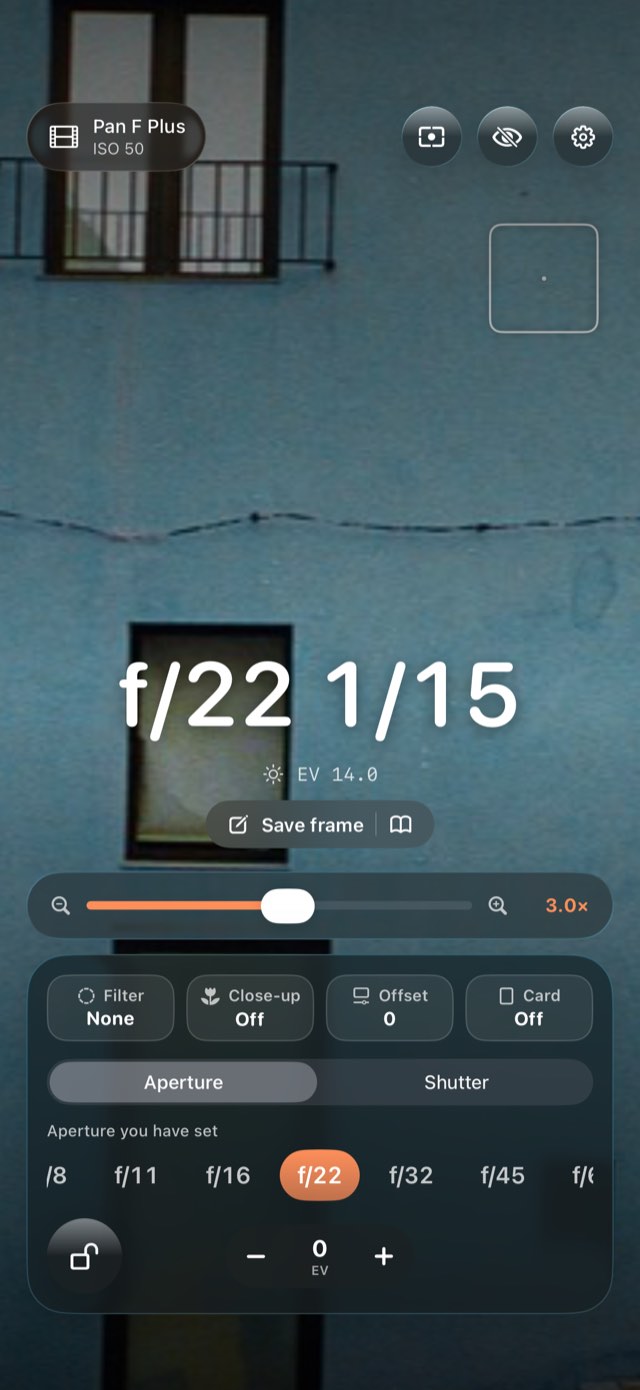
MeterlumeFilm light meter · 35 mm and 120

The light meter your film camera never had.

Point your iPhone at the scene and read what to set — for the film in your camera, at the speed you rate it, behind the filter you are using. And after dark, the one thing no phone meter does: the extra time film needs for long exposures, from each film’s own data. Meter the shadows and the highlights, and know before the shutter fires whether your film can hold the scene. Made for 35 mm and 120 film: choose your format once in Settings and the dial, the apertures and the film list follow. Optimised for iPhone Duo.

Three days freeiPhone, iPad and iPhone Duo35 mm and 12034 + 29 filmsZone meteringNo account
Coming to the App StoreHow to use it ↓All apps
Meterlume – Film light meter · 35 mm and 120Meterlume – Film light meter · 35 mm and 120Meterlume – Film light meter · 35 mm and 120Meterlume – Film light meter · 35 mm and 120Meterlume – Film light meter · 35 mm and 120Meterlume – Film light meter · 35 mm and 120
The light is going, and the camera has no meter.

Hold up the phone, tap the scene, read the number, set the dial.

0days free
0mm and 120
0+ 29 films
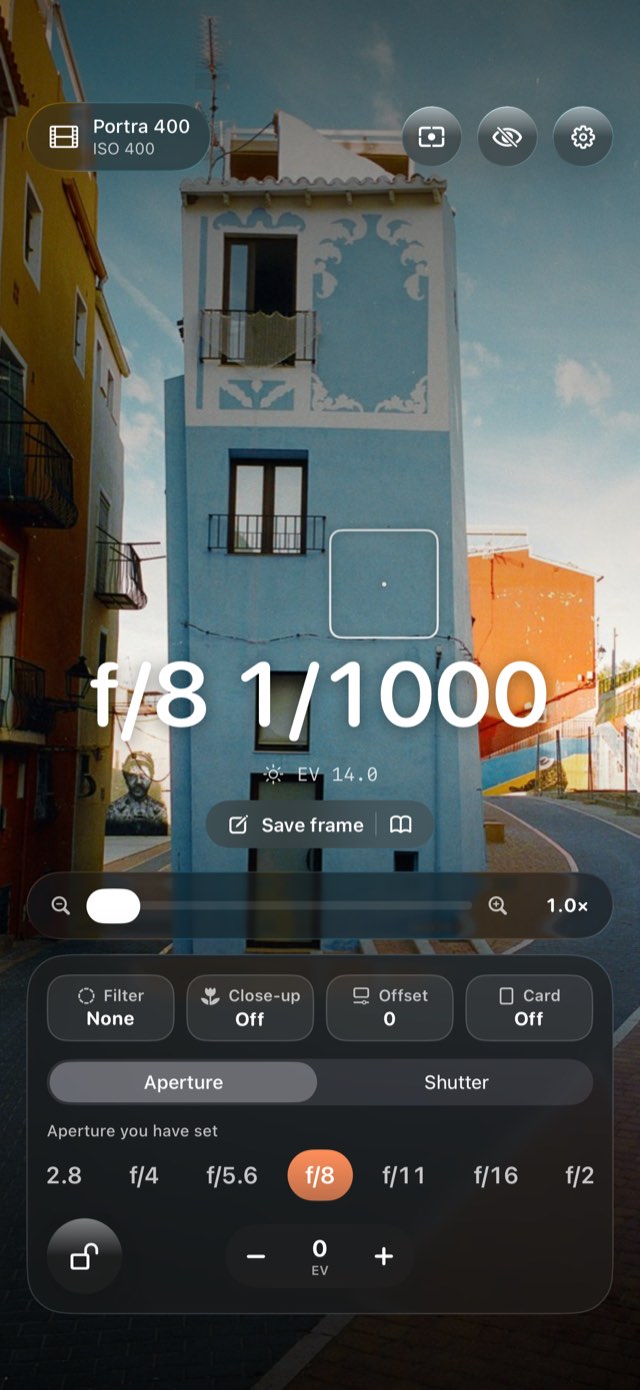
Spot EV 14
Measuring

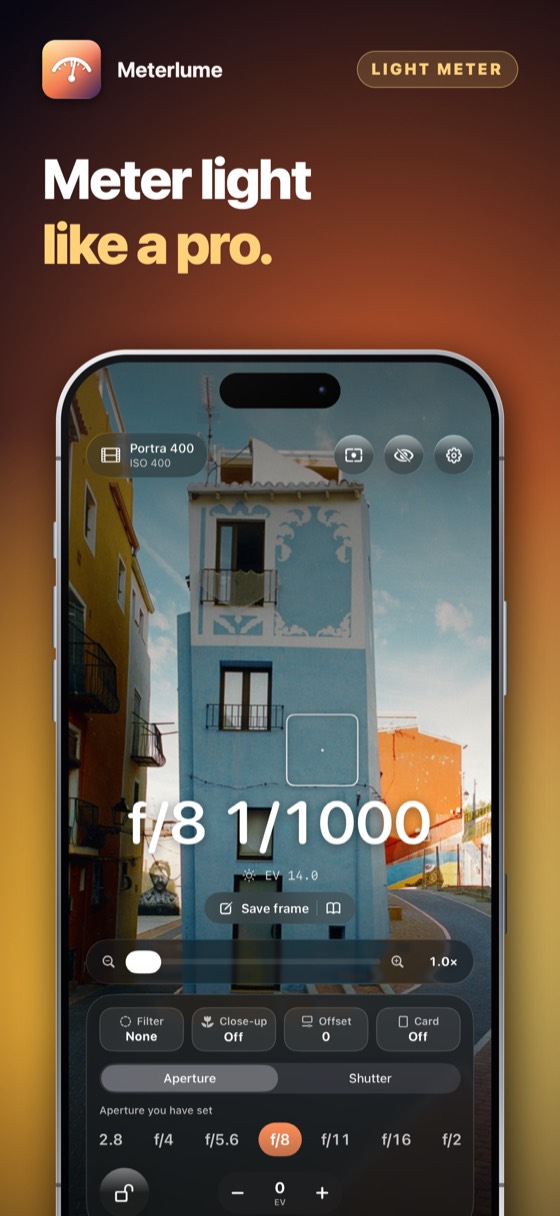
Point it at the light. Read the number.

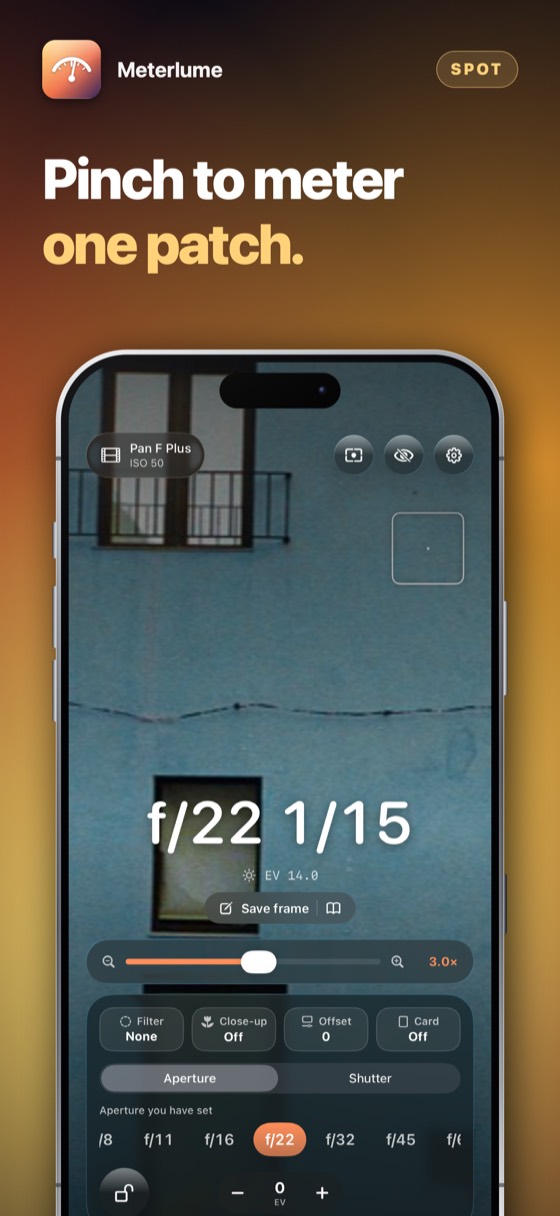
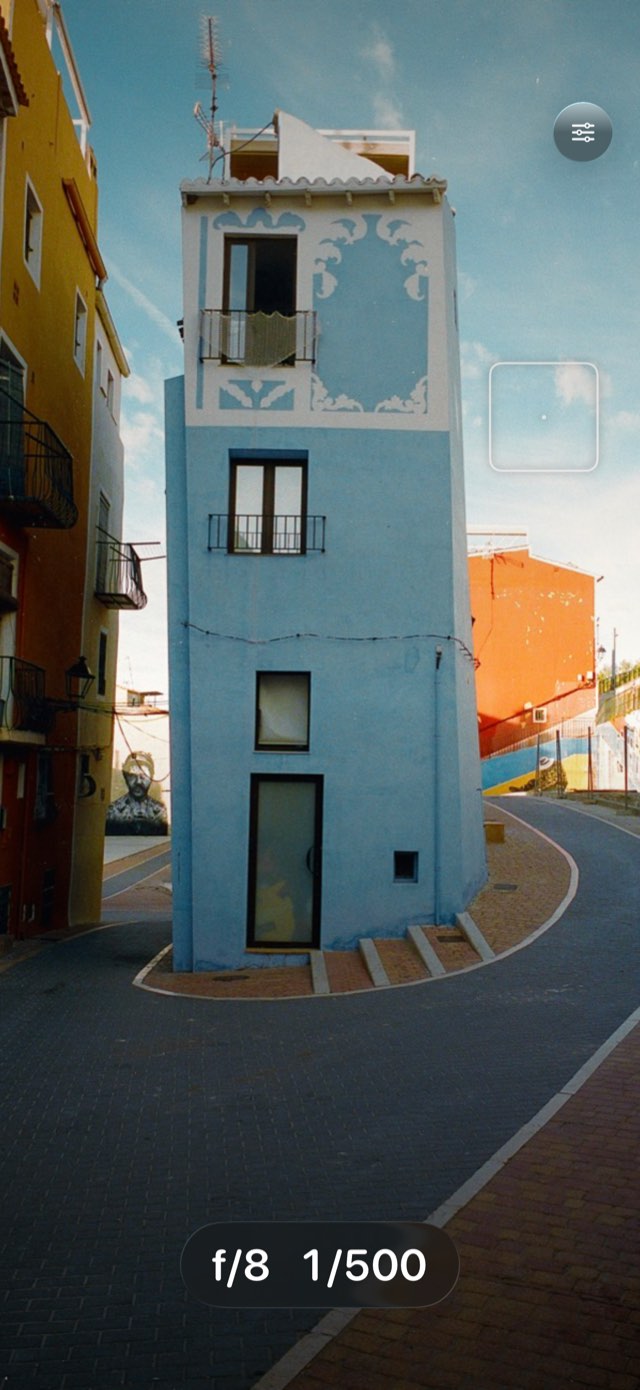
Tap the photo, or drag the spot over it. Meterlume reads the brightness of that exact place, and the settings change with it. Nothing is photographed or saved.

  • BrightnessEV 14
  • Film speed
  • Aperture
Set the dial to1/500

The brightness comes from this photograph’s own pixels, worked with the same arithmetic the app uses.

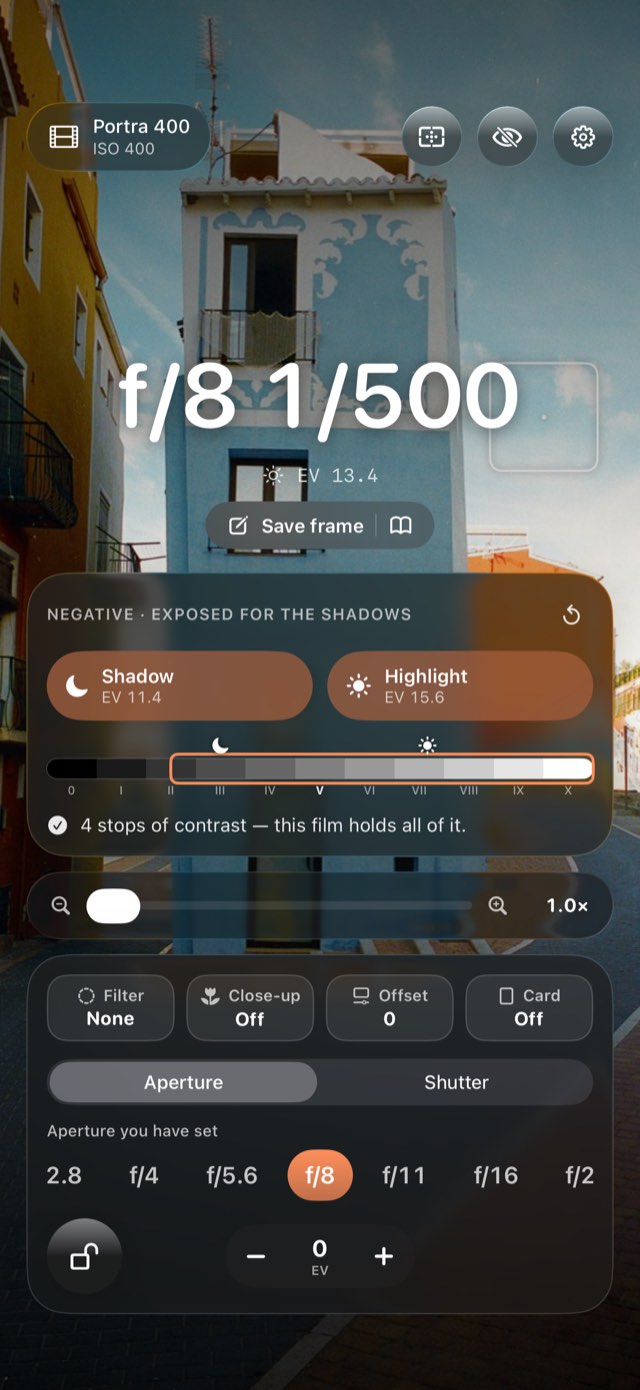
Meterlume – Metering the way the zone system does.
01Shadows and highlights

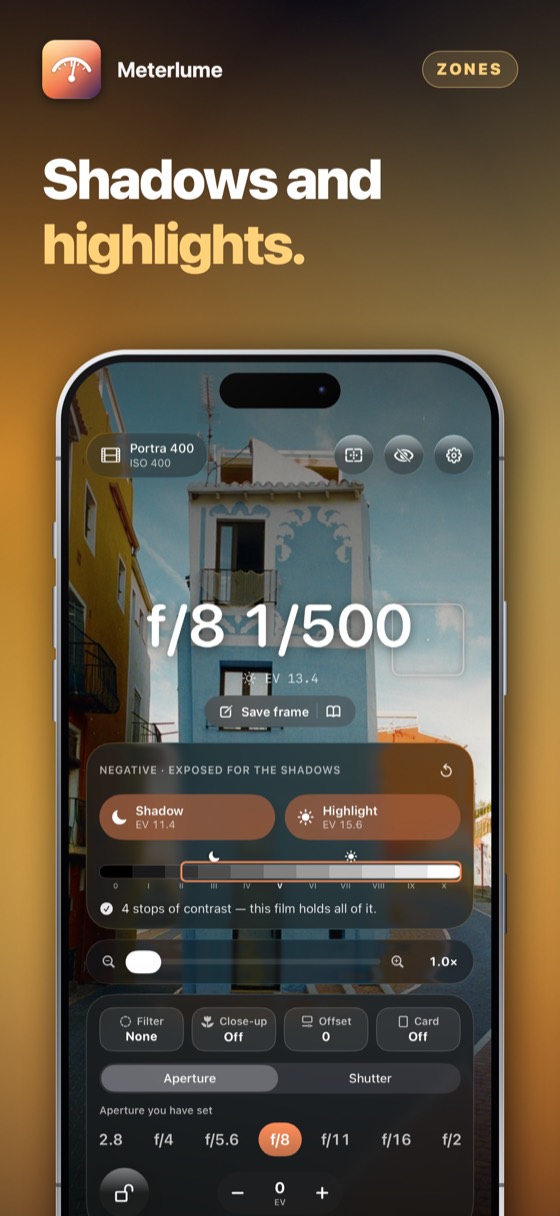
Metering the way the zone system does.

Measure the darkest detail and the brightest. Meterlume places them on the zone scale for your film — negatives for the shadows, slides for the highlights — and says, in stops, if the film cannot hold the whole scene.

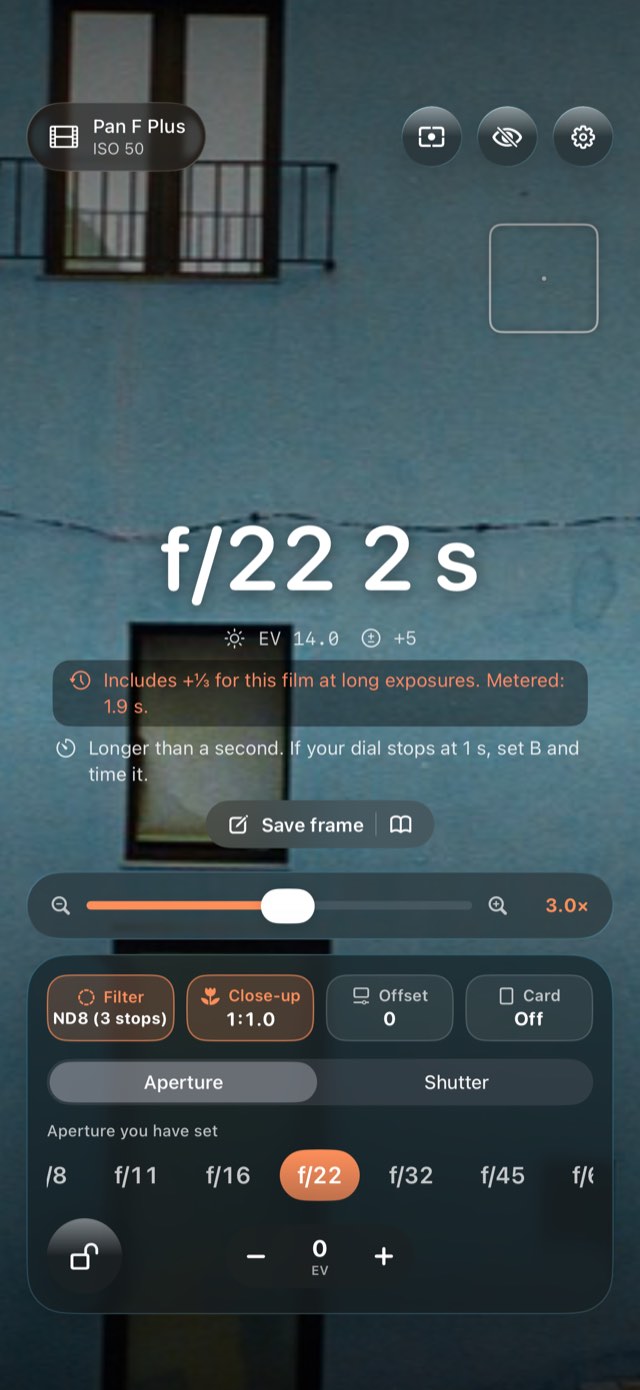
Meterlume – The number a phone gets wrong.
02After dark

The number a phone gets wrong.

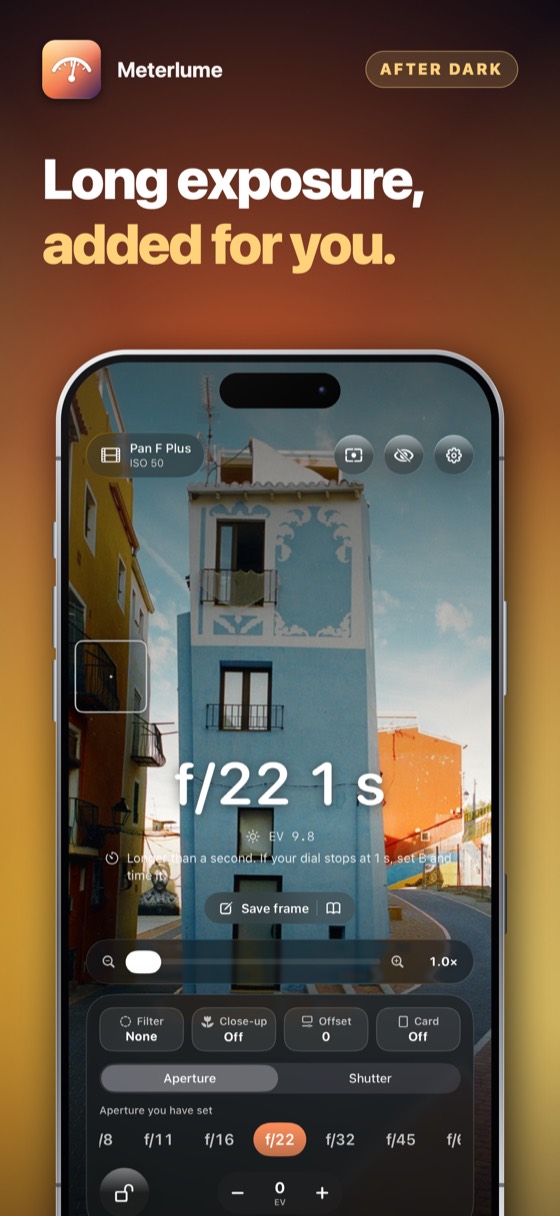
Past a second, film behaves as if it were slower, and the gap grows fast: a metered eight seconds on Tri-X is fifteen in practice. Meterlume adds it, from each film’s published data, and tells you how much it added.

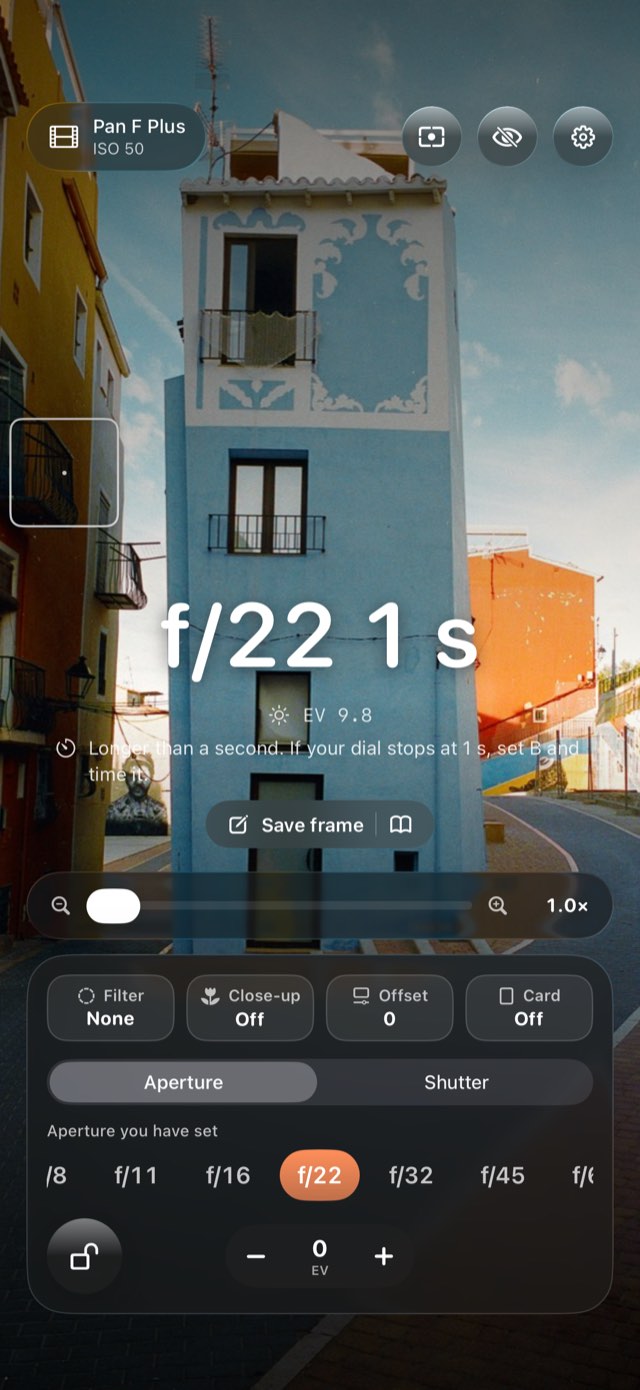
Meterlume – The live view, with the controls put away.
03Nothing but the picture

The live view, with the controls put away.

One tap hides every control and leaves the camera’s picture and the answer. Over- or under-expose in thirds of a stop without leaving the screen.

Meterlume · App Store

Meterlume – Metering the way the zone system does.Meterlume – The number a phone gets wrong.Meterlume – The live view, with the controls put away.Meterlume 4Meterlume 5Meterlume 6

How to use it

From pulling the phone out to taking the picture.

1Step 1 of 5

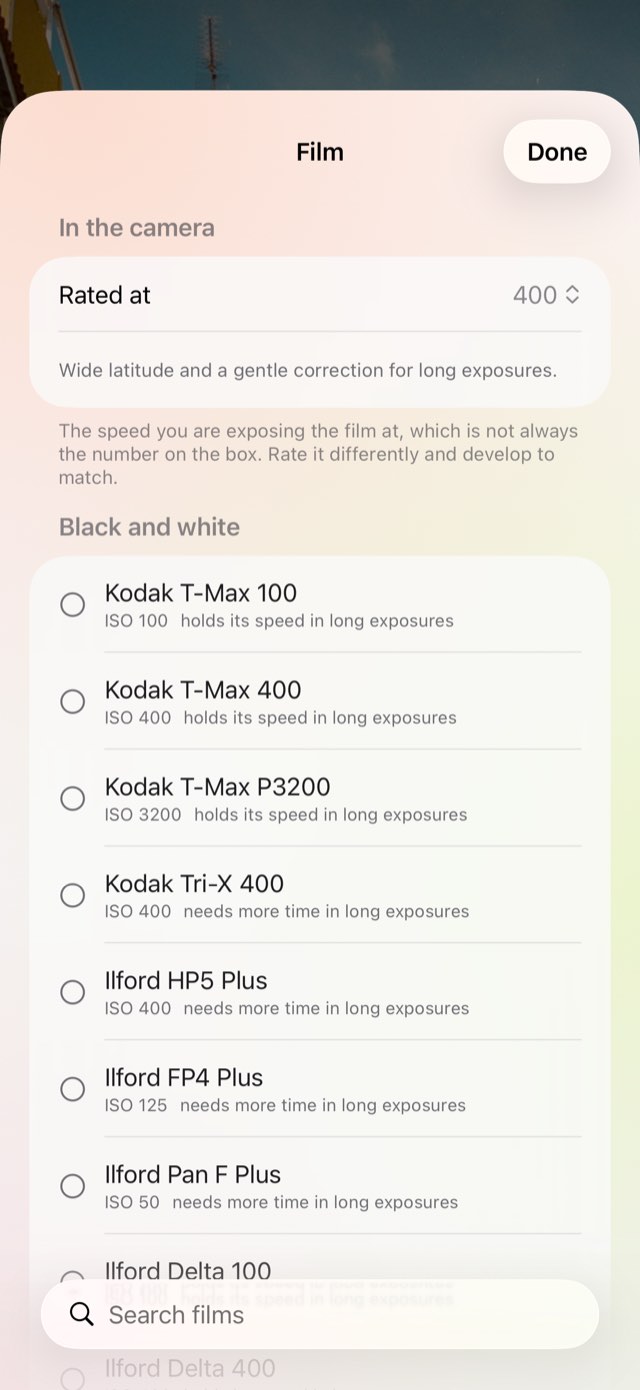
Load your film

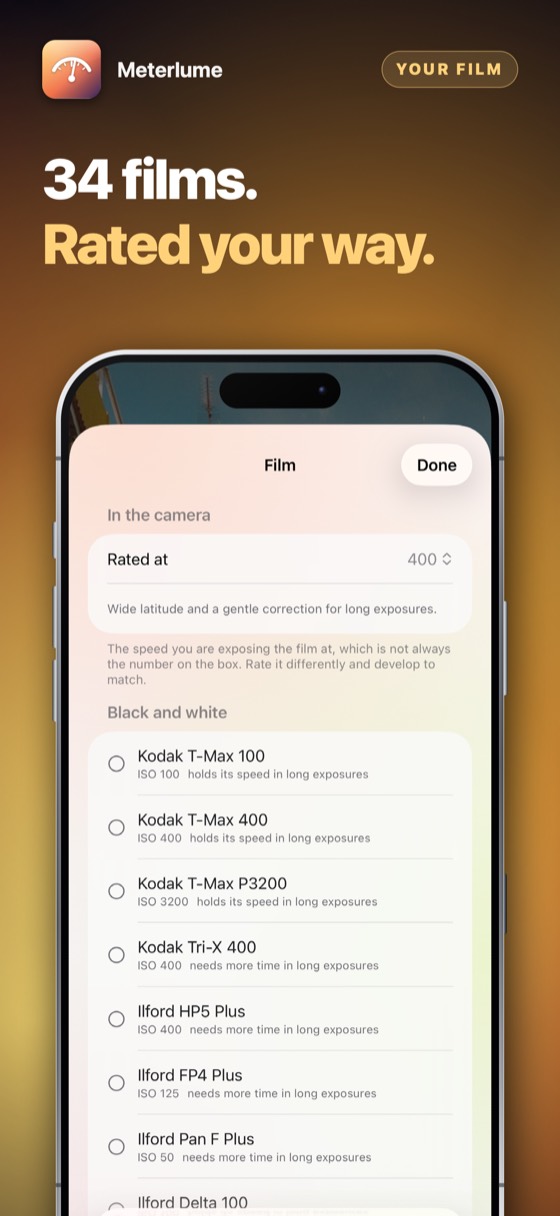
Choose what is in the camera, and the speed you are rating it at.

Load your film
2Step 2 of 5

Choose what you fix

Aperture when depth of field matters, shutter when movement does.

Choose what you fix
3Step 3 of 5

Tap what matters

The reading follows the part of the scene you touch.

Tap what matters
4Step 4 of 5

Lock it

Put the phone down with the number still on the screen.

Lock it
5Step 5 of 5

Set the dial

The answer is always a speed and an aperture your camera actually has.

Set the dial

Three scenes, worked through

The same arithmetic, in full sun, under cloud, and at night.

Midday sun

HP5 Plus at f/16

EV 15 · ISO 400
  • Metered1/512 s
  • Film correctionNone
  • Nearest on the dial1/500
What to set1/500
Overcast

Portra 400 at f/8

EV 12 · ISO 400
  • Metered1/256 s
  • Film correctionNone
  • Nearest on the dial1/250
What to set1/250
Night street

Tri-X 400 at f/8

EV 1 · ISO 400
  • Metered8 s
  • Film correction+1 stop
  • Nearest on the dial15 s
What to set15 s

Worked with the same arithmetic the app uses. The night scene is why film needs its own meter: the arithmetic says eight seconds, and Tri-X needs fifteen.

What it replaces

Every phone can measure light. What it cannot do on its own is think like a roll of film.

The questionThe usual answerMeterlume
Long exposuresThe metered time, as if film were a sensorThe time your film actually needs, from its reciprocity data
ContrastOne reading, and hopeShadows and highlights measured, and placed for your film
Film speedWhatever the box saysThe speed you rate it at — push it, pull it
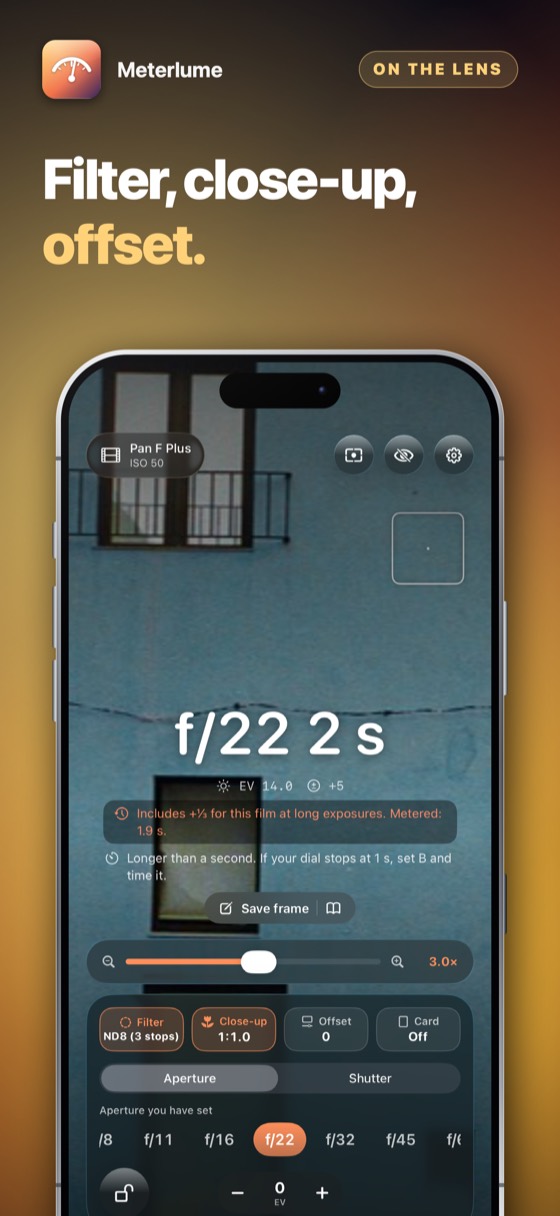
FiltersLeft for you to work outND8 is three stops, and they are added for you
Close-upNot consideredThe light lost to the lens extension, in stops
CalibrationFixedSet against a meter you trust, in thirds of a stop

Everything else it does

01

Filters by their real cost

Yellow, orange, red, polariser, ND2 to ND1000 — each at its true cost in stops.

02

Close-up and extension

Focus close and the lens moves away from the film. At life size that is two stops, added for you.

03

Calibrated to your meter

Move the reading by thirds of a stop until it agrees with the meter you trust.

04

Works with no signal

Everything is in the app. A cliff top at dusk is still a place to meter.

05

Nothing is photographed

The camera measures brightness and nothing else. Nothing is saved or sent.

06

Three days free, then yours

Try everything for three days — nothing is charged and nothing renews. Then one payment, and it is yours for good.

Three days free

Three days of everything, free.

No account and nothing to sign up for. Try the whole app for three days; then it asks once, and you decide.

Coming to the App Store

Prices are shown on the App Store, in your own currency. Three days free, then one payment — nothing renews.

Questions people ask

The iPhone camera meters continuously and reports its own aperture, shutter and ISO — and those three numbers are the exposure equation. Meters from different makers disagree by a fraction of a stop, because they use slightly different calibration constants, so Meterlume lets you set an offset against a meter you already trust, in thirds of a stop.

A reflected meter makes whatever it reads middle grey. So you measure the darkest area that must keep its detail and the brightest, and Meterlume places them on the zone scale for the film you are using: negatives are exposed for the shadows, slides for the highlights. If the scene holds more contrast than the film can, it tells you by how many stops — before the frame, not after the roll is developed.

Reflected, like the meter inside a camera: it measures the light coming off the scene. Tap a mid-tone — grass, grey stone, a face in the same light — for the most dependable reading, or tap the part you want correctly exposed.

No. The camera is used only to measure brightness. Nothing is recorded, saved or sent, and there is no account.

Three days free, then one payment on the App Store, and nothing after it. The free days start with one tap and charge nothing.

Every app can be tried in full for three days before you pay anything. The offer is shown on the App Store page and again in the app, nothing is charged by surprise, and when the days are up you decide, once.

The App Store page shows what it costs and how it is paid — once, or as a subscription — in your own currency, before anything is charged. Apple takes the payment, so this developer never sees a card or a name. There are no advertisements.

Yes. Cancel at any time in the App Store: tap your picture at the top right, then Subscriptions. That is the only place a subscription can be stopped — the app cannot do it for you, because Apple takes the money. You keep it until the end of the period you have already paid for.

Refunds are handled by Apple, not by us — we never see your payment details and cannot issue one. Go to reportaproblem.apple.com, sign in, and choose the purchase.

Whatever you bought belongs to your Apple Account. Sign in on an iPad or a new iPhone with the same Apple Account, open the app, and choose Restore on the purchase screen. Nothing is charged again.

One purchase covers one Apple Account. It is not shared with a family and cannot be passed round a firm — a second person needs their own.

No. There is no account, no sign-in and no server. Everything the app holds is on your own device and is removed when you delete the app.

The only network traffic the app causes belongs to the App Store, when you buy, subscribe or restore.

Whatever your device is set to, if that language is one it has been translated into; otherwise English. There is no language setting to get wrong — changing your iPhone's language changes the app with it.

The details

Platform
iPhone, iPad and iPhone Duo, iOS 17 and later
Films
34, with their reciprocity data
Shutter
1/8000 to thirty minutes
Metering
Whole frame, spot, shadows and highlights
Compensation
±3 stops, in thirds
Apertures
f/1 to f/90
Network
None. Nothing is fetched or sent
Payment
Three days free, then one payment; nothing renews
Support

Payments, refunds and cancellations

Apple takes every payment for this app. That means Apple — and only Apple — can look a charge up, stop a subscription or give a refund. This developer never sees a card, a name or a payment, and has no way to change one.

Cancelling is done at the App Store, and nowhere else. Open the App Store, tap your picture at the top right, then Subscriptions. Cancelling stops the next payment; what you have already paid for runs to the end of its period. Do it at least 24 hours before the period ends, or that renewal goes through anyway.

What this app does not do

It is a reflected-light meter, like the one inside a camera: it reads the light coming off the scene, not the light falling on it. It does not know your lens’s real transmission, and the long-exposure figures come from the film makers’ own published data — a dependable starting point, and still worth a bracket for anything that matters.

Restoring something you already paid for

A purchase belongs to your Apple Account, not to one device. On a new phone, or after reinstalling, open the app and choose Restore on the purchase screen. Nothing is charged again.

Cancelling a subscription

Open the App Store, tap your picture at the top right, then Subscriptions. That is the only place a subscription can be stopped — this app cannot do it for you, because Apple takes the money. Cancelling stops the next payment and leaves the period you have already paid for running to its end. A one-time purchase never renews and has nothing to cancel.

Still stuck? Write to alpenlume@gmail.com — say which app, which iPhone or iPad, and what you expected to happen.

Privacy policy

Last updated 10 September 2026.

The short version

It collects nothing, sends nothing and has no account.

What stays on your device

Your film, your settings and your calibration live in the app on your device. There is no server and no account.

What is collected

Nothing. This app has no account, no sign-in, no analytics, no advertising identifier, no crash reporting service and no tracking of any kind. No profile is built and nothing is shared with anyone.

Network use

This app has no server of its own: nothing to sign in to, and nothing uploaded to the developer, ever. What it does with the internet — for most of these apps, nothing at all — is set out under “On your device” above.

Two things do use the internet, and both are somebody else's. The App Store does, when you buy, subscribe or restore. And when you share something — a dish, a recipe, a document — iOS hands it to the app you picked, whether that is Messages, Mail or WhatsApp, and that app sends it over its own connection under its own privacy policy. Nothing is sent unless you press send, and this app never learns where it went.

Purchases

Buying is handled entirely by Apple. The app never sees a card number, a name or an address; it asks the App Store one question — whether this Apple Account owns the app — and receives yes or no. Apple's own privacy policy governs the transaction.

Children

This app is not directed at children and collects nothing from anybody, so there is nothing held about a child to disclose, correct or delete.

Your rights

Data protection law gives you the right to see, correct, export and erase personal data held about you. Because none is held, there is nothing to produce or delete on request. Everything the app has is on your own device: deleting the app removes it, and it was never anywhere else.

Changes

If this policy ever changes it will be dated above. It will not be changed retroactively, because there is no collected data for a change to newly permit.
More from Alpenlume