01The circle of confusion
From your sensor, not from 1930.
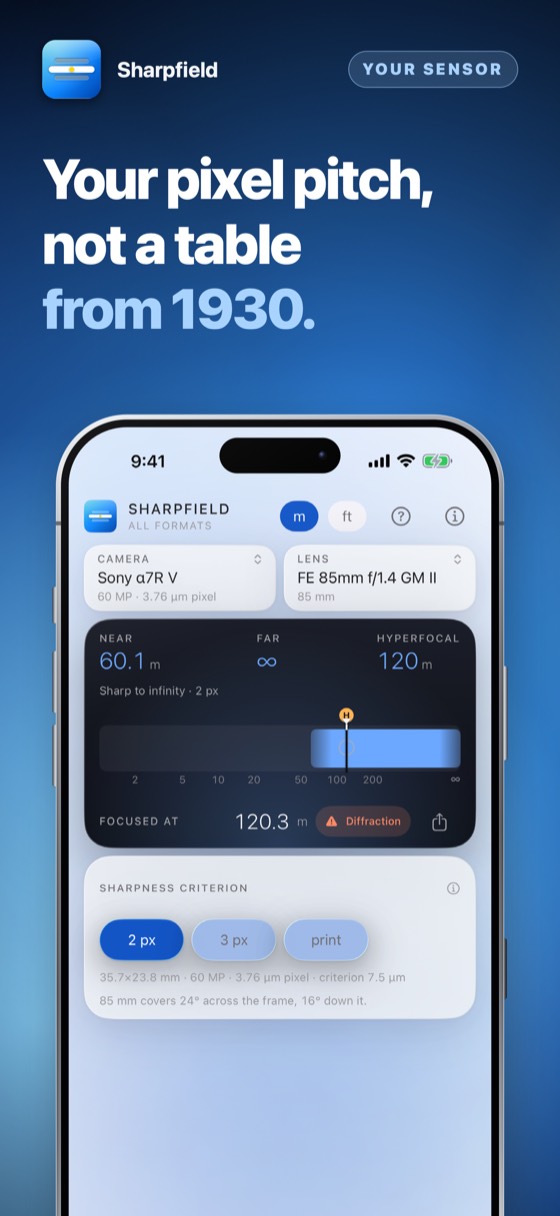
The familiar 0.03 mm figure comes from 35 mm film and a modest enlargement. On a 61-megapixel sensor it is far too generous. This app uses your body's real pixel pitch, and says so.

Hyperfocal distance, depth of field and the diffraction limit for full frame, crop sensor and medium format, digital and film — computed from the real pixel pitch of your sensor or the grain of your film, not from a rule written in 1930. Pick your camera from 218 bodies and 661 lenses; the aperture wheel then shows where sharpness peaks and where diffraction starts to cost you. Optimised for iPhone Duo.
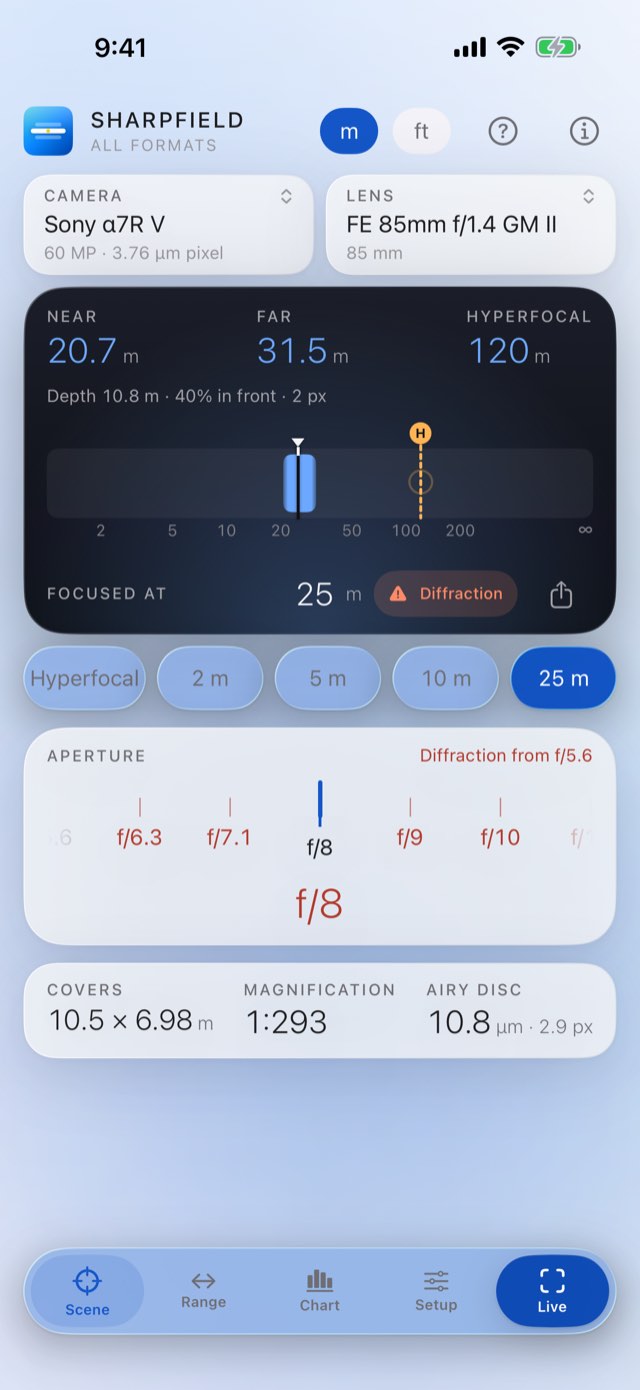
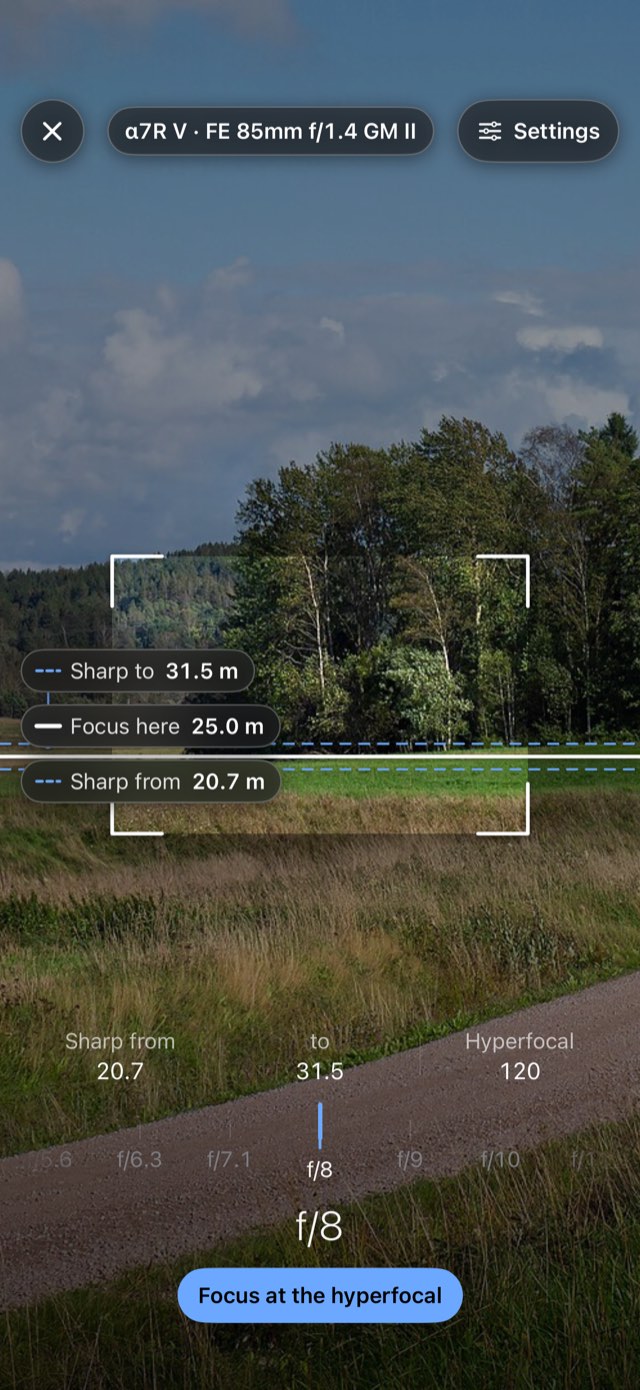
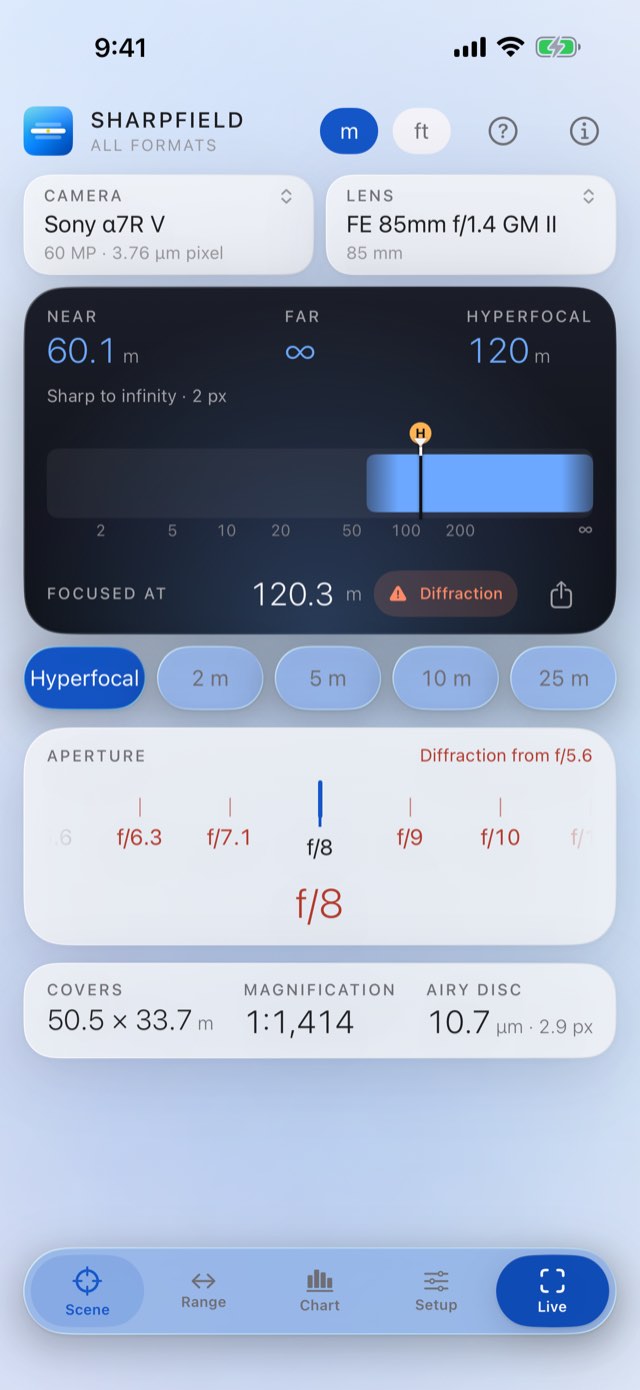
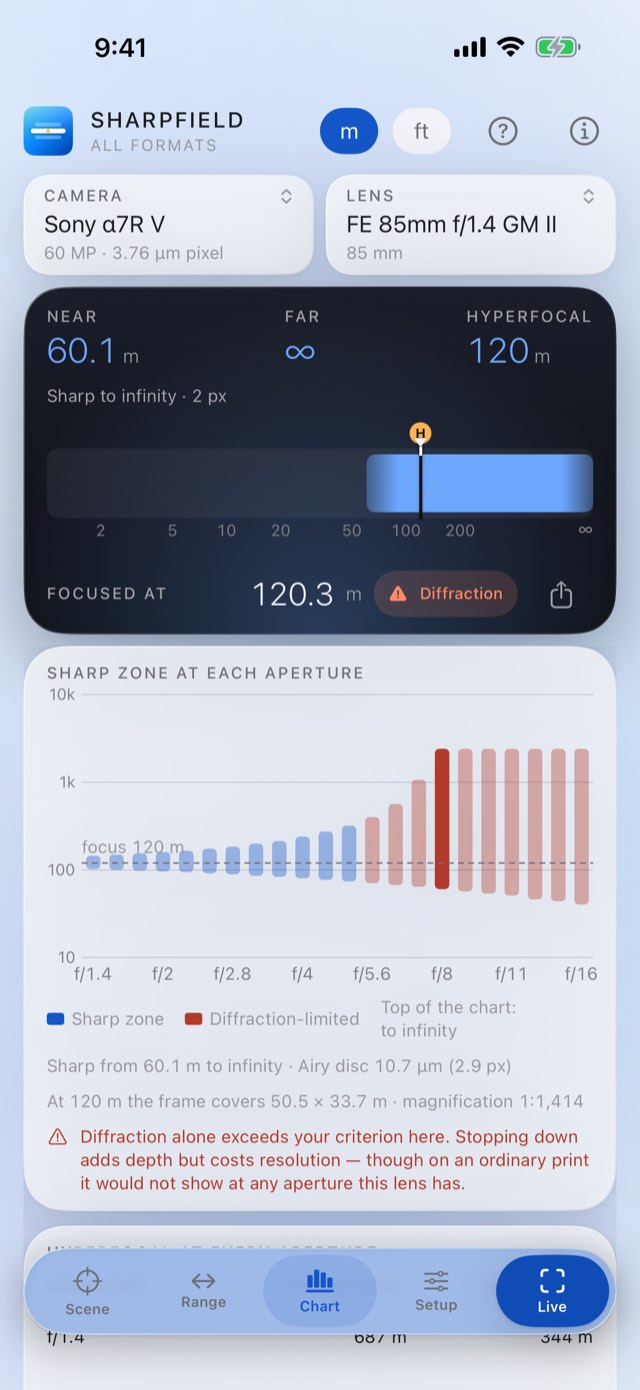
You stopped down to f/16 to be safe, and the picture came back softer than at f/8.
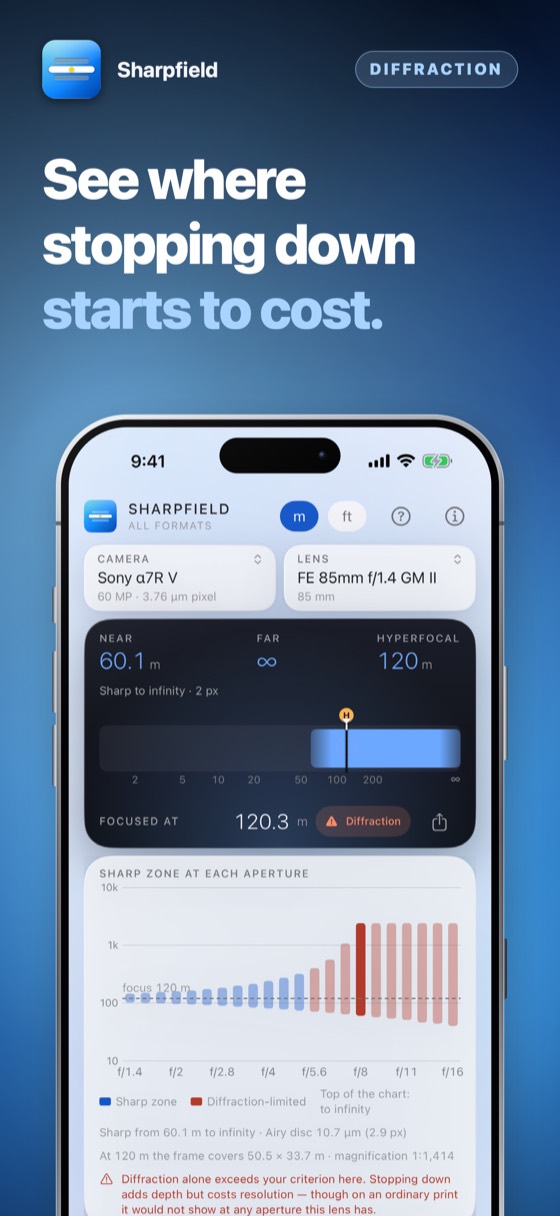
Depth of field and diffraction, computed together, from your body's own sensor. The aperture that is actually sharpest is a number, not a feeling.
The familiar 0.03 mm figure comes from 35 mm film and a modest enlargement. On a 61-megapixel sensor it is far too generous. This app uses your body's real pixel pitch, and says so.
Shown next to depth of field rather than left out, at the effective aperture. On a dense sensor that limit arrives earlier than most photographers expect.
Everything you need while composing on one screen, at a size readable at arm's length in daylight.
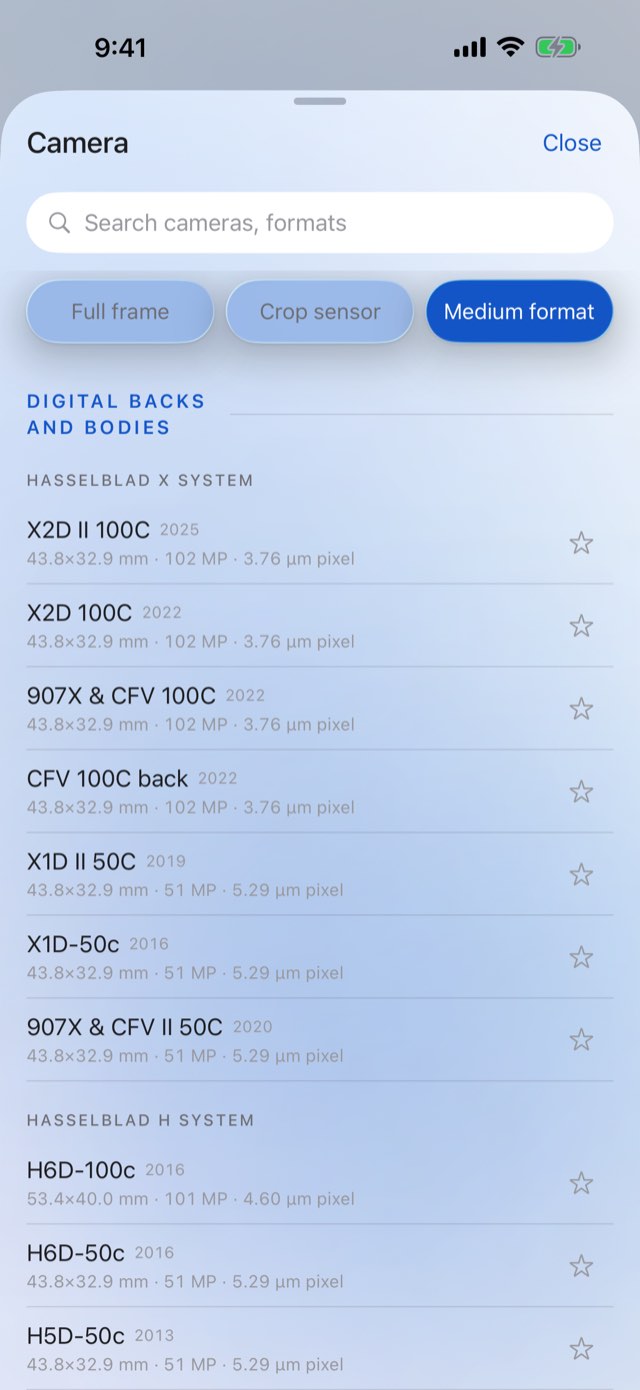
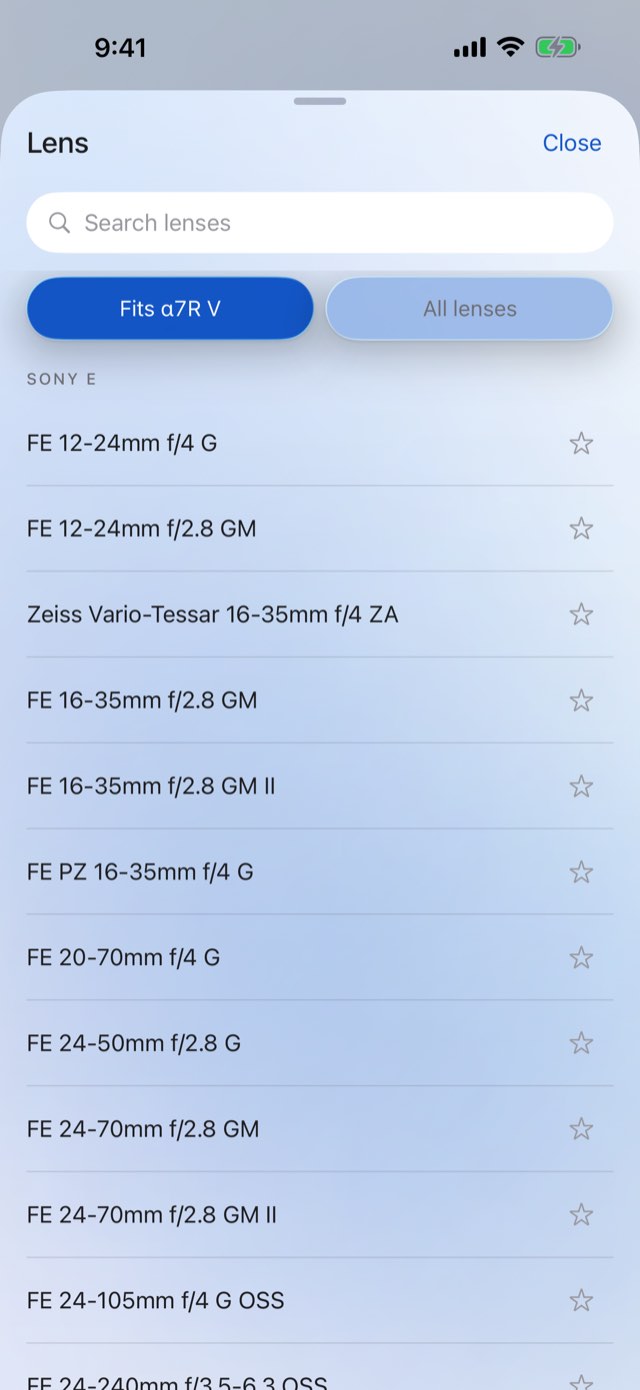
Choose from 218 cameras and 661 lenses, filtered by format: Sony and Canon, Nikon and Leica, Fujifilm GFX and Hasselblad, Pentax 645 and Mamiya. The sensor or film frame, and with it the pixel pitch, comes with the body.
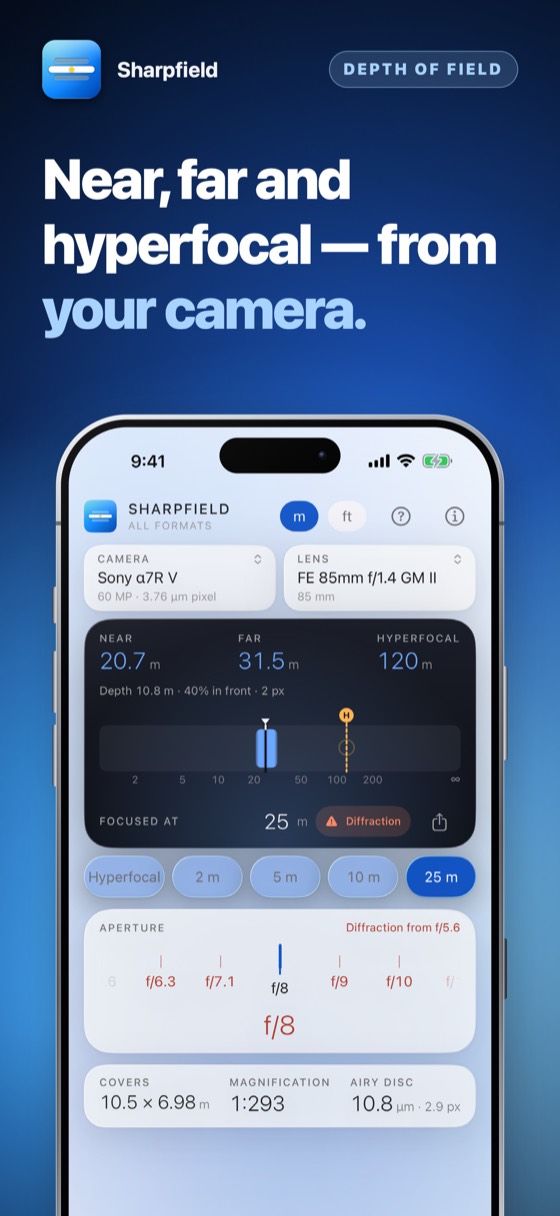
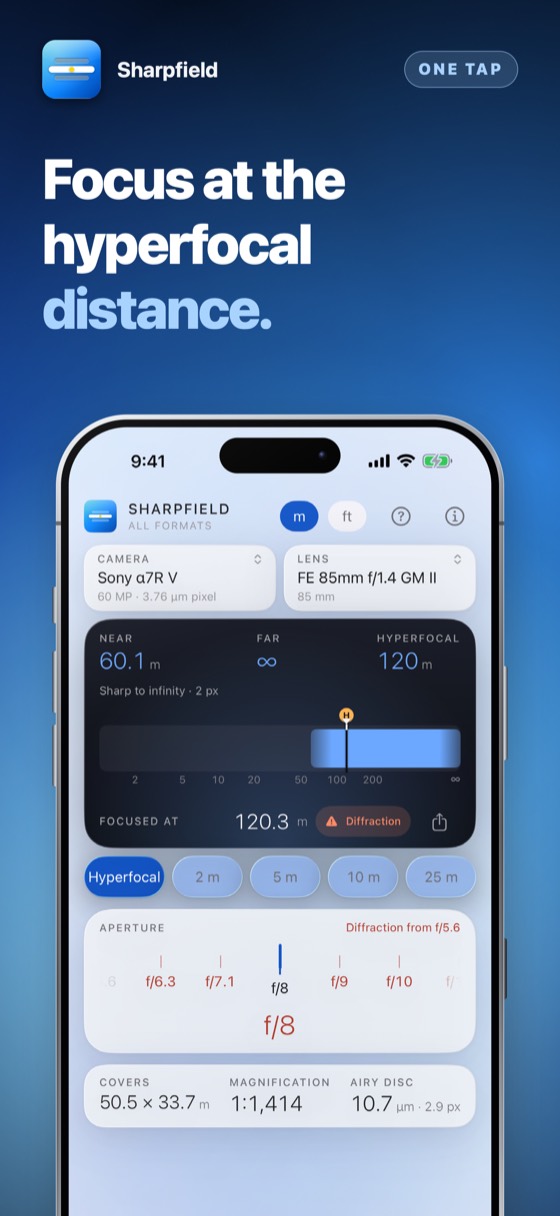
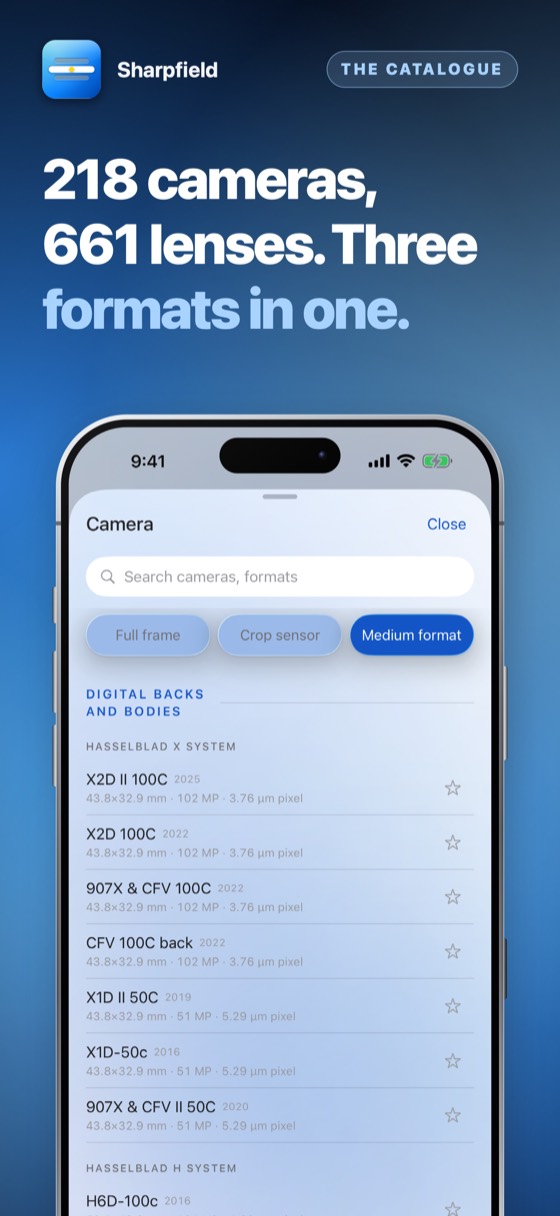
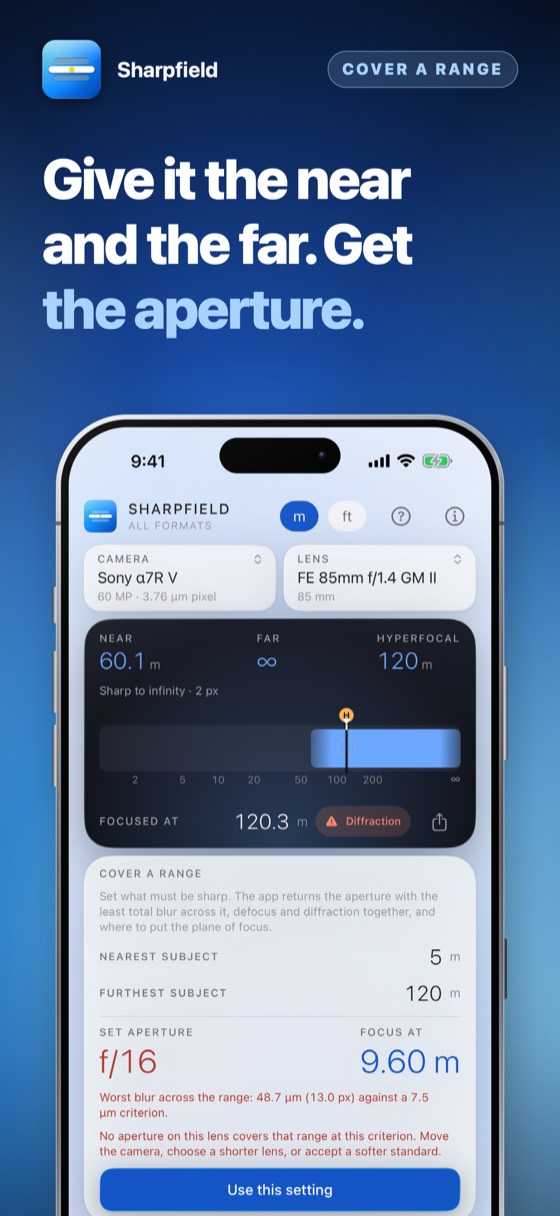
Set it up once and it becomes a glance between frames.
218 cameras across full frame, crop sensor and medium format, digital and film — Sony, Canon, Nikon, Fujifilm, Hasselblad, Pentax, Mamiya, Leica and more. Filter by format; the sensor size and pixel pitch come with the body, and those are what the calculation rests on.
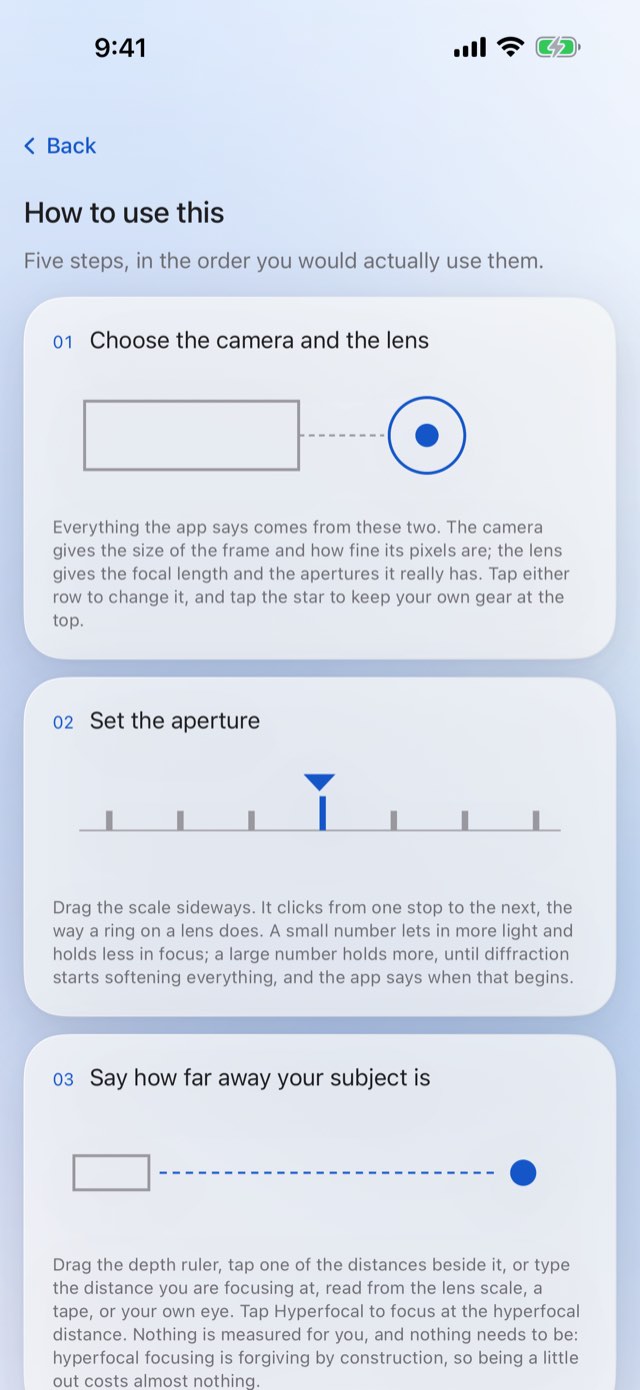
Focal length and f-number, from the list of lenses for your mount or typed in. Working close? Set the extension too, so diffraction is computed at the aperture the lens is really working at.
Hyperfocal distance, near and far limits, total depth — and beside them the diffraction limit, the aperture past which stopping down costs more resolution than it buys.
Set the lens to the distance shown and everything between the two limits falls inside your circle of confusion. For a landscape, focusing at the hyperfocal distance holds infinity and the nearest acceptable point together.
A 4K screen, a magazine page and a two-metre print are three different standards of sharp. Set the circle of confusion you actually work to and every figure follows it.
The classic 0.03 mm circle of confusion comes from film. On a sixty-megapixel sensor it is about twice too generous.
| The question | The usual answer | Sharpfield |
|---|---|---|
| The circle of confusion | 0.03 mm, from 35 mm film | From your sensor's real pixel pitch |
| Stopping down to f/22 | Told it buys depth | Told what it buys and what it costs |
| Focusing close | The aperture on the barrel | The effective aperture, which is what diffraction responds to |
| How you judge sharp | Assumed | Yours to set; every figure follows it |
A pixel pitch for a digital body, the grain of the emulsion for film — each judged by the criterion that fits it.
At 61 megapixels the classic circle of confusion is roughly twice too generous. The app uses pixel pitch, so it does not flatter your depth of field.
Effective aperture is what diffraction responds to, and it moves as you focus close.
Everything is computed on the device from optics. Nothing is looked up and nothing is downloaded.
Large figures, high contrast, and nothing moving between you and the number.
Try everything for three days — nothing is charged and nothing renews. Then one payment, and it is yours for good.
No account and nothing to sign up for. Try the whole app for three days; then it asks once, and you decide.
Coming to the App StorePrices are shown on the App Store, in your own currency. Three days free, then one payment — nothing renews.
Because most calculators still use 0.03 mm as the circle of confusion — a figure from 35 mm film enlarged modestly. A modern sensor resolves far finer than that, so blur the old figure called acceptable is plainly visible at 100%.
This app uses your body's real pixel pitch instead. The numbers are smaller because they are honest; you can set your own circle of confusion if you print rather than pixel-peep.
The aperture at which the Airy disc grows past your circle of confusion. Past it, stopping down costs more resolution than the extra depth of field is worth.
It is computed at the effective aperture, so it moves when you focus close.
Yes. Choose full frame, crop sensor (APS-C, Four Thirds) or medium format in the camera list, and the sensor size and pixel pitch come with the camera. One app, three formats.
No. Every figure is computed on the device from optics. The app works with the aeroplane mode switch on.
Every app can be tried in full for three days before you pay anything. The offer is shown on the App Store page and again in the app, nothing is charged by surprise, and when the days are up you decide, once.
The App Store page shows what it costs and how it is paid — once, or as a subscription — in your own currency, before anything is charged. Apple takes the payment, so this developer never sees a card or a name. There are no advertisements.
Yes. Cancel at any time in the App Store: tap your picture at the top right, then Subscriptions. That is the only place a subscription can be stopped — the app cannot do it for you, because Apple takes the money. You keep it until the end of the period you have already paid for.
Refunds are handled by Apple, not by us — we never see your payment details and cannot issue one. Go to reportaproblem.apple.com, sign in, and choose the purchase.
Whatever you bought belongs to your Apple Account. Sign in on an iPad or a new iPhone with the same Apple Account, open the app, and choose Restore on the purchase screen. Nothing is charged again.
One purchase covers one Apple Account. It is not shared with a family and cannot be passed round a firm — a second person needs their own.
No. There is no account, no sign-in and no server. Everything the app holds is on your own device and is removed when you delete the app.
The only network traffic the app causes belongs to the App Store, when you buy, subscribe or restore.
Whatever your device is set to, if that language is one it has been translated into; otherwise English. There is no language setting to get wrong — changing your iPhone's language changes the app with it.
Payments, refunds and cancellations
Apple takes every payment for this app. That means Apple — and only Apple — can look a charge up, stop a subscription or give a refund. This developer never sees a card, a name or a payment, and has no way to change one.
Cancelling is done at the App Store, and nowhere else. Open the App Store, tap your picture at the top right, then Subscriptions. Cancelling stops the next payment; what you have already paid for runs to the end of its period. Do it at least 24 hours before the period ends, or that renewal goes through anyway.
What the numbers are, and are not
Depth of field is not a physical edge. It is a judgement about how much blur looks sharp, and that judgement depends on how big the image is shown and how close somebody stands. This app makes the judgement explicit rather than hiding it: set your own circle of confusion and every figure follows it.
Enter the sensor size and pixel pitch yourself. Those two numbers are all the calculation needs.
They will, on a dense sensor. See the “Questions people ask” section above for why, and set your own circle of confusion if you judge sharpness by the print rather than at 100%.
A purchase belongs to your Apple Account, not to one device. On a new phone, or after reinstalling, open the app and choose Restore on the purchase screen. Nothing is charged again.
Open the App Store, tap your picture at the top right, then Subscriptions. That is the only place a subscription can be stopped — this app cannot do it for you, because Apple takes the money. Cancelling stops the next payment and leaves the period you have already paid for running to its end. A one-time purchase never renews and has nothing to cancel.
Still stuck? Write to alpenlume@gmail.com — say which app, which iPhone or iPad, and what you expected to happen.
Last updated 10 September 2026.
The short version
This app collects nothing, sends nothing and has no account. It is a calculator that runs on your device.
Your camera selection, your lenses and your circle of confusion setting are stored in the app on your device. There is no account, no sync and no server. Deleting the app removes them, and they were never anywhere else.
Nothing. This app has no account, no sign-in, no analytics, no advertising identifier, no crash reporting service and no tracking of any kind. No profile is built and nothing is shared with anyone.
This app has no server of its own: nothing to sign in to, and nothing uploaded to the developer, ever. What it does with the internet — for most of these apps, nothing at all — is set out under “On your device” above.
Two things do use the internet, and both are somebody else's. The App Store does, when you buy, subscribe or restore. And when you share something — a dish, a recipe, a document — iOS hands it to the app you picked, whether that is Messages, Mail or WhatsApp, and that app sends it over its own connection under its own privacy policy. Nothing is sent unless you press send, and this app never learns where it went.
Buying is handled entirely by Apple. The app never sees a card number, a name or an address; it asks the App Store one question — whether this Apple Account owns the app — and receives yes or no. Apple's own privacy policy governs the transaction.
This app is not directed at children and collects nothing from anybody, so there is nothing held about a child to disclose, correct or delete.
Data protection law gives you the right to see, correct, export and erase personal data held about you. Because none is held, there is nothing to produce or delete on request. Everything the app has is on your own device: deleting the app removes it, and it was never anywhere else.
If this policy ever changes it will be dated above. It will not be changed retroactively, because there is no collected data for a change to newly permit.


