WeddinglumeA wedding, wherever it is held

A wedding, wherever in the world it is held.

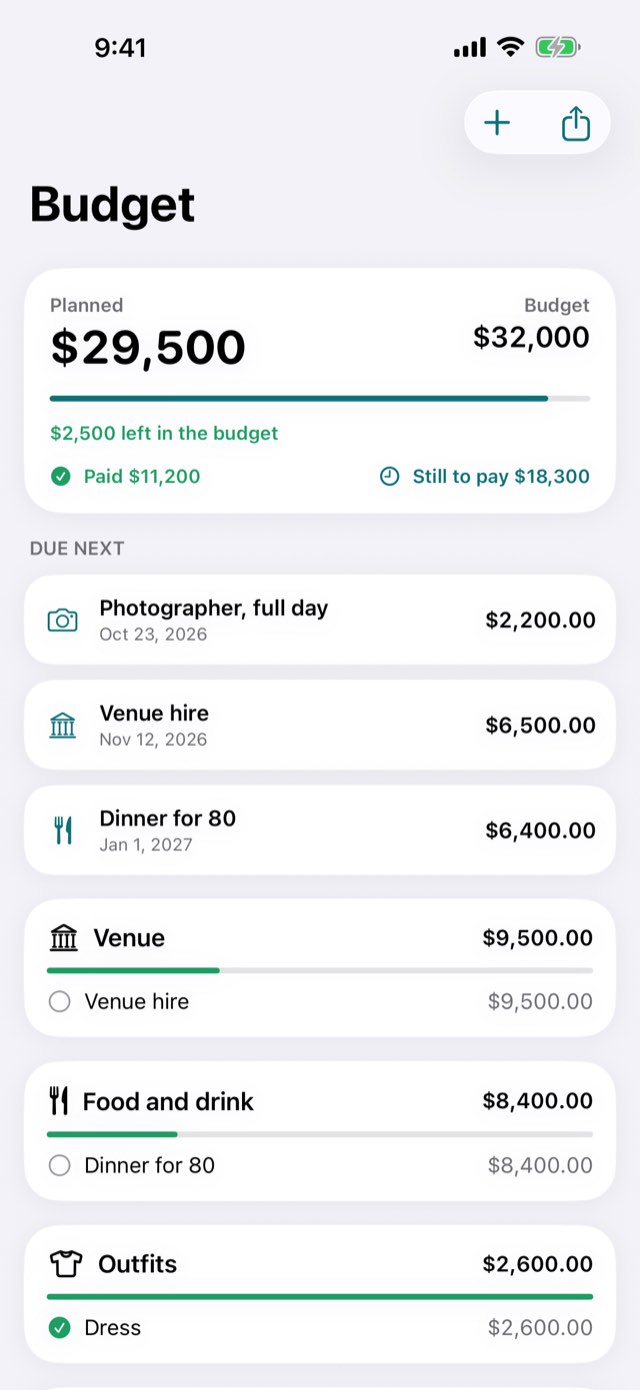
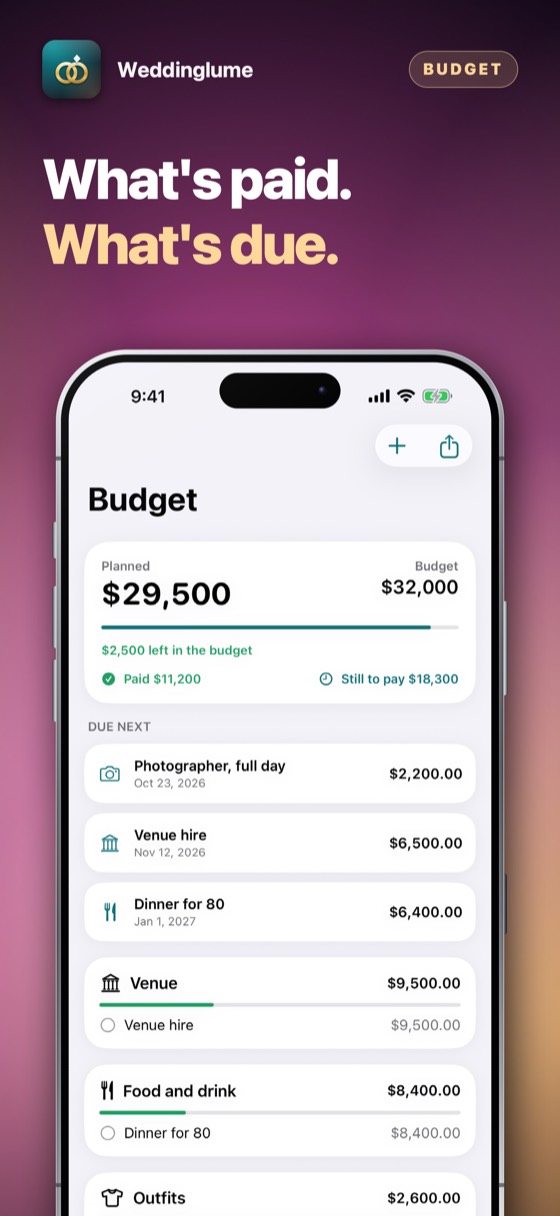
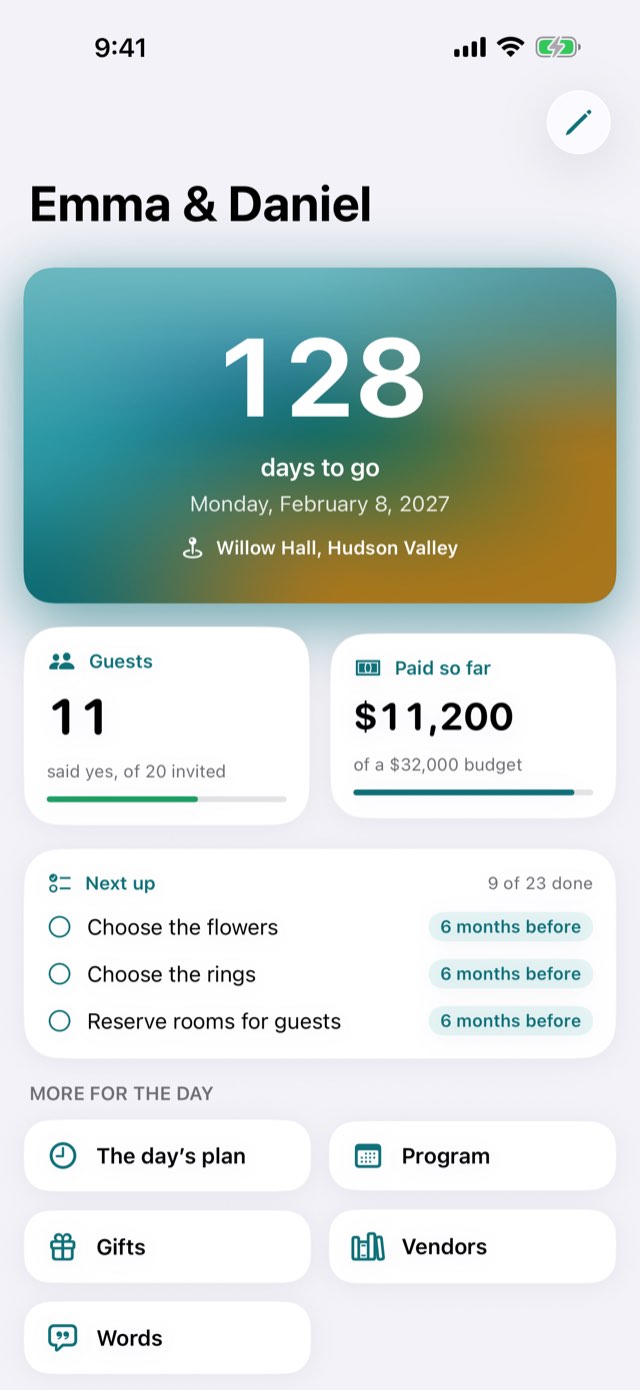
The days until it, counted on the venue's own calendar. Who is invited and who has answered, counted in seats rather than invitations. The budget in the currency the wedding is planned in. The checklist, month by month back from the day. Where everybody sits. The program of a wedding that runs over three days as easily as one. And the day itself, minute by minute, drafted from a few answers. For the two people getting married — or for the planner holding four weddings in four countries at once. On the day itself, Wedding day mode shows what is happening now, what comes next and how long is left, on the venue’s own clock — and you can rehearse the whole day beforehand by moving the clock through it. Optimised for iPhone Duo.

Three days freeiPhone, iPad and iPhone DuoWedding day modeSix languagesNo accountWorks offline
Coming to the App StoreHow to use it ↓All apps
Weddinglume – A wedding, wherever it is heldWeddinglume – A wedding, wherever it is heldWeddinglume – A wedding, wherever it is heldWeddinglume – A wedding, wherever it is heldWeddinglume – A wedding, wherever it is heldWeddinglume – A wedding, wherever it is held
The caterer wants the final number by Friday, and four people still have not replied.

Open it, see who is missing, and send the list that adds up — in seats, not invitations.

0days free
0accounts needed
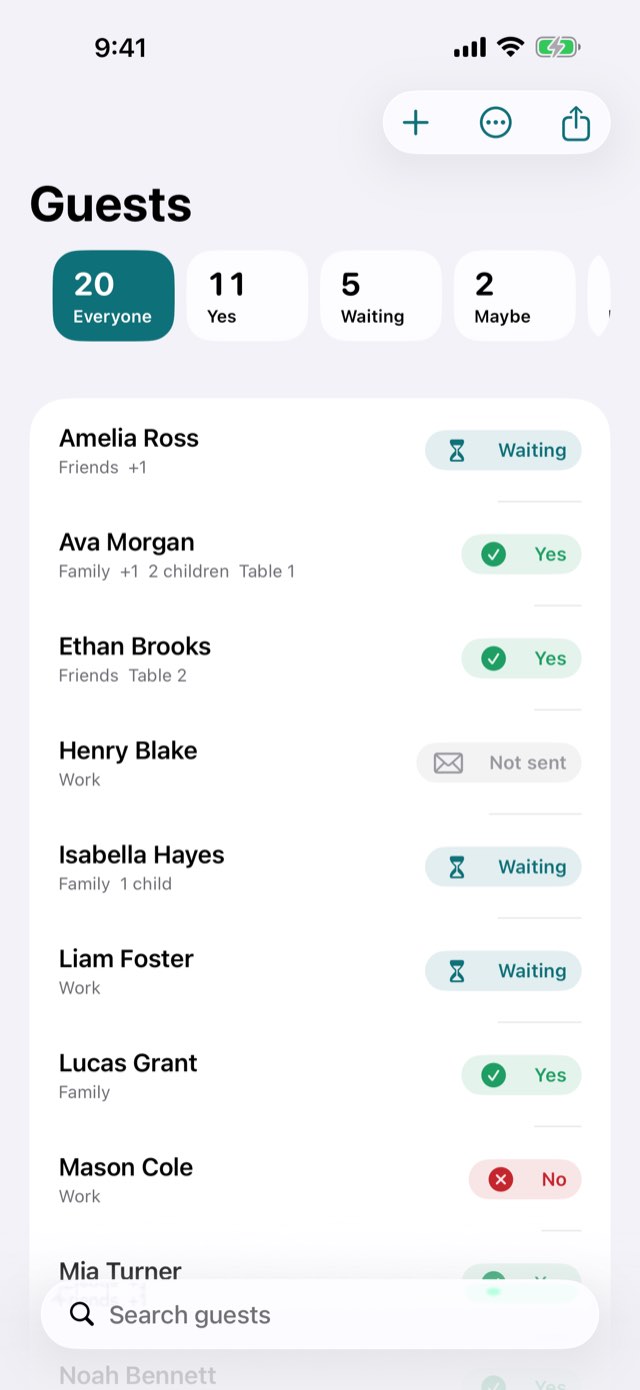
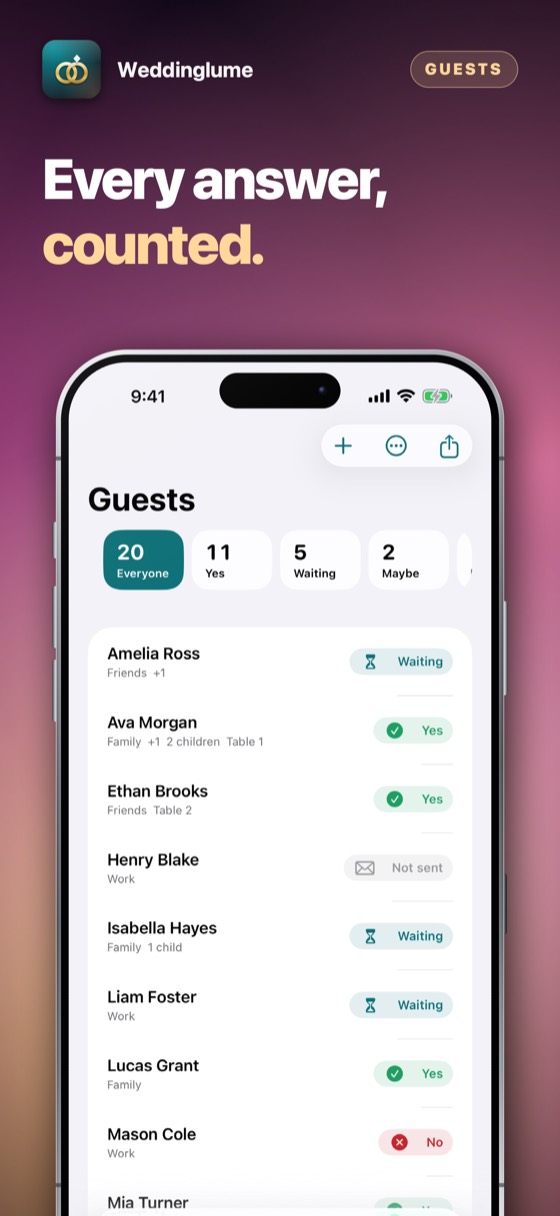
Weddinglume – A guest who brings someone and two children is four chairs.
01Guests, in seats

A guest who brings someone and two children is four chairs.

Invitations and people are different numbers, and the caterer needs the second one. Tap an answer to move it on as replies arrive — sent, yes, no, maybe — and the totals, the seating plan and the printed list all follow.

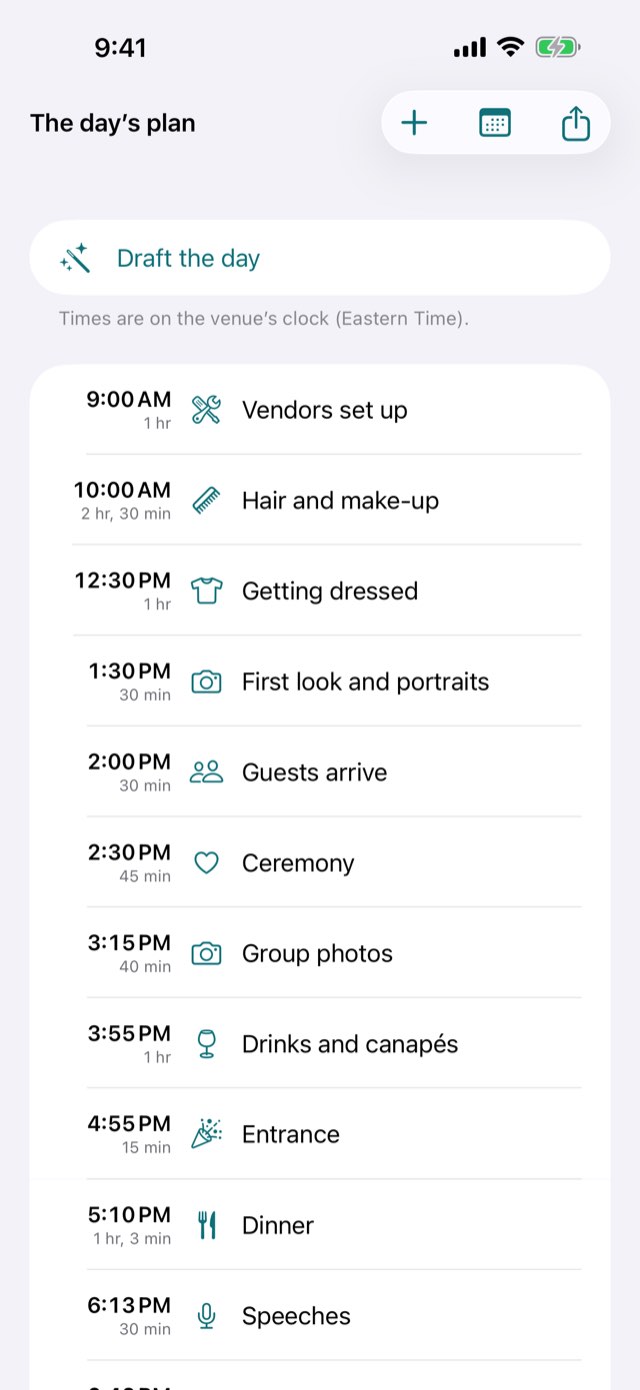
Weddinglume – Answer five questions and the day lays itself out.
02The day, minute by minute

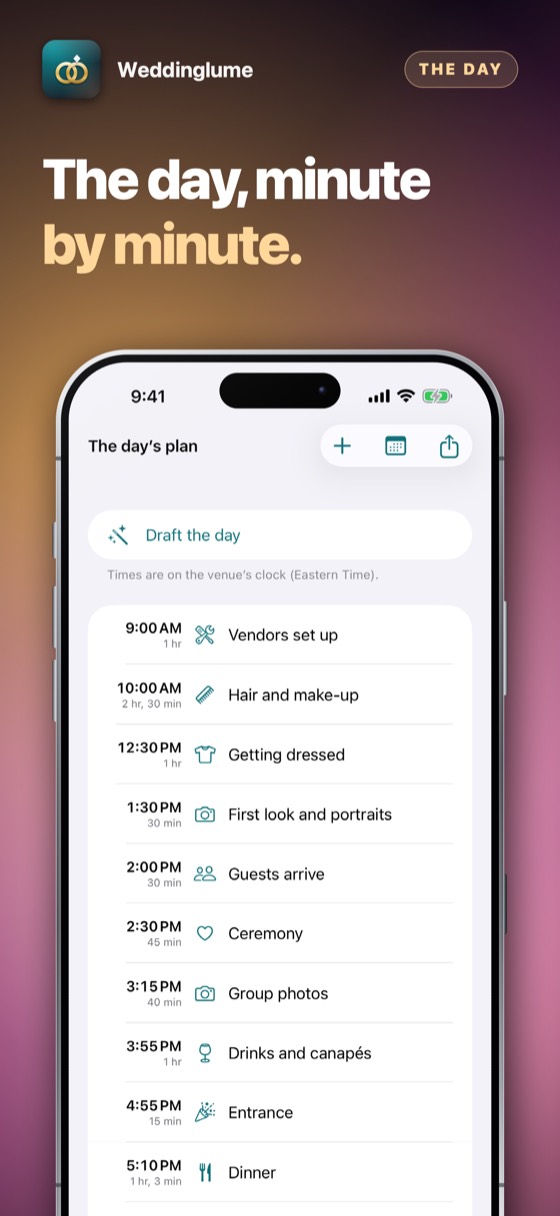
Answer five questions and the day lays itself out.

When the ceremony starts, how many are coming, how far it is to the reception, how long the party should run. Dinner takes longer for more guests; the preparations count back from the ceremony and the photographs forward from it. Nothing overlaps and nothing crosses midnight. Then move whatever you like — it is a draft, not a schedule.

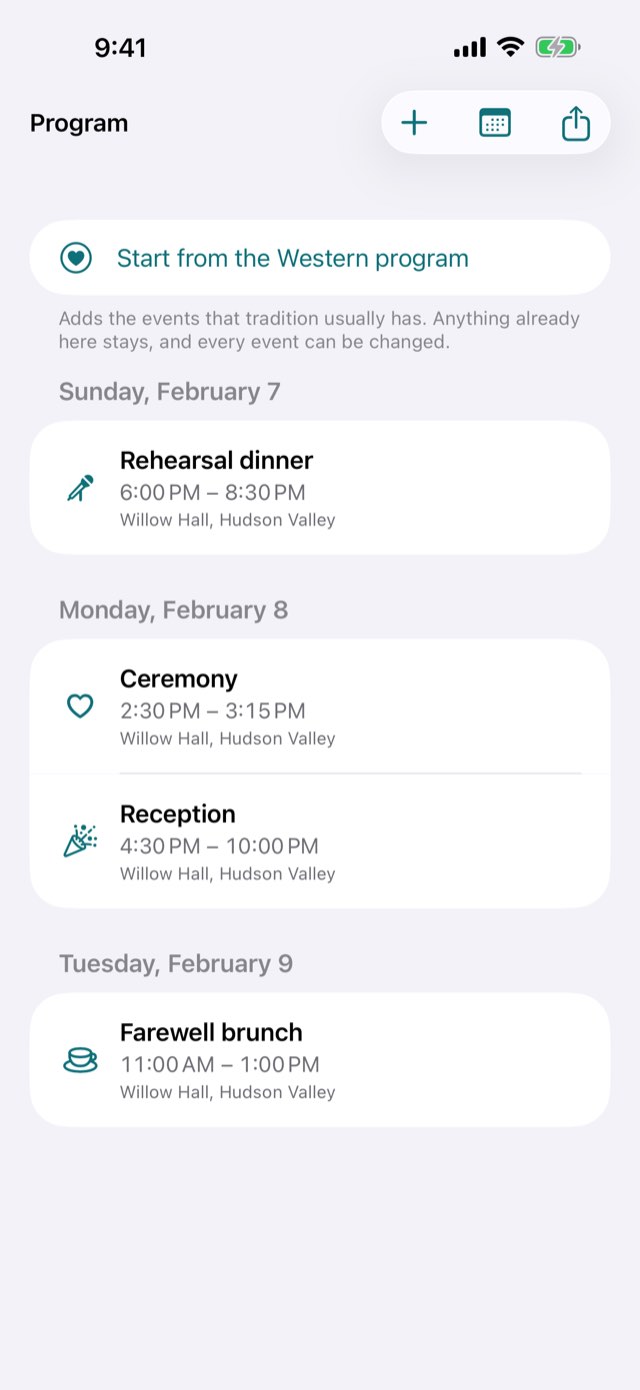
Weddinglume – A program, not a date.
03Weddings that last more than a day

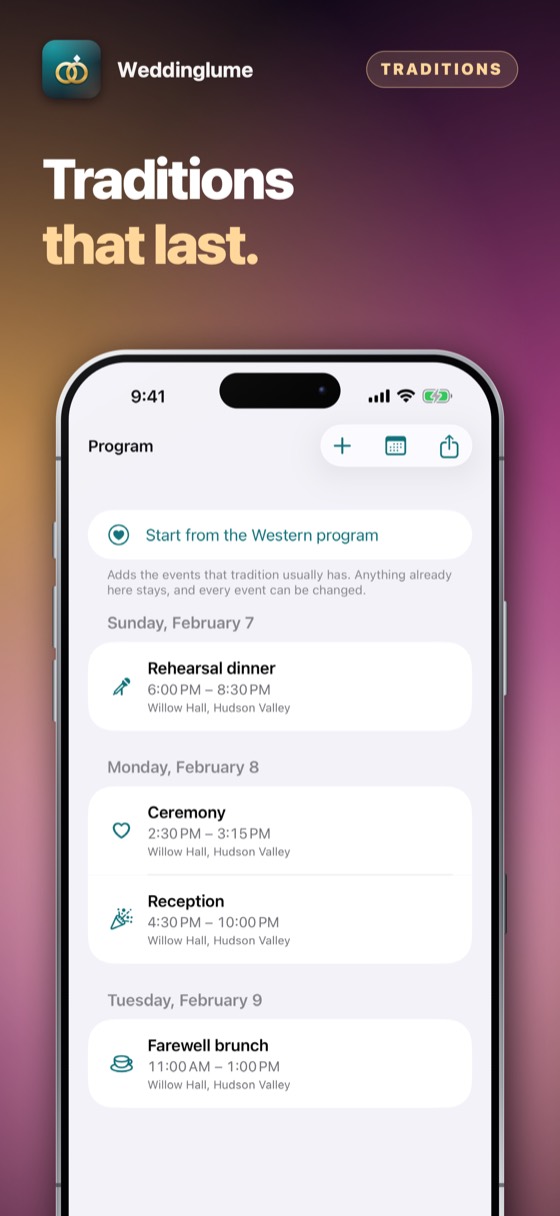
A program, not a date.

A tradition offers the events it usually has — mehndi two days before, haldi and sangeet the day after, the ceremony, the reception; or a tea ceremony, an eleven-o'clock ceremony, a banquet and an after-party. Each has its own time, place and dress, and all of them move when the date moves.

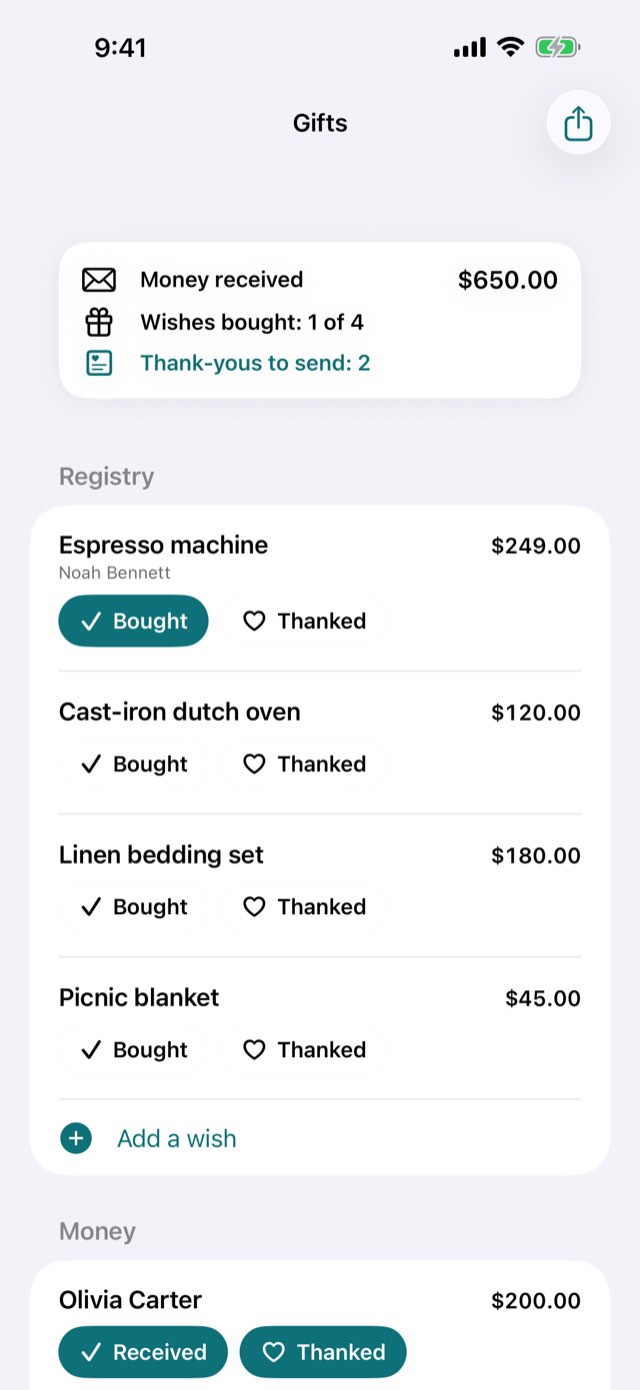
Weddinglume – A list of wishes, or an envelope.
04What guests give

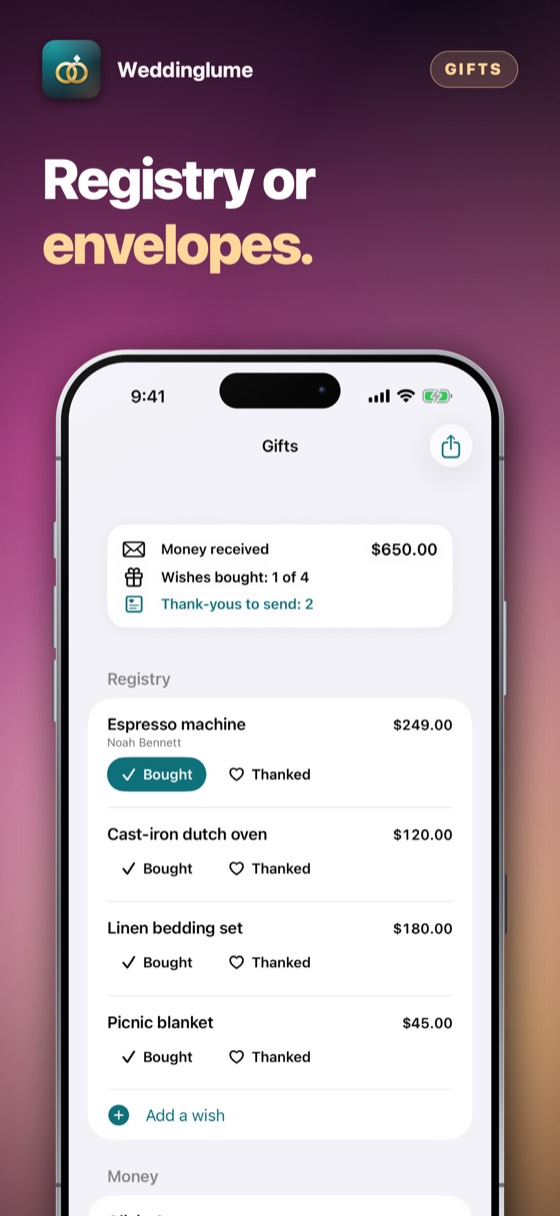
A list of wishes, or an envelope.

In much of the world the gift is money, and the thanks and the return gift matter as much as the sum. Each gift keeps its own currency — a guest may have flown in with yen — and nothing is ever converted. The app counts what is owed in thanks; it says nothing about what an amount ought to be.

Weddinglume – Four weddings, four currencies, four time zones, one screen.
05For planners: every client at once

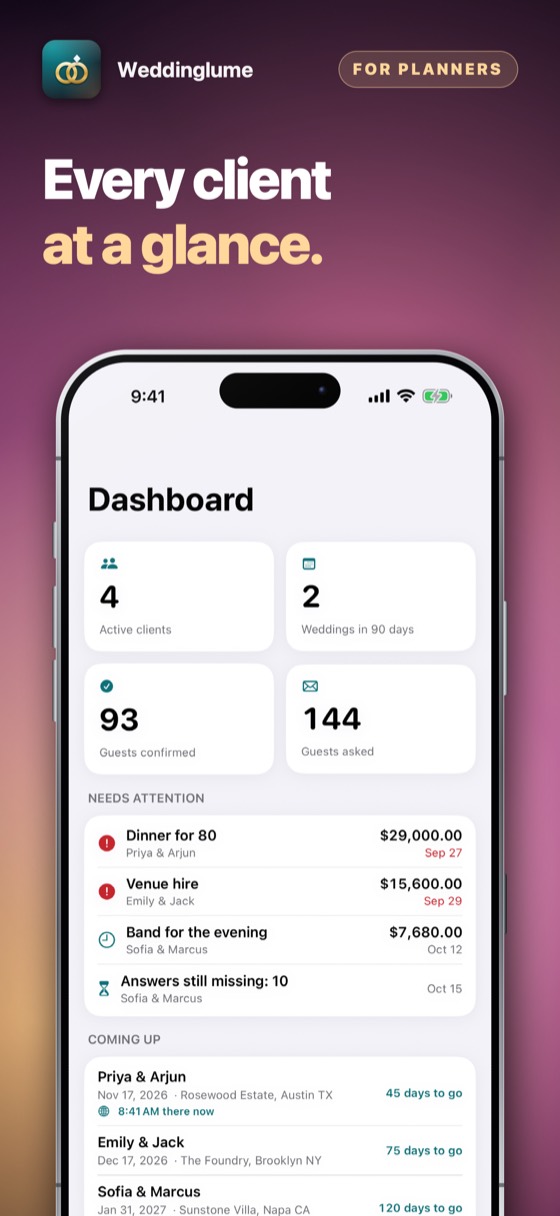
Four weddings, four currencies, four time zones, one screen.

What is late, what is due in a fortnight, who still has not answered, and what time it is at each venue right now. Money is added up per currency and never converted — a rate needs a server and is wrong by tomorrow. Open a client and you are in their own wedding, with the same five tabs a couple has.

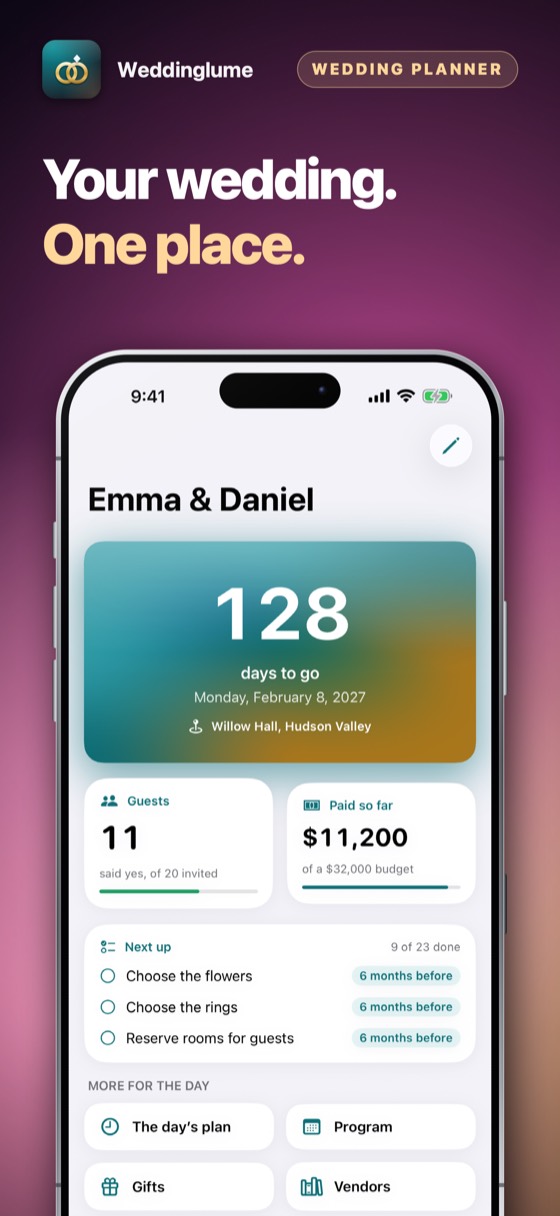
Weddinglume – Now, next, and how long is left.
06Wedding day mode

Now, next, and how long is left.

On the day, one screen shows what is happening now, what comes next and how long is left — on the time at the venue. Rehearse the day beforehand by moving the clock through it.

Weddinglume · App Store

Weddinglume – A guest who brings someone and two children is four chairs.Weddinglume – Answer five questions and the day lays itself out.Weddinglume – A program, not a date.Weddinglume – A list of wishes, or an envelope.Weddinglume – Four weddings, four currencies, four time zones, one screen.Weddinglume – Now, next, and how long is left.Weddinglume 7Weddinglume 8Weddinglume 9

How to use it

From the day you set the date to the morning the caterer needs the final numbers. Nothing here needs a signal, and nothing asks you to sign in.

1Step 1 of 5

Say who is planning

The two of you, or clients. It asks once and you can change it later in Settings without losing anything.

Say who is planning
2Step 2 of 5

Put in the day and the place

The date, the venue and its time zone. Every time in the wedding is shown on the venue's clock from then on.

Put in the day and the place
3Step 3 of 5

Choose where to start

A tradition offers a program and switches on the parts of a wedding it usually needs. Change any of it; it is a starting point, not a rule.

Choose where to start
4Step 4 of 5

Add the people and the money

Guests from Contacts or by name, costs as you book them, with what is paid and when the rest falls due.

Add the people and the money
5Step 5 of 5

Send it to whoever needs it

The guest list, the budget, the seating plan, the checklist, the program and the day's plan as a PDF — or the whole wedding as a calendar file for any calendar.

Send it to whoever needs it

What it replaces

The free planners are free because somebody pays for your guest list. The professional suites want a server, an account and a seat for every person who touches it. This asks for neither.

The questionThe usual answerWeddinglume
Who pays for itVendors, for leads from your guest listYou do, once — or the agency subscribes
Where the guest list livesOn a server, under an accountOn your iPhone, under no account at all
A wedding over several daysOne date, one venue, one partyMehndi, haldi and sangeet — or a ceremony, a banquet and a nijikai
MoneyOne currency, often the app'sThe wedding's own currency, never converted
A wedding abroadTimes in your phone's time zoneTimes on the venue's clock, wherever you are
Planning for clientsA seat price per personOne subscription, every client in it

Everything else it does

01

The venue's own clock

A wedding in Kyoto at three in the afternoon stays at three in the afternoon there, and the days left are counted on its calendar, not your phone's.

02

Everything on the device

No account, no server and nothing to sign into. Your guest list is not an asset anybody sells.

03

The caterer's numbers

Allergies and preferences in the guest's own words, passed on exactly as written, on the printed list.

04

One vendor book

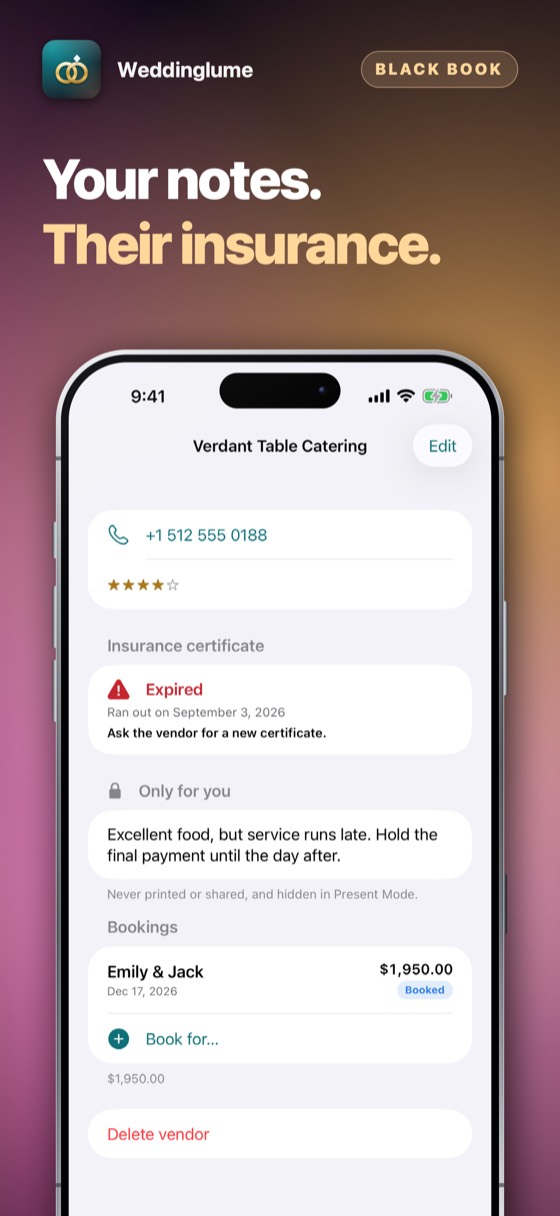
The same photographer kept once and booked for several weddings, with what was agreed at each.

05

Siri

“How long until our wedding” and “Who has said yes” are answered out loud, without opening anything.

06

Print or share

Every plan becomes a PDF at the paper size of the country you are in — A4, or Letter where that is the paper.

07

Three days free

Then couples pay once and nothing renews. Planners subscribe, monthly or yearly, and cancel in two taps.

▭

On iPad

The same wedding, at the size a planner's desk actually has.

Three days free

Three days of everything, free.

No account and nothing to sign up for. Try the whole app for three days; then it asks once, and you decide.

Coming to the App Store

Prices are shown on the App Store, in your own currency. Three days free either way: couples then pay once and nothing renews; planners subscribe monthly or yearly and can cancel any time in Settings on the iPhone.

Questions people ask

No. They reply the way they already do — a message, a card, a word at the door — and you write it down. Replying in the app would need an account for every guest and a server to hold it, and then the guest list would be somebody's database.

What the app does instead is count properly: answers in seats, so a guest with a plus-one and two children is four chairs on the caterer's number.

Yes, and that is the point of the program. A tradition — Japanese, Chinese, South Asian, Middle Eastern, Western, or one you build yourself — offers the events it usually has and switches on the parts of a wedding it needs, such as money gifts instead of a registry.

None of it is fixed. Every event can be renamed, moved or deleted, and the app never tells anybody how to hold a wedding or what an amount should be.

No, deliberately. A conversion needs an exchange rate, a rate needs a server, and the number would be wrong by the next morning — which is worse than no number when it is a deposit you are checking.

Each wedding is planned in one currency and each gift keeps its own. A planner's dashboard adds each currency up on its own and shows them side by side.

No. One subscription covers every client you have, with three days free first. There are no seats, no tiers and nothing held back.

It is a subscription rather than one payment because a planner works all year, and because an agency's data is other people's — which is exactly why none of it touches a server.

Yes. Change the venue's time zone and the wall clock stays put: a wedding at three in the afternoon is still at three in the afternoon there, rather than becoming whatever three o'clock here turns into.

Three days free, with nothing charged and nothing to cancel. After that a couple pays once and it is theirs — nothing renews. A planner subscribes, monthly or by the year, and can cancel any time in Settings on the iPhone.

Apple takes the payment, so this developer never sees a card or a name.

Nothing at all. There is no account, no analytics and no network call to any server of ours. The app works with the aeroplane mode on.

Alpenlume, in Switzerland. Support is one e-mail address and a person who answers it.

The details

Platform
iPhone, iPad and iPhone Duo, iOS 17 and later
Languages
English, Polish, German, Chinese (Simplified), Hindi, Japanese
Currencies
Every currency the system knows, in every storefront
Time zones
Every zone the system knows; each wedding keeps its venue's
Data
On the device only. No account, no server, no analytics
Paying
Three days free; couples pay once, planners subscribe
Support

Payments, refunds and cancellations

Apple takes every payment for this app. That means Apple — and only Apple — can look a charge up, stop a subscription or give a refund. This developer never sees a card, a name or a payment, and has no way to change one.

Cancelling is done at the App Store, and nowhere else. Open the App Store, tap your picture at the top right, then Subscriptions. Cancelling stops the next payment; what you have already paid for runs to the end of its period. Do it at least 24 hours before the period ends, or that renewal goes through anyway.

What Weddinglume does not do

It does not collect replies from your guests, book anything, take a payment, or recommend a vendor to you. It holds what you and the people helping you have decided, adds it up correctly, and prints it. It gives no advice about money and none about how a wedding should be held.

Restoring something you already paid for

A purchase belongs to your Apple Account, not to one device. On a new phone, or after reinstalling, open the app and choose Restore on the purchase screen. Nothing is charged again.

Cancelling a subscription

Open the App Store, tap your picture at the top right, then Subscriptions. That is the only place a subscription can be stopped — this app cannot do it for you, because Apple takes the money. Cancelling stops the next payment and leaves the period you have already paid for running to its end. A one-time purchase never renews and has nothing to cancel.

Still stuck? Write to alpenlume@gmail.com — say which app, which iPhone or iPad, and what you expected to happen.

Privacy policy

Last updated 10 September 2026.

The short version

Weddinglume collects nothing, sends nothing and has no account. Your guest list, your budget and your clients' details stay on your device.

What stays on your device

Your weddings, your guests, your budget, your vendors and every plan you print live in the app's own storage on your device. There is no account, no server and nothing to sign into, so there is no copy of your guest list anywhere else — and, for a planner, no copy of a client's.

What is collected

Nothing. This app has no account, no sign-in, no analytics, no advertising identifier, no crash reporting service and no tracking of any kind. No profile is built and nothing is shared with anyone.

Network use

This app has no server of its own: nothing to sign in to, and nothing uploaded to the developer, ever. What it does with the internet — for most of these apps, nothing at all — is set out under “On your device” above.

Two things do use the internet, and both are somebody else's. The App Store does, when you buy, subscribe or restore. And when you share something — a dish, a recipe, a document — iOS hands it to the app you picked, whether that is Messages, Mail or WhatsApp, and that app sends it over its own connection under its own privacy policy. Nothing is sent unless you press send, and this app never learns where it went.

Purchases

Buying is handled entirely by Apple. The app never sees a card number, a name or an address; it asks the App Store one question — whether this Apple Account owns the app — and receives yes or no. Apple's own privacy policy governs the transaction.

Children

This app is not directed at children and collects nothing from anybody, so there is nothing held about a child to disclose, correct or delete.

Your rights

Data protection law gives you the right to see, correct, export and erase personal data held about you. Because none is held, there is nothing to produce or delete on request. Everything the app has is on your own device: deleting the app removes it, and it was never anywhere else.

Changes

If this policy ever changes it will be dated above. It will not be changed retroactively, because there is no collected data for a change to newly permit.
More from Alpenlume