01Worth a look
Cancel before it renews.
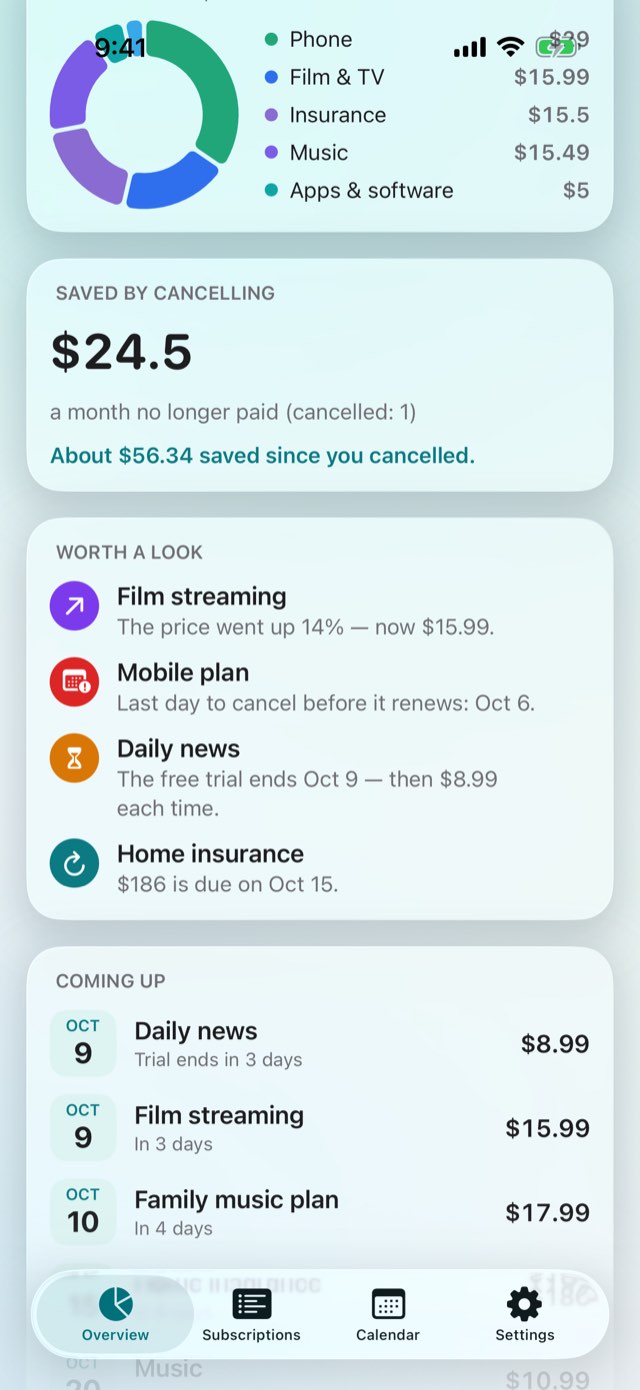
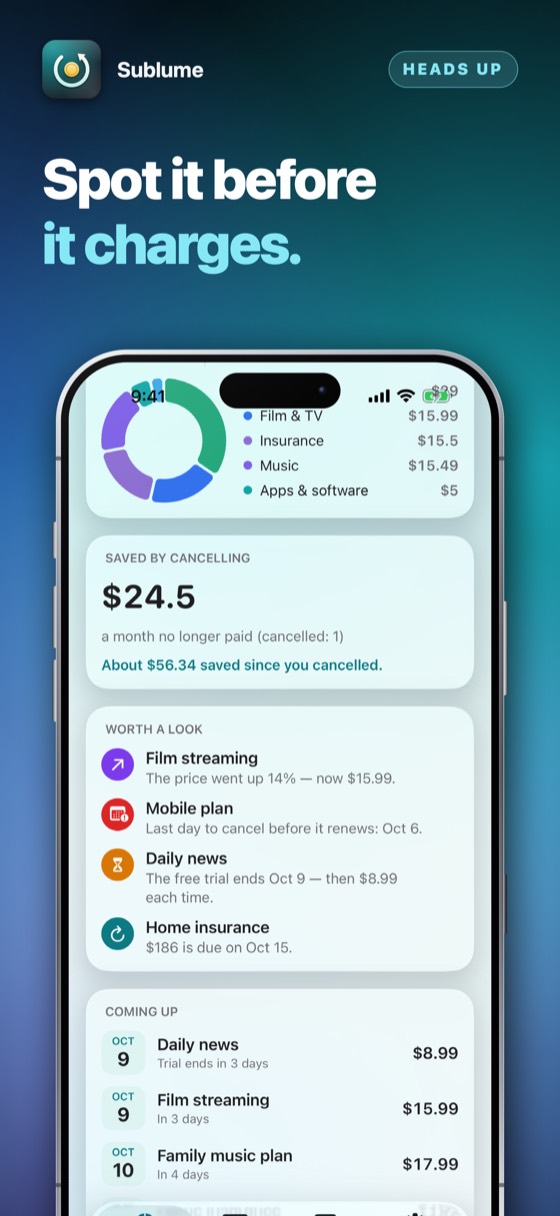
Tell it how much notice a contract asks for and it shows the last day to cancel before each renewal — beside a trial about to end, a yearly bill coming up and a price that went up.
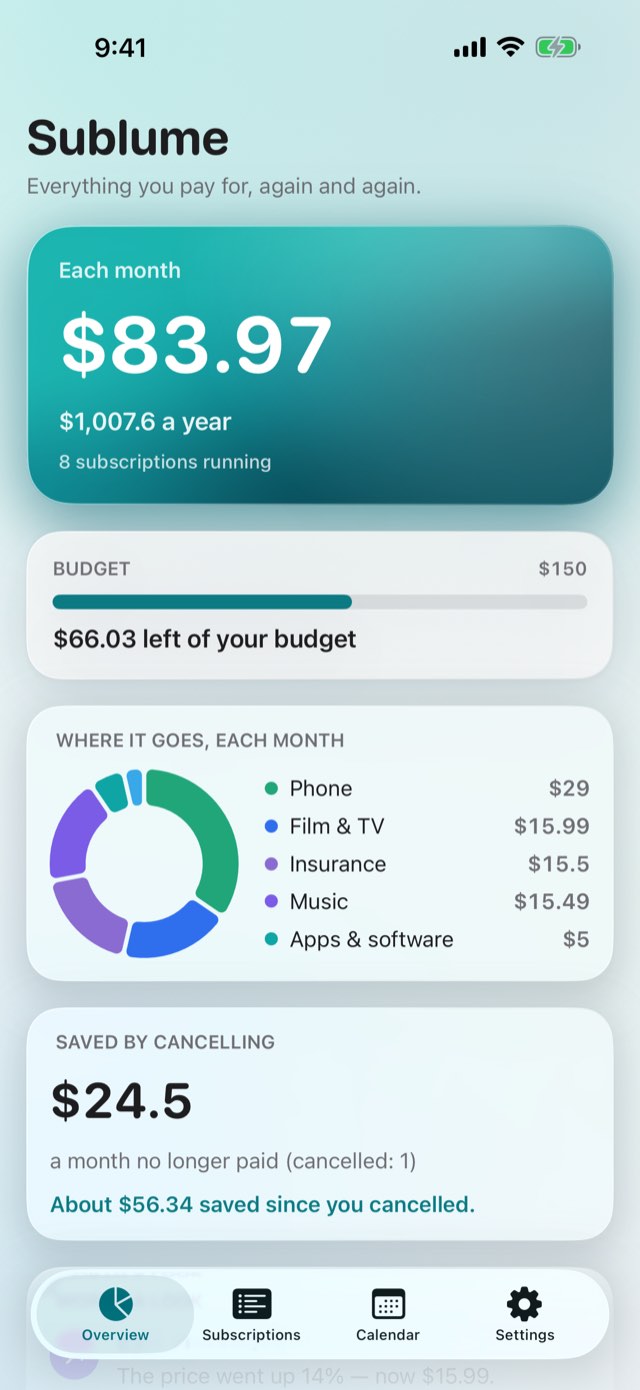
Every subscription and bill in one private list: what you pay each month and each year, what renews next, when a trial turns into payments and the last day to cancel — and the letter, written for you, when you want out. Now with a calendar of the next twelve months, shared costs counted as your part only, and a running count of what cancelling has saved. A Face ID lock and a monthly budget keep it yours alone. No account, no bank login, no server. Optimised for iPhone Duo.
A charge you forgot about is found on the statement, a month too late.
Here it is on the list before it happens — with the last day you could still have said no.
Tell it how much notice a contract asks for and it shows the last day to cancel before each renewal — beside a trial about to end, a yearly bill coming up and a price that went up.
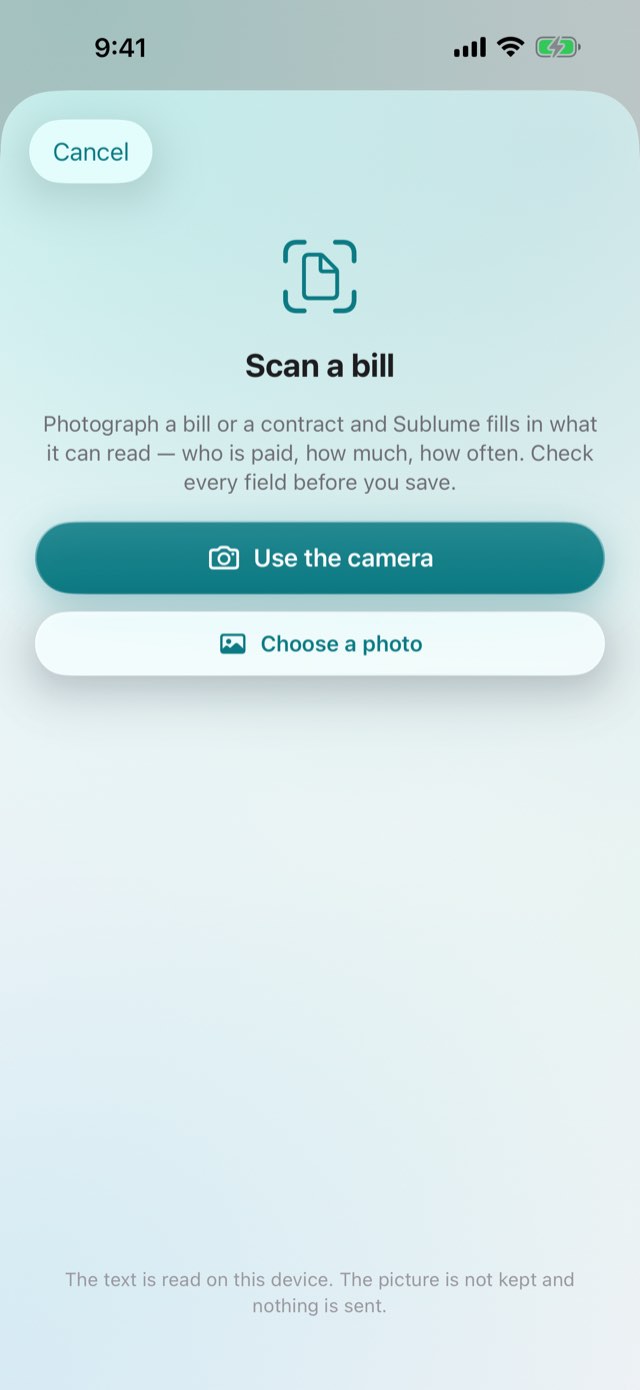
Photograph a bill or a contract and the name, the amount, the cycle and the customer number are read on your device. You check every field before it is saved.
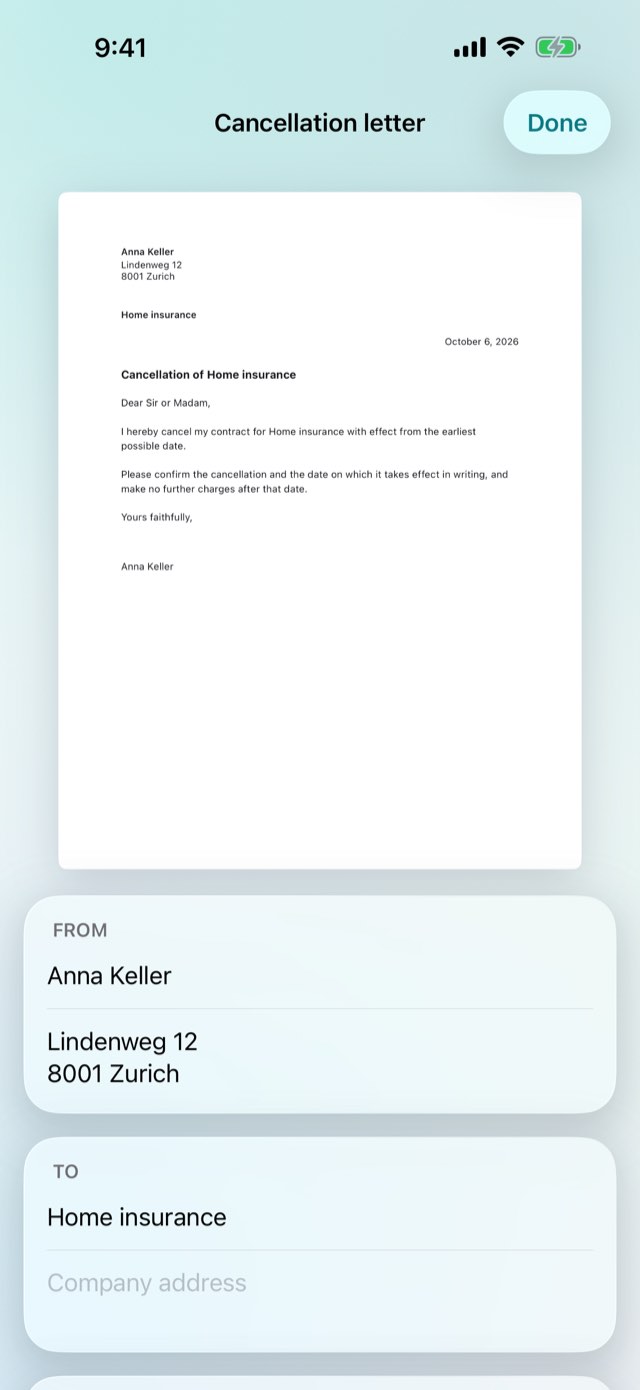
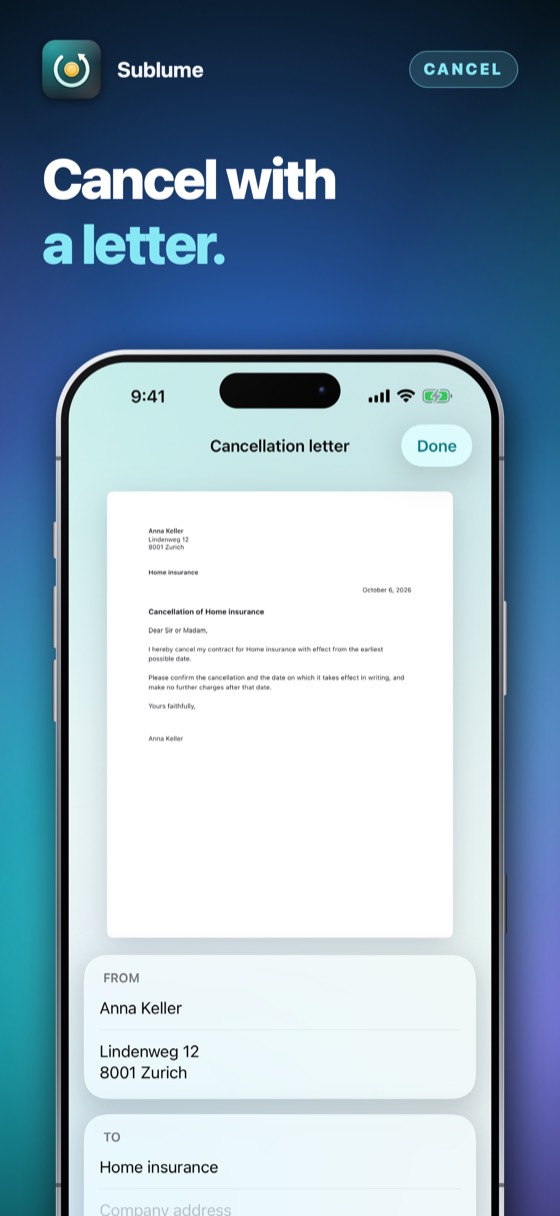
A cancellation letter in your language, with your name, the company's address and your customer number — at the earliest possible date or from the day you choose. Print it, keep a PDF, or send it.
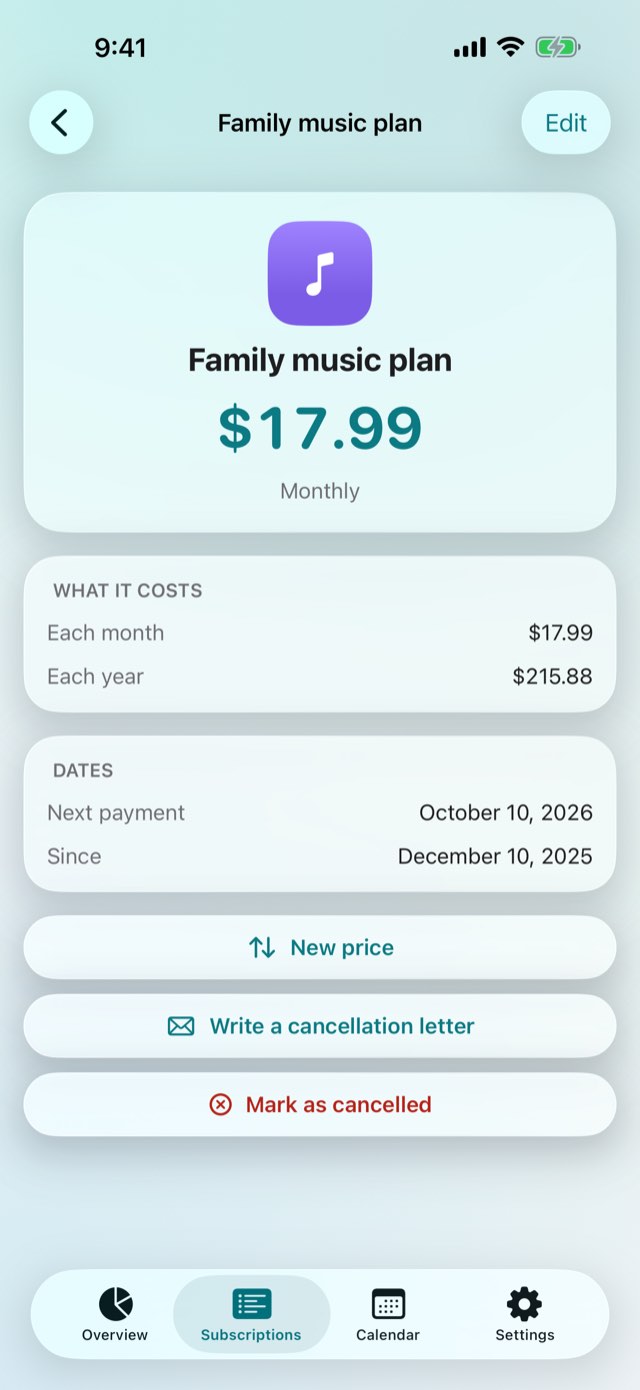
Record a new price and the old one is kept, so the list tells you what went up and by how much.
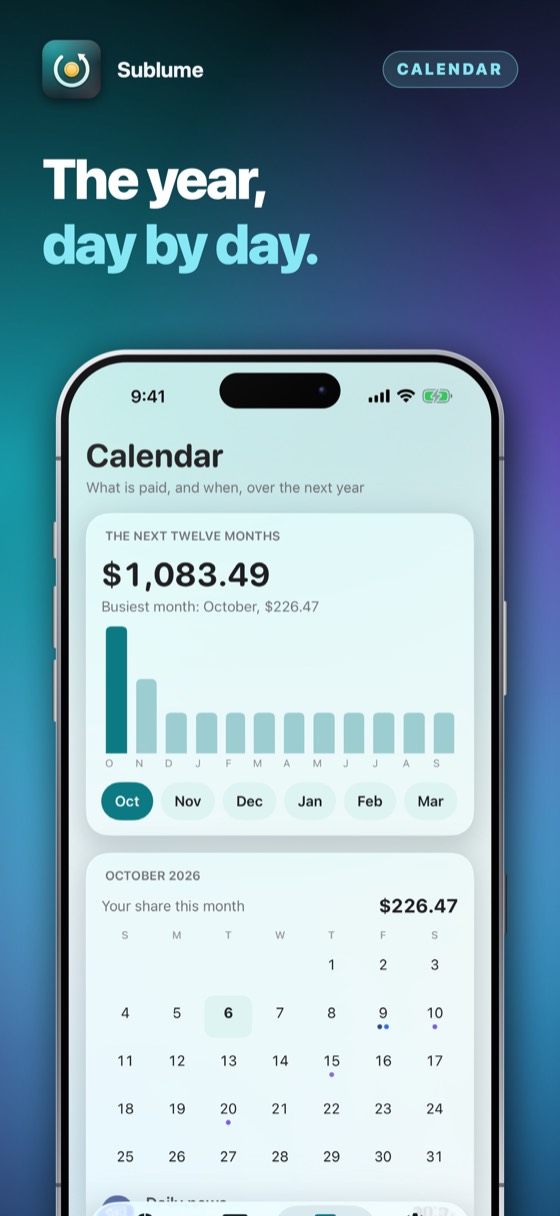
Every payment on a calendar of the year ahead, with a bar for each month and the busiest one marked. Add every payment to your own calendar in one go.
A family plan or a shared flat: say how many people split the cost, and only your part goes into the totals, the calendar and the forecast.
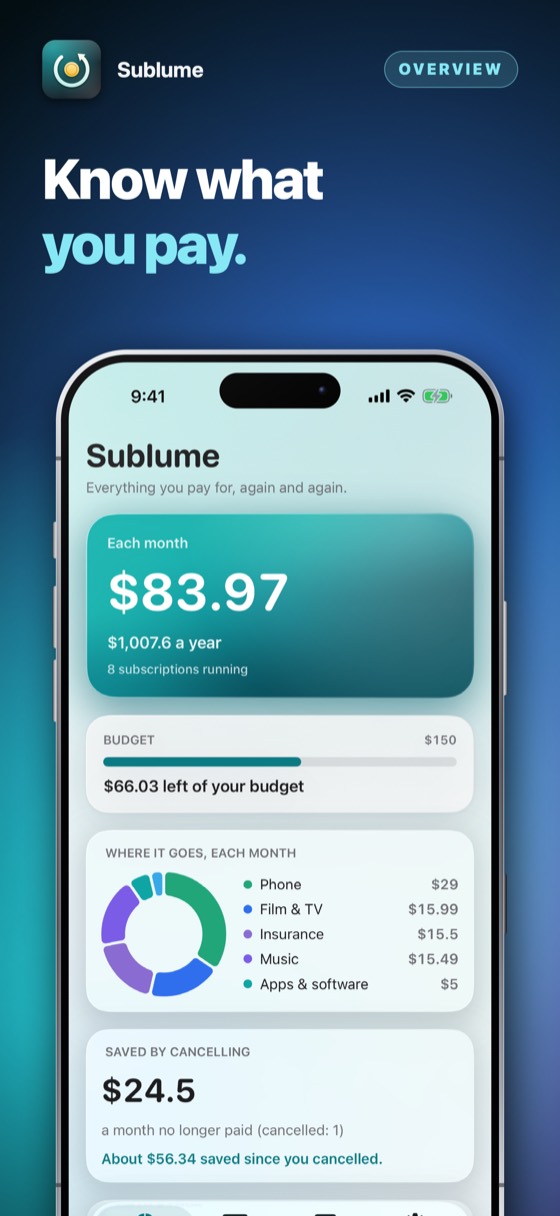
Mark a subscription as cancelled and Sublume keeps count: the monthly amount you no longer pay, and about how much you have saved since.
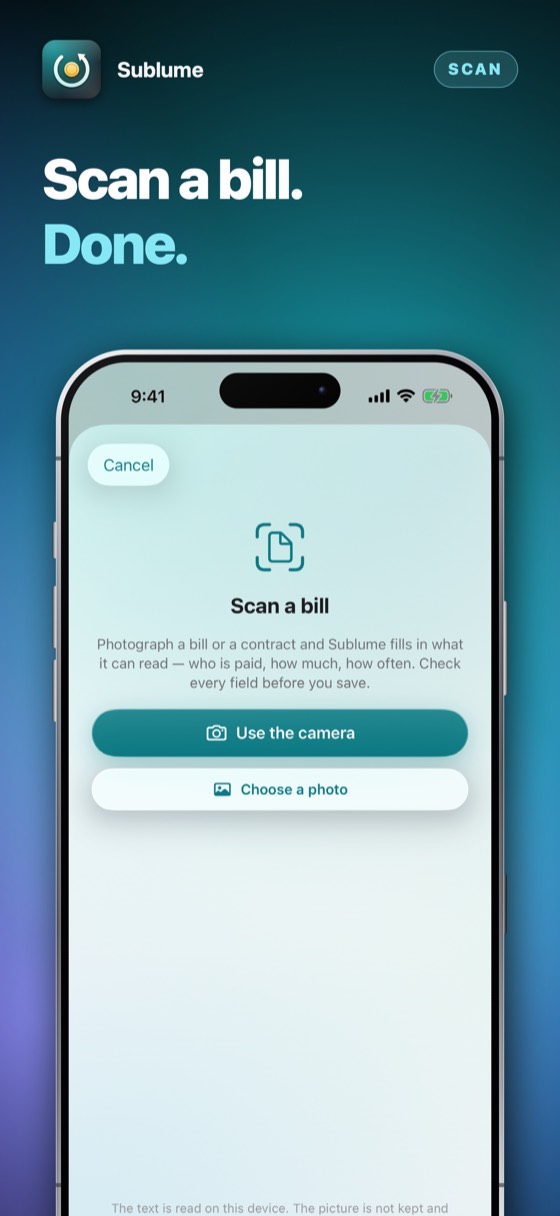
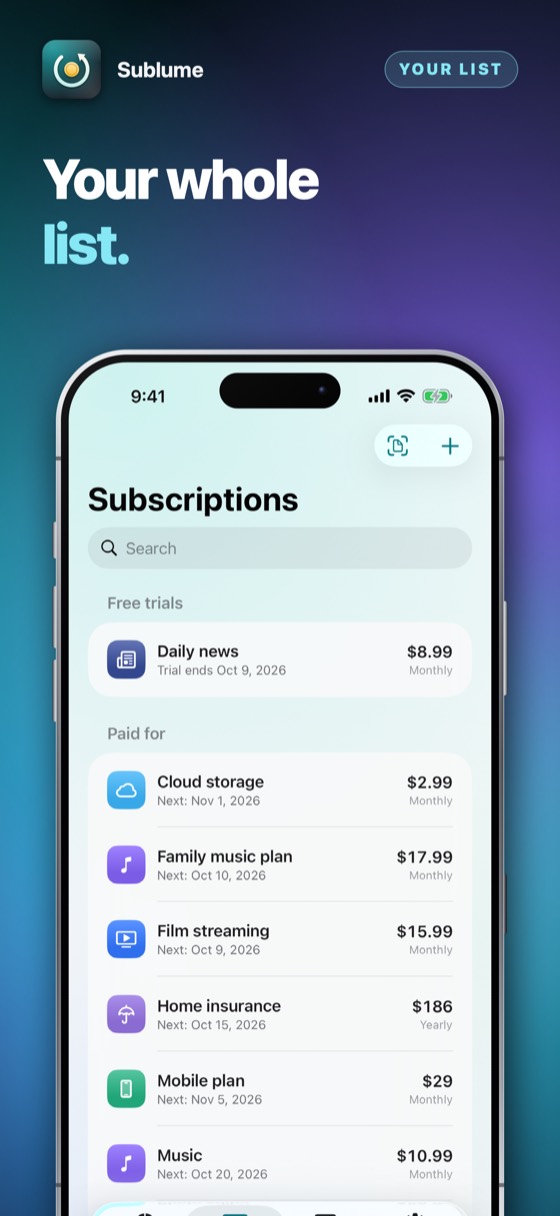
The first ten minutes, in the order most people spend them. None of it needs an account, and none of it needs a signal.
A name, an amount and how often — or scan the bill and check what was read.
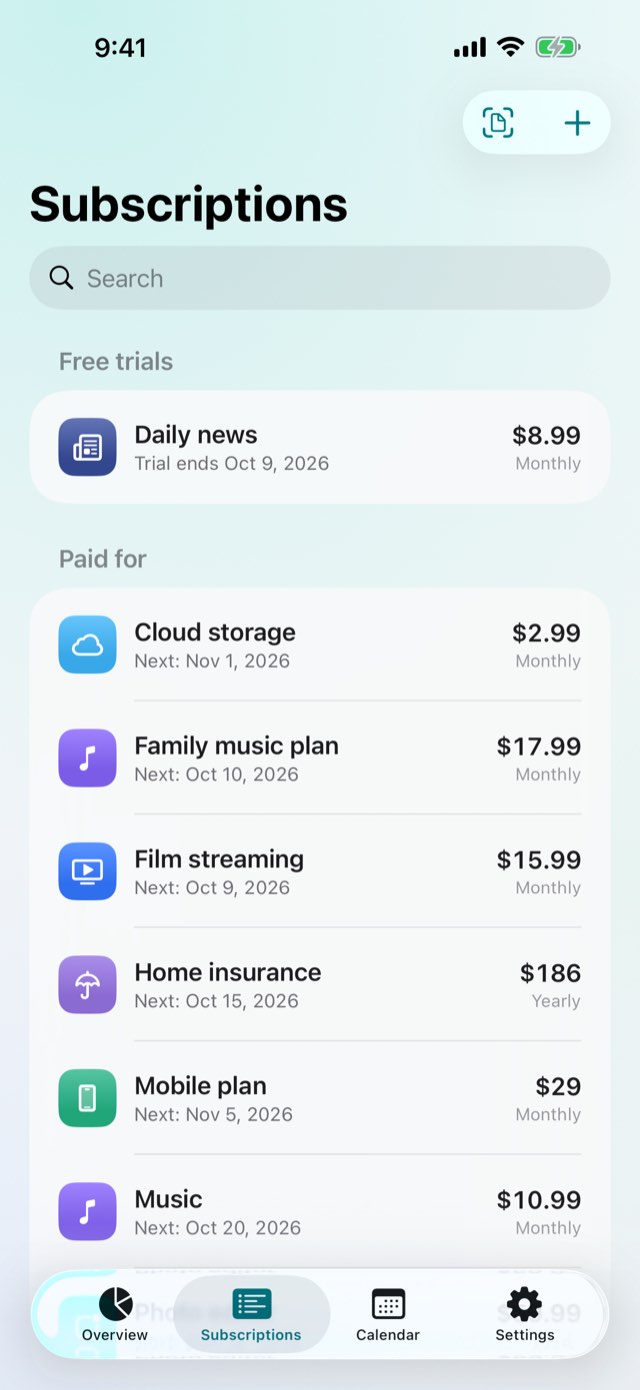
A trial's last day, so its first payment never comes as a surprise.
How many days before a renewal the contract wants to hear from you.
A few days ahead of payments, trials' last days and the last day to cancel.
Each month and each year, and where the money goes.
Most subscription trackers want your bank login, or are a subscription themselves. This one keeps the list on your phone — and knows the dates that matter.
| The question | The usual answer | Sublume |
|---|---|---|
| Your bank | A login handed to a third party | Never asked for |
| The last day to cancel | Found in the small print, too late | Worked out from the notice the contract asks for |
| Free trials | Remembered when the charge arrives | A reminder before the last day |
| Leaving | A letter to write from scratch | A cancellation letter in your language, ready to send |
| Paying | A monthly fee for the tracker | Three days free, then one payment |
“What do I pay each month in Sublume” — Siri says the total, without opening anything.
On devices with Apple Intelligence turned on, the on-device model helps read a scanned bill — and a value is only used if it is printed on it.
Pay in several? Each is added up in its own.
Monthly payments keep their day through February.
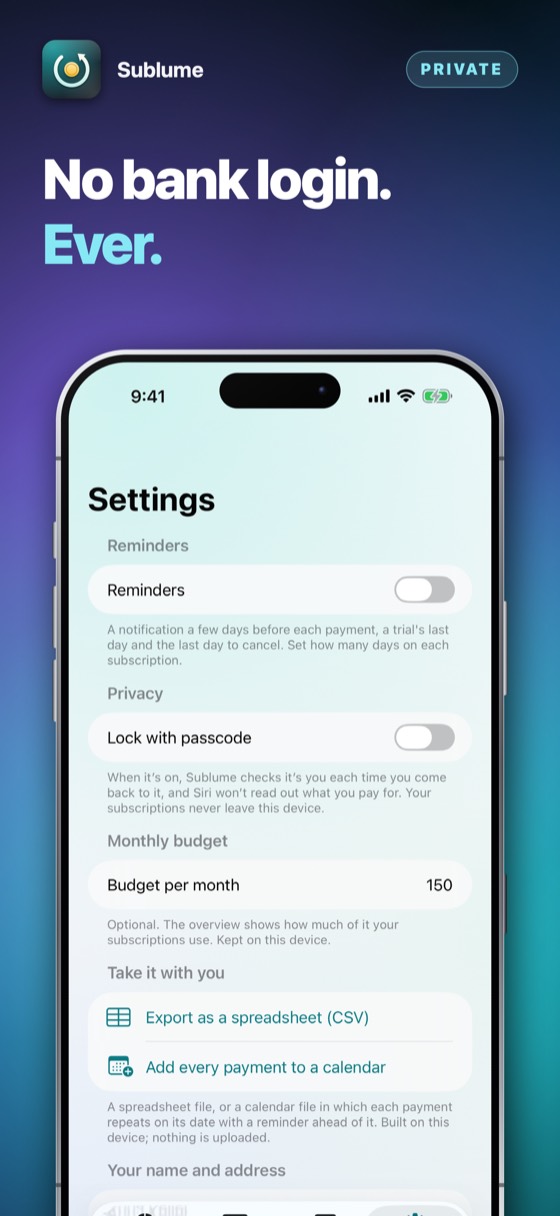
No account, no bank login and no server — so nothing about your money is anywhere but your phone.
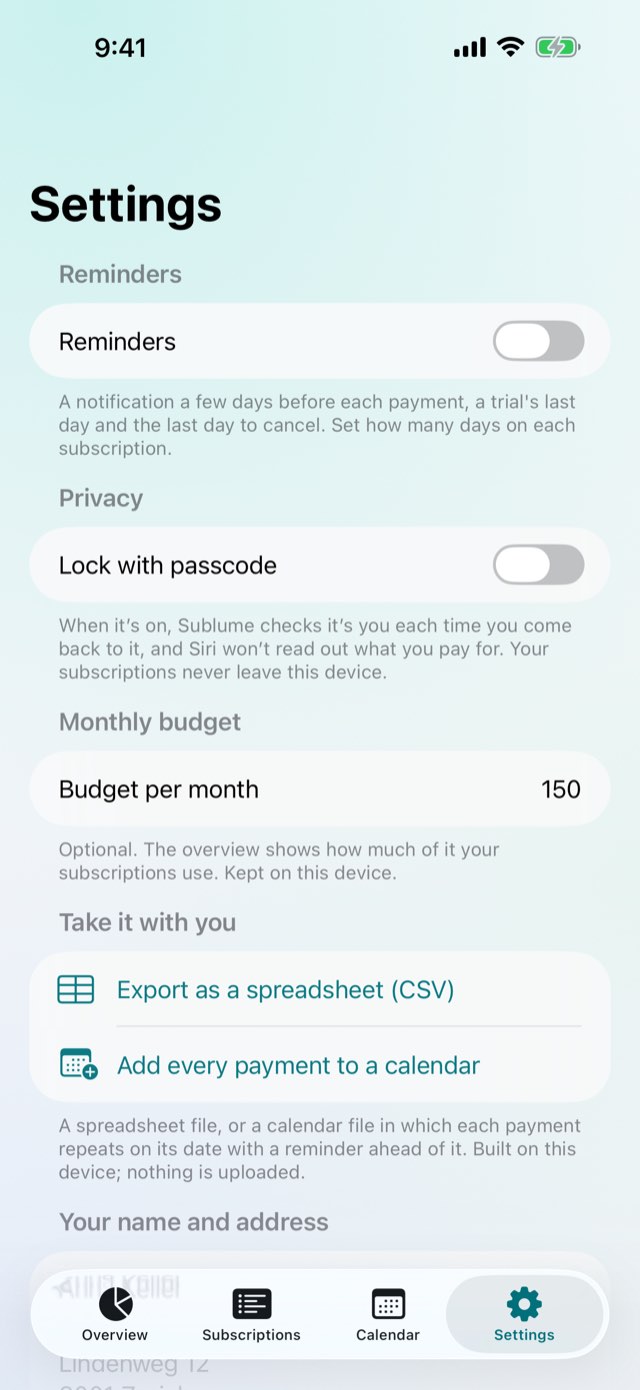
Turn on the Face ID lock and Sublume asks for it each time you come back. The app switcher shows a lock, not your list, and Siri stays silent about what you pay for.
Set a monthly budget and see how much of it is used. Export the list as a spreadsheet, or add every payment to your calendar with a reminder ahead of it.
English, German, Polish, Chinese and Hindi, following the language of your device.
No account and nothing to sign up for. Try the whole app for three days; then it asks once, and you decide.
Coming to the App StorePrices are shown on the App Store, in your own currency. Three days free, then one payment — nothing renews.
No, and it never will. You add what you pay for yourself, or scan a bill. That is why nothing about your money is anywhere but on your phone.
No app can do that for you: only the provider can. Sublume tells you the last day to do it and writes the letter; you send it.
It is a template, not legal advice. Your contract and the law that applies to it decide how, by when and to whom notice must be given — check them before you rely on the letter.
It is read on your device and let go. The picture is not kept and nothing is sent anywhere.
Everything is open for your first three days, with a free in-app trial. After that, one in-app purchase unlocks Sublume for good — a subscription tracker that is not a subscription. It never renews and there is nothing to cancel.
Apple takes the payment, so this developer never sees a card or a name.
The purchase belongs to your Apple Account. On another iPhone or iPad signed in to it, open Sublume and choose Restore purchase in Settings. Nothing is charged again.
Refunds are handled by Apple, not by us — we never see your payment details. Go to reportaproblem.apple.com, sign in, and choose the purchase.
Payments, refunds and cancellations
Apple takes every payment for this app. That means Apple — and only Apple — can look a charge up, stop a subscription or give a refund. This developer never sees a card, a name or a payment, and has no way to change one.
Cancelling is done at the App Store, and nowhere else. Open the App Store, tap your picture at the top right, then Subscriptions. Cancelling stops the next payment; what you have already paid for runs to the end of its period. Do it at least 24 hours before the period ends, or that renewal goes through anyway.
Switch on Reminders in Sublume's Settings and allow notifications in Settings › Notifications › Sublume. Each subscription sets how many days ahead it reminds you.
Scans are suggestions: correct the field before saving. A sharp, flat photo of the part of the bill with the total reads best.
It is worked out from the first payment, the cycle and the notice you entered. Check those three on the subscription's page.
A purchase belongs to your Apple Account, not to one device. On a new phone, or after reinstalling, open the app and choose Restore on the purchase screen. Nothing is charged again.
Open the App Store, tap your picture at the top right, then Subscriptions. That is the only place a subscription can be stopped — this app cannot do it for you, because Apple takes the money. Cancelling stops the next payment and leaves the period you have already paid for running to its end. A one-time purchase never renews and has nothing to cancel.
Still stuck? Write to alpenlume@gmail.com — say which app, which iPhone or iPad, and what you expected to happen.
Last updated 10 September 2026.
The short version
Sublume collects nothing, has no account and never connects to a bank. Your list stays on your device.
Your subscriptions, their dates and prices, and the name and address on your letters live in the app's own storage on your device. Scans are read on the device and not kept. Reminders are scheduled on the device.
Nothing. This app has no account, no sign-in, no analytics, no advertising identifier, no crash reporting service and no tracking of any kind. No profile is built and nothing is shared with anyone.
This app has no server of its own: nothing to sign in to, and nothing uploaded to the developer, ever. What it does with the internet — for most of these apps, nothing at all — is set out under “On your device” above.
Two things do use the internet, and both are somebody else's. The App Store does, when you buy, subscribe or restore. And when you share something — a dish, a recipe, a document — iOS hands it to the app you picked, whether that is Messages, Mail or WhatsApp, and that app sends it over its own connection under its own privacy policy. Nothing is sent unless you press send, and this app never learns where it went.
Buying is handled entirely by Apple. The app never sees a card number, a name or an address; it asks the App Store one question — whether this Apple Account owns the app — and receives yes or no. Apple's own privacy policy governs the transaction.
This app is not directed at children and collects nothing from anybody, so there is nothing held about a child to disclose, correct or delete.
Data protection law gives you the right to see, correct, export and erase personal data held about you. Because none is held, there is nothing to produce or delete on request. Everything the app has is on your own device: deleting the app removes it, and it was never anywhere else.
If this policy ever changes it will be dated above. It will not be changed retroactively, because there is no collected data for a change to newly permit.


